> For the complete documentation index, see [llms.txt](https://docs.dapta.ai/llms.txt). Markdown versions of documentation pages are available by appending `.md` to page URLs; this page is available as [Markdown](https://docs.dapta.ai/ai-text-agents/setting-up-your-text-agent/brains-for-text-agents.md).
# Brains for Text Agents
Create a Brain from the Settings tab, add up to 25 sources, web pages, files, or text, and track it through Pending, In Process, and Completed states.
In Dapta agents, knowledge bases are referred to as "Brains", essentially acting as the brain of your AI agent.
## What is a Brain for a text agent?
A Brain is the knowledge base that powers your text agent's answers. From the Brains section in Settings you create one and add up to 25 sources, web pages, uploaded files, or pasted text, which then move through Pending, In Process, and Completed states before the agent can use them.
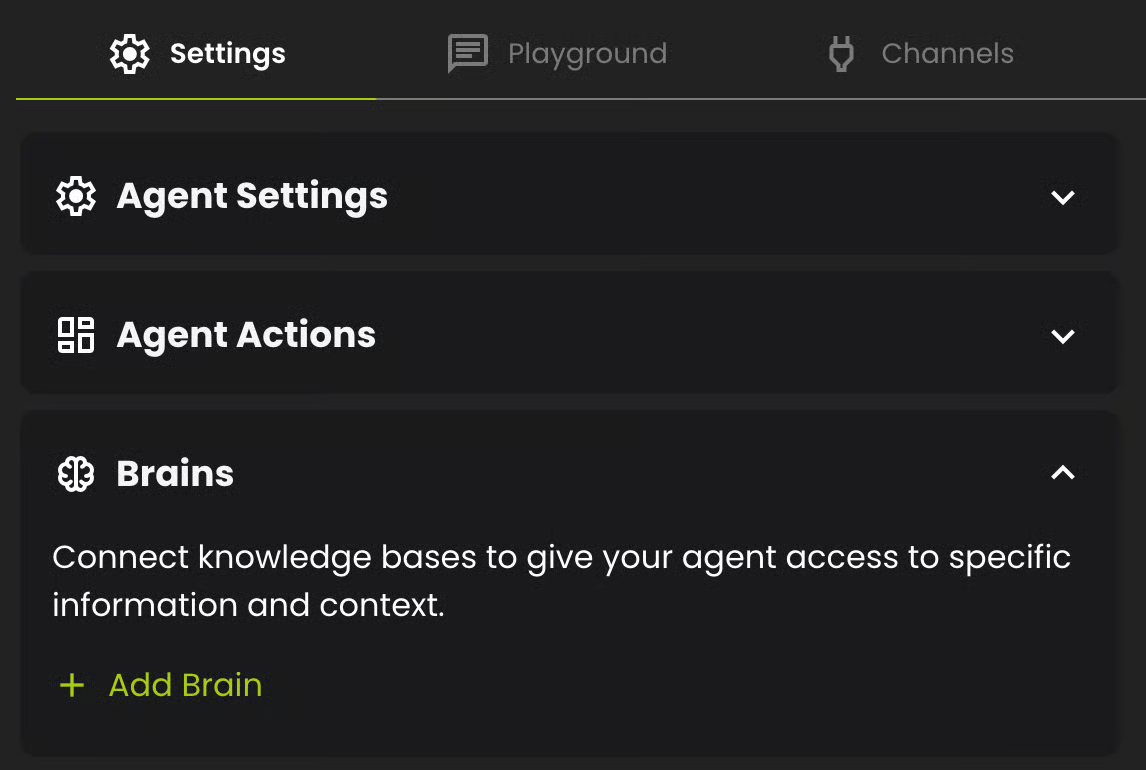
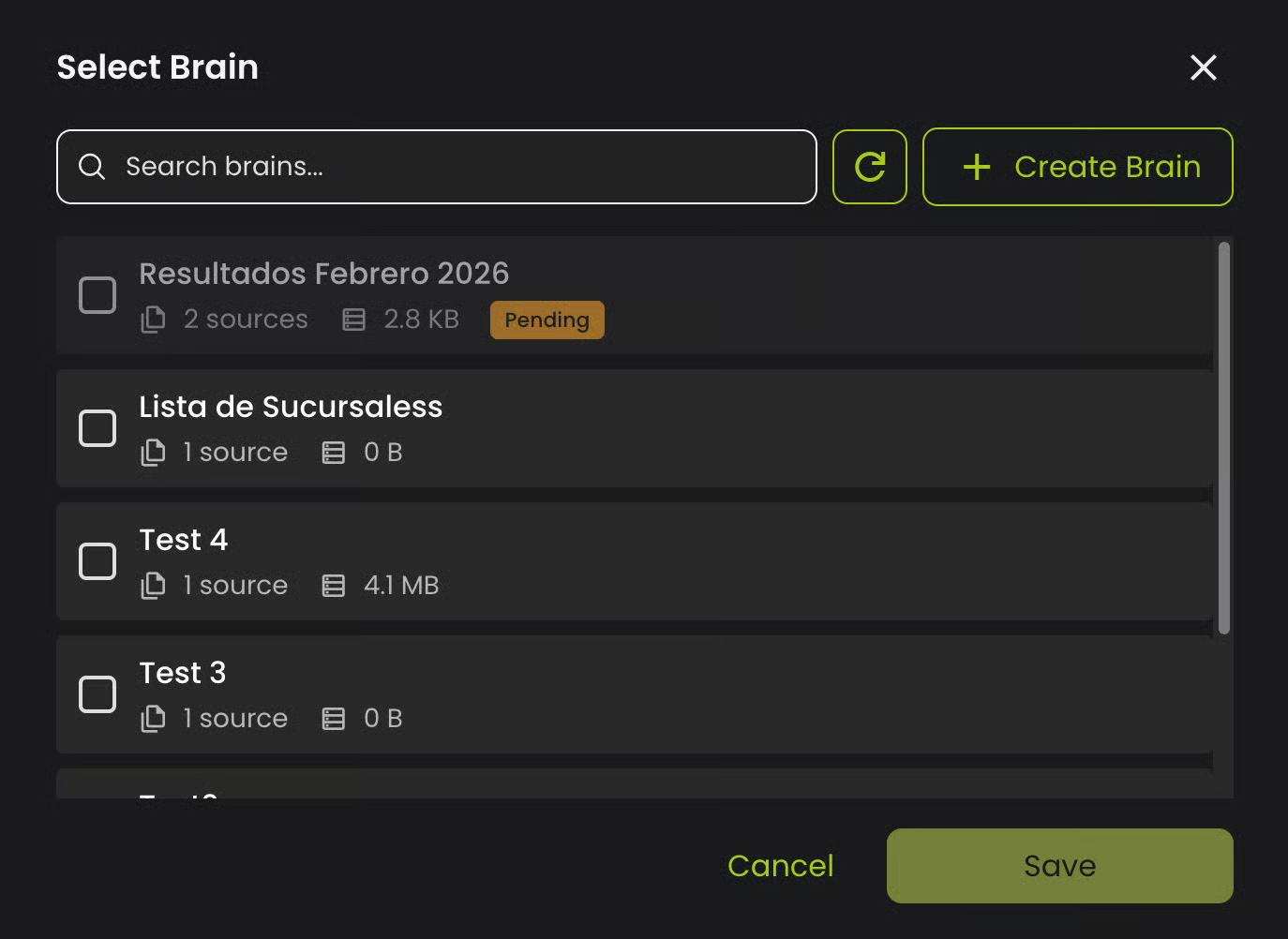
In the Settings tab, go to the Brains section.
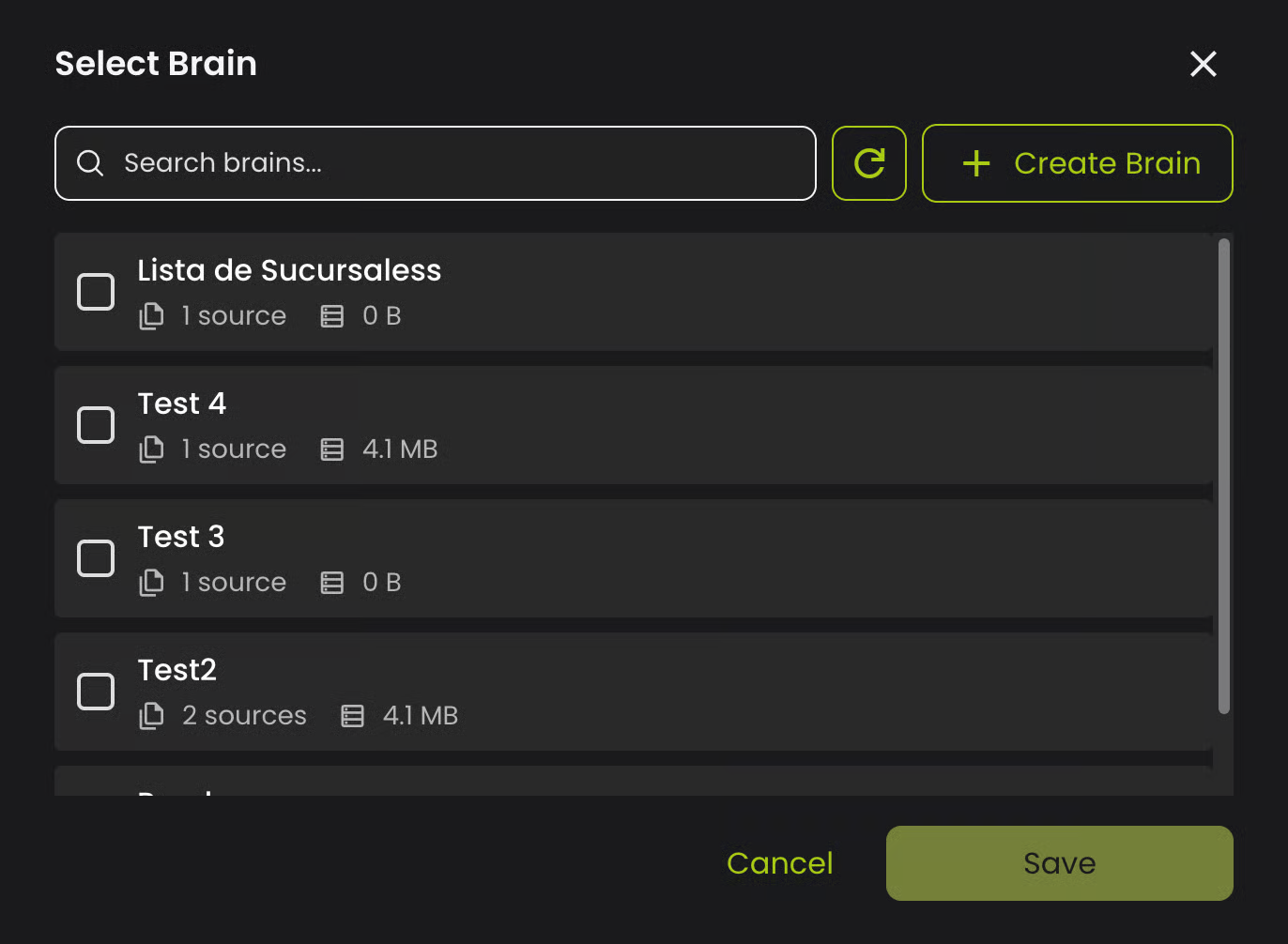
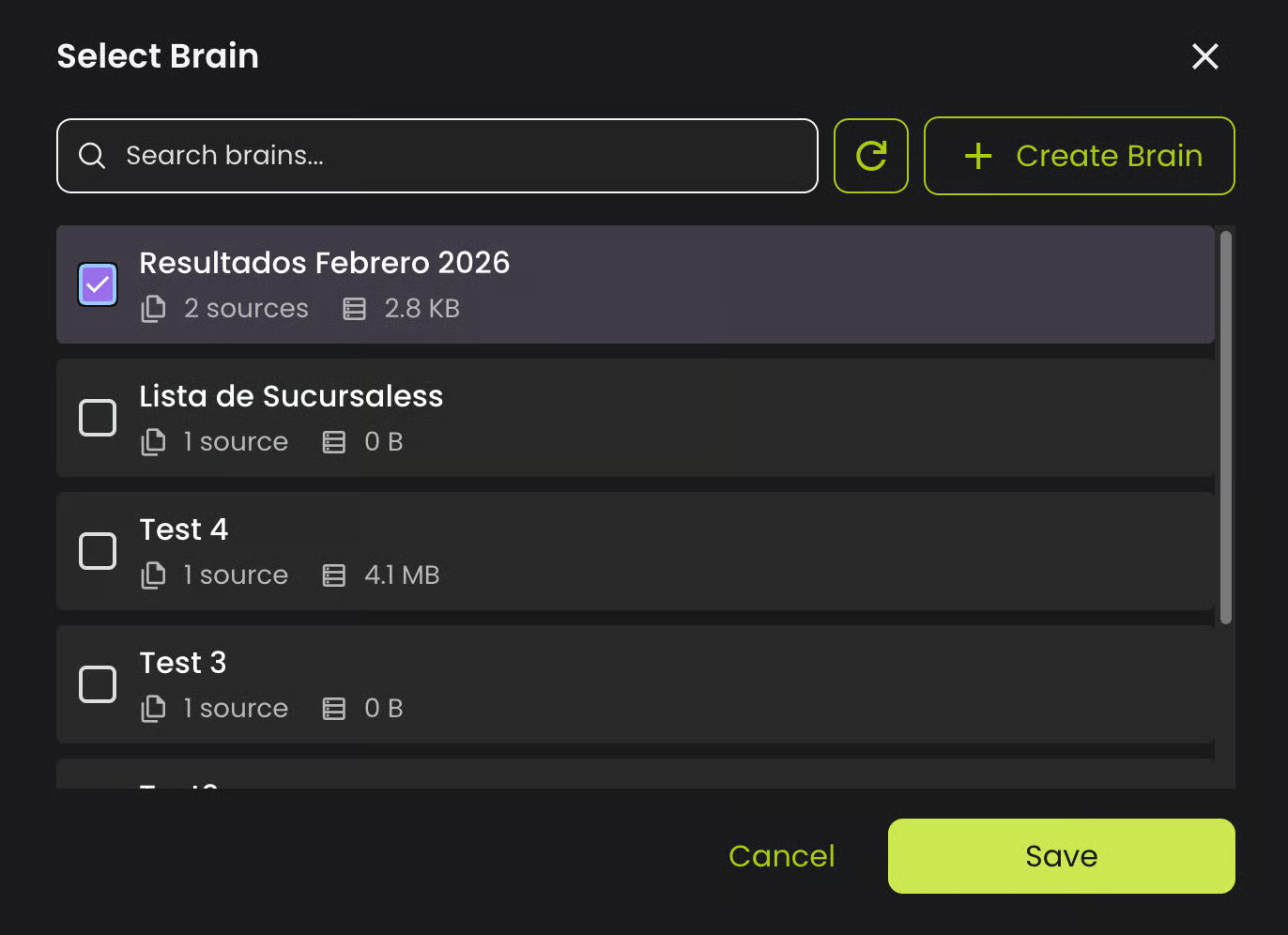
* If you already have Brains created, you can select them here.
* If you don't, you can create a New Brain to serve as a knowledge base.
#### **Create a New Brain**
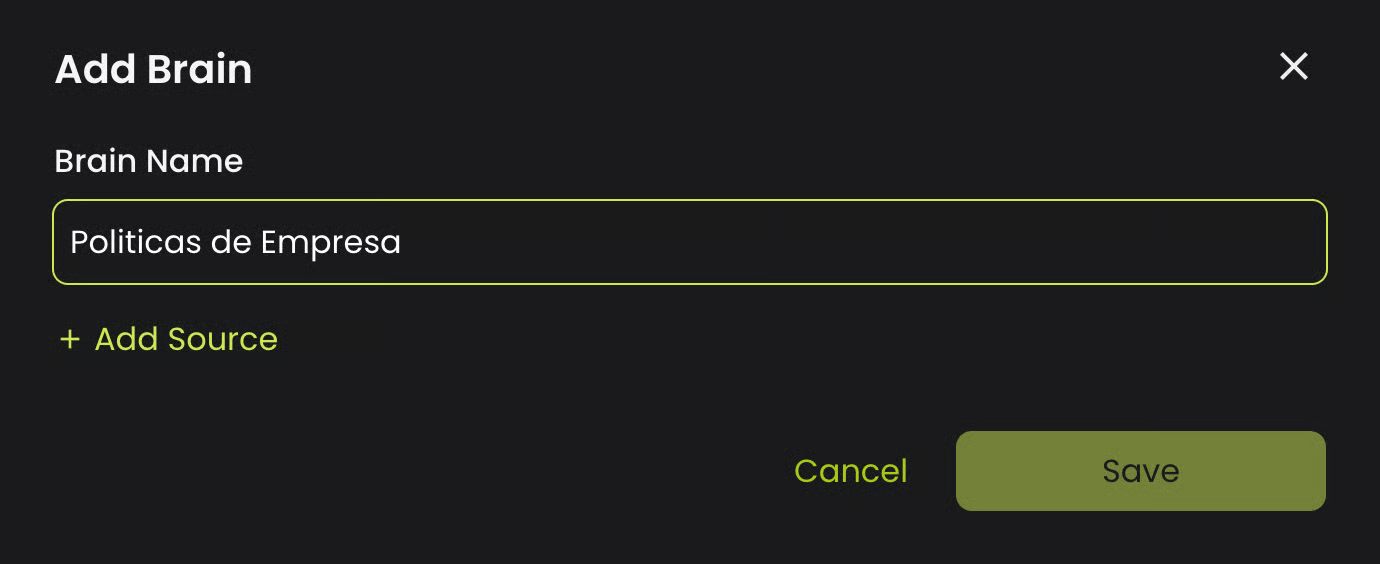
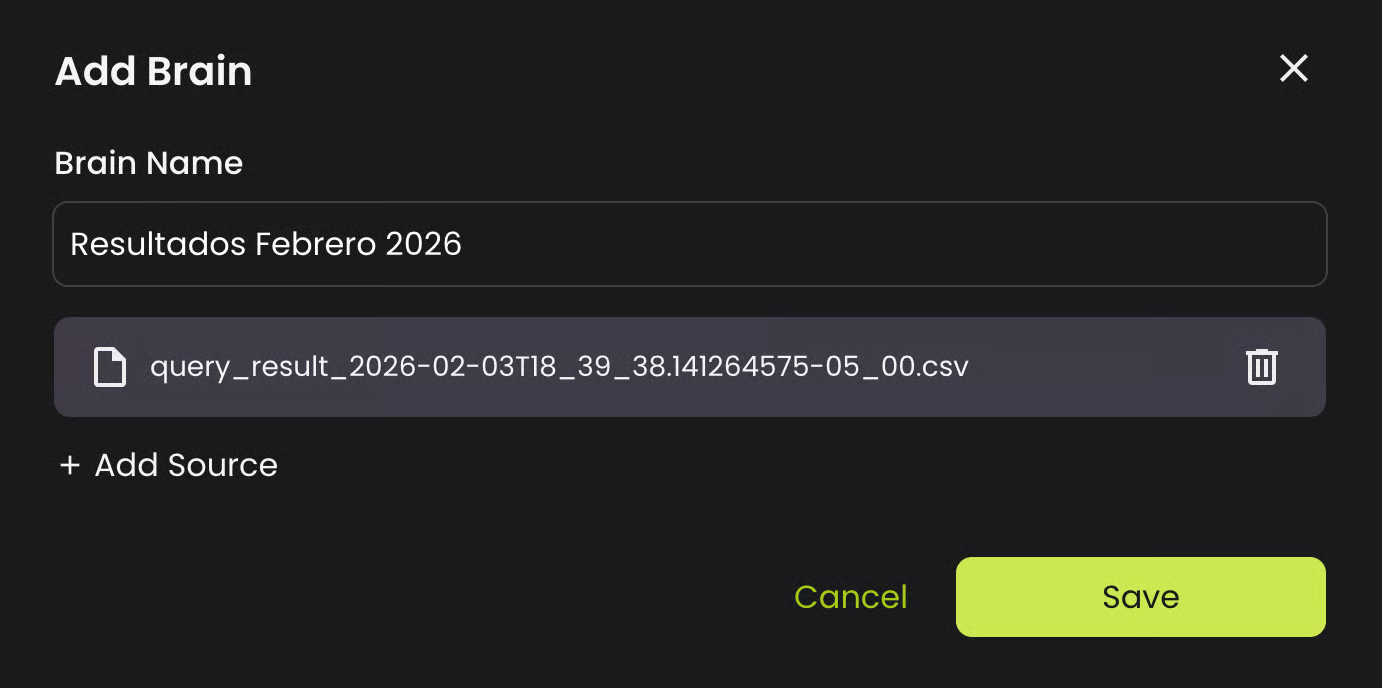
* Click the Create Brain button.
* Give your Brain a name.
* Add one or more sources by clicking + Add Source.
You can add up to 25 sources per Brain, choosing from:
* **Web Pages:**\
Enter the URL you'd like to add as a knowledge base.\
You can click discover if a sitemap is found.
You can add web pages in two ways:
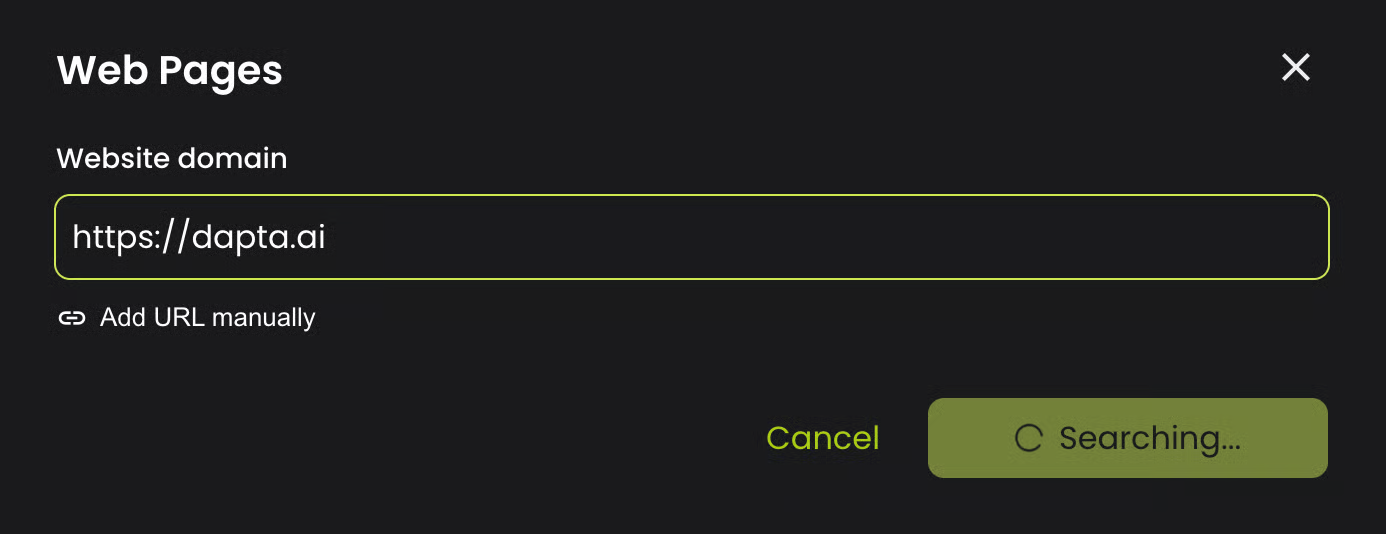
* **Discover Sitemap:**
* Click Add Source and select Add Web Pages.
* Enter the website domain (e.g., example.com).
* Click Discover Pages.
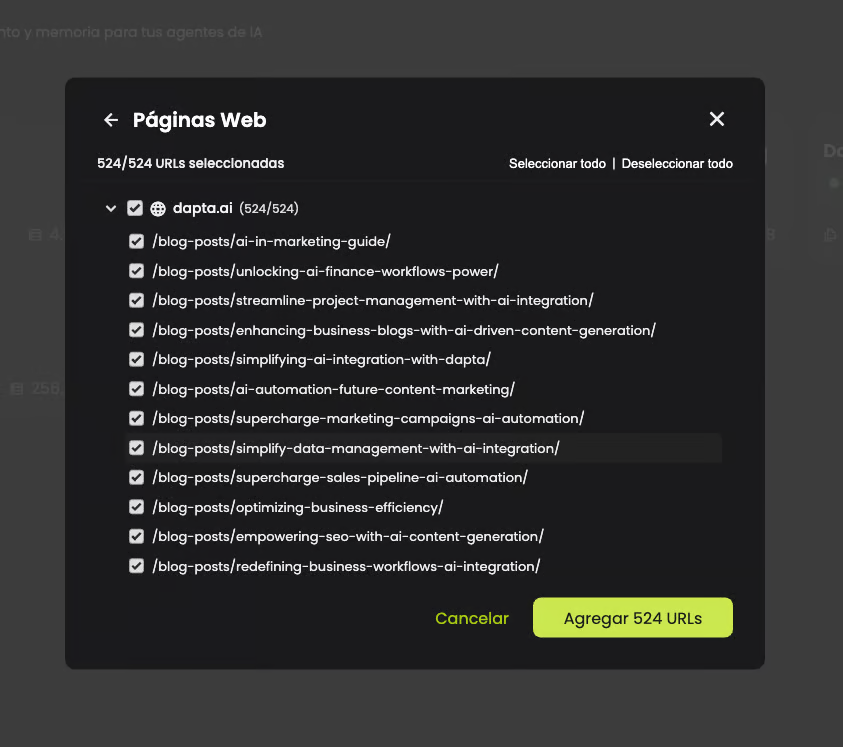
* If a sitemap is found, a tree of URLs organized by subdomain will appear.
* Select the pages you want to include using the checkboxes.
* Use Select All / Deselect All for quick selection.
* Expand subdomains to select individual pages.
* Click Add x URLs to confirm your selection.
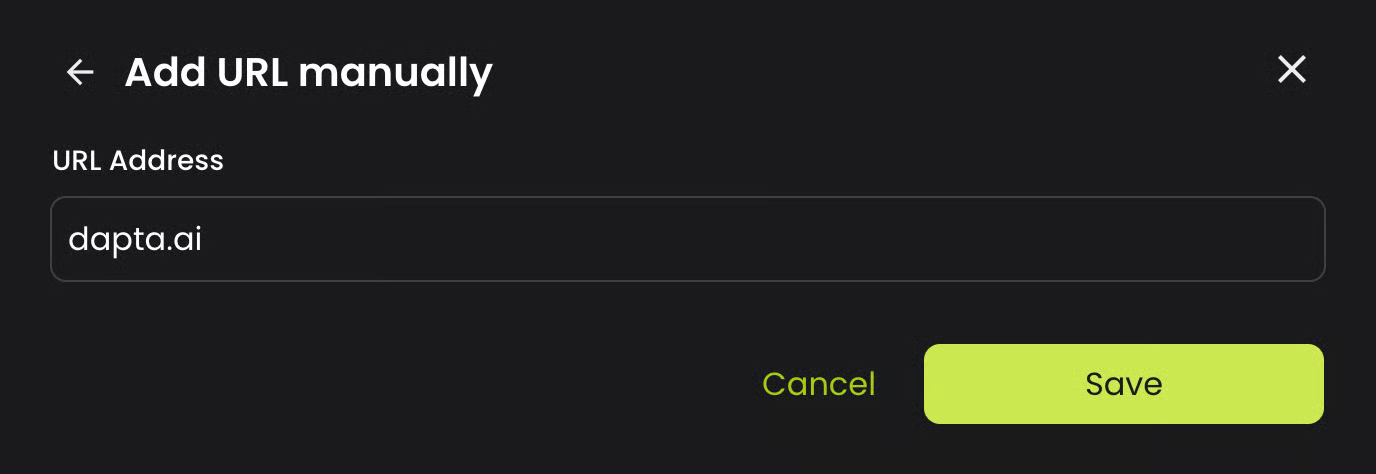
* **Manual URL Entry:**
* If no sitemap is found or you prefer to add URLs individually:
* Click the Add URL manually link.
* Enter the full URL (e.g., ).
* Click Save.
* **Files:**
* Great for selecting documents from your computer, up to 25 files at a time.
* You can process documents, presentations and text files.
* Supported extensions: `.pdf`, `.doc`, `.docx`, `.ppt`, `.pptx`, `.txt`, `.md`, `.markdown`, `.csv`, `.json`. Spreadsheets (`.xls`, `.xlsx`) and images aren't supported yet: export a spreadsheet to CSV or Markdown before you upload it.\
* If a file can't be used, it's rejected right away with a message that names the file and says why (for example, a damaged PDF or a format that isn't supported yet). The other files are still added. See [Brains](/ai-voice-agents/how-to-set-up-your-ai-voice-agent/brains.md#troubleshooting) for what to do next.
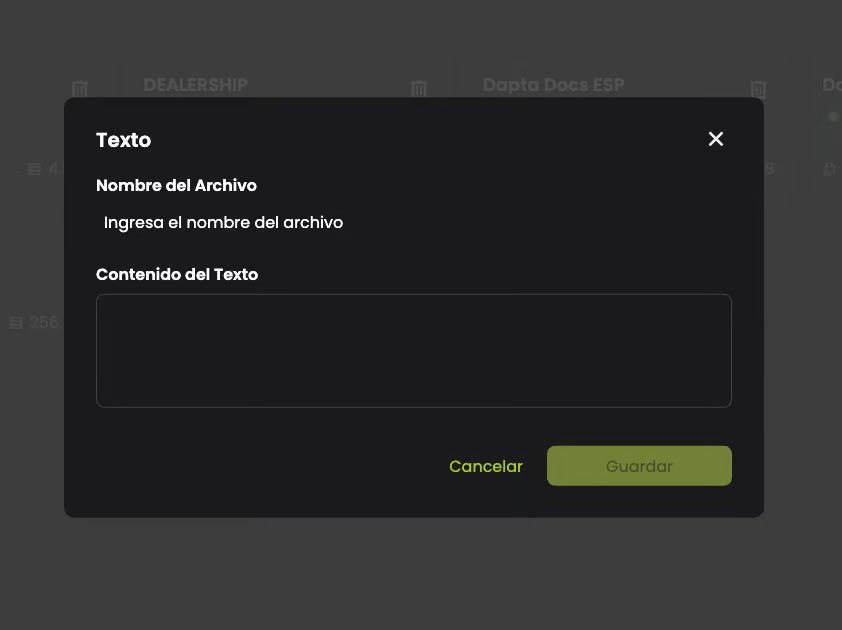
* **Text:**
* Type or paste text directly.
* Click Save.
* Once created, the Brain goes through three states:
1. **Pending**: The knowledge base is waiting to be processed.
2. **In Process**: The knowledge base is being indexed.
3. **Completed:** The knowledge base is available for queries.
4. **Error:** Processing failed.
A source in **Error** shows the reason under its name. **Retry** appears only when the problem was temporary; otherwise, delete the source, fix the file and upload it again. A **Partial** badge on a completed file means fewer than half of its pages have readable text, for example scanned pages: text inside images isn't indexed yet.
After uploading the source you need for your knowledge base,
select the ones you want to add and click Save.
---
# Agent Instructions
This documentation is published with GitBook. GitBook is the documentation platform designed so that both humans and AI agents can read, navigate, and reason over technical content effectively. Learn more at gitbook.com.
## Querying This Documentation
If you need additional information that is not directly available in this page, you can query the documentation by asking a question.
Perform an HTTP GET request on the following URL with the `ask` and `goal` query parameters:
```
GET https://docs.dapta.ai/ai-text-agents/setting-up-your-text-agent/brains-for-text-agents.md?ask=&goal=
```
`ask` is the immediate question: it should be specific, self-contained, and written in natural language.
`goal` is what the user is ultimately trying to achieve, the reason they need the answer. Sharing it helps GitBook give you a better, more relevant answer. A goal is most helpful when it describes the outcome the user wants rather than restating the question. For example, with `ask=how do I create an API token`, a goal like `automate deployments from our CI pipeline` lets GitBook tailor the answer to that use case.
The response will contain a direct answer to the question and relevant excerpts and sources from the documentation.
Use this mechanism when the answer is not explicitly present in the current page, you need clarification or additional context, or you want to retrieve related documentation sections.