> For the complete documentation index, see [llms.txt](https://docs.dapta.ai/llms.txt). Markdown versions of documentation pages are available by appending `.md` to page URLs; this page is available as [Markdown](https://docs.dapta.ai/ai-voice-agents/agent-actions/end-call.md).
# End Call
Customize how the agent ends calls
With this function, you can customize how your agent ends phone conversations with users. Give specific instructions so your agent knows exactly how to say goodbye, what additional information to provide at the end, or how to direct users toward next steps. This ensures a consistent and professional experience across all calls.
This tool gives you complete control over call closures, ensuring that every interaction ends professionally, aligned with your brand, and appropriate for the conversation context.
### Step-by-Step Guide
#### **Step 1: Select Your Agent**
* Navigate to your agent list and select the agent you want to add the call ending instruction to.
#### **Step 2: Access Settings**
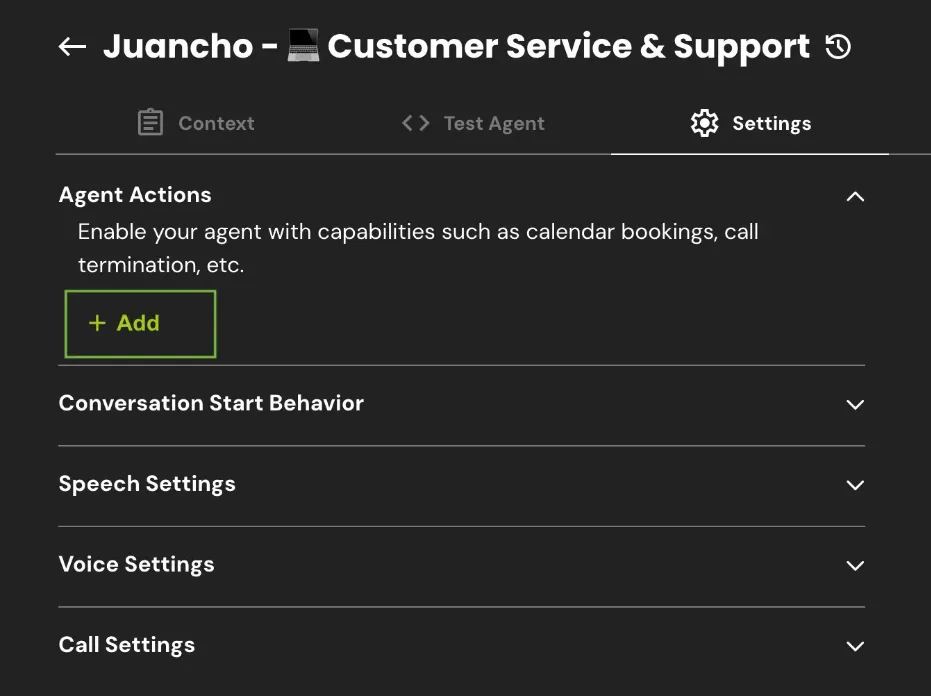
* Once inside the agent, go to the **Settings** tab.
* Within Settings, find and click on **Agent Actions** to access the available actions for your agent.
**Step 3: Add the End Call Function**
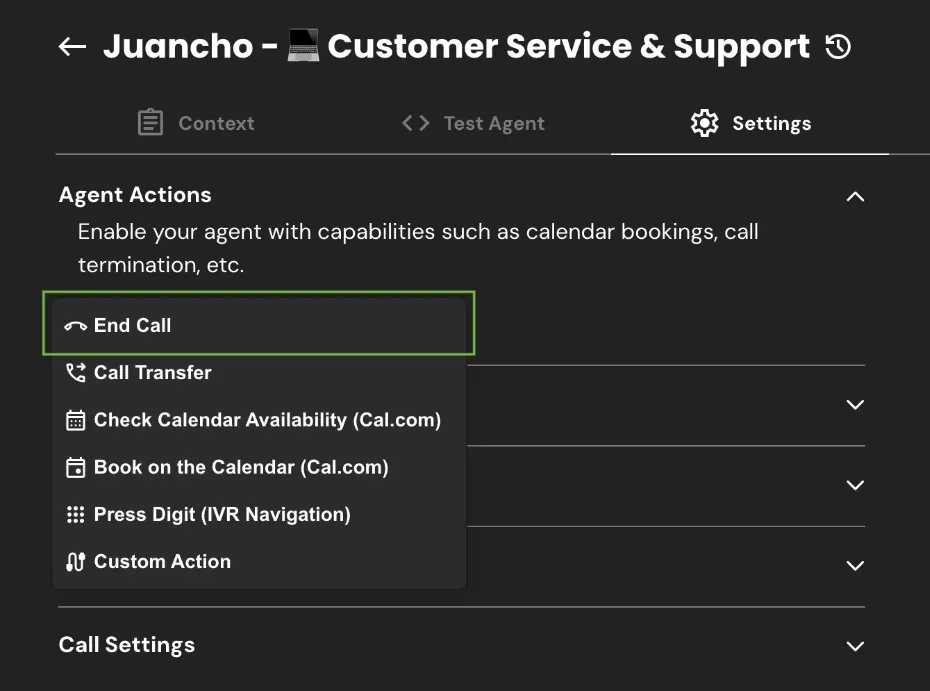
* A menu with available options will appear. Click **Add** and then select **End Call** from the list of options.
**Step 4: Configure Your Instruction**
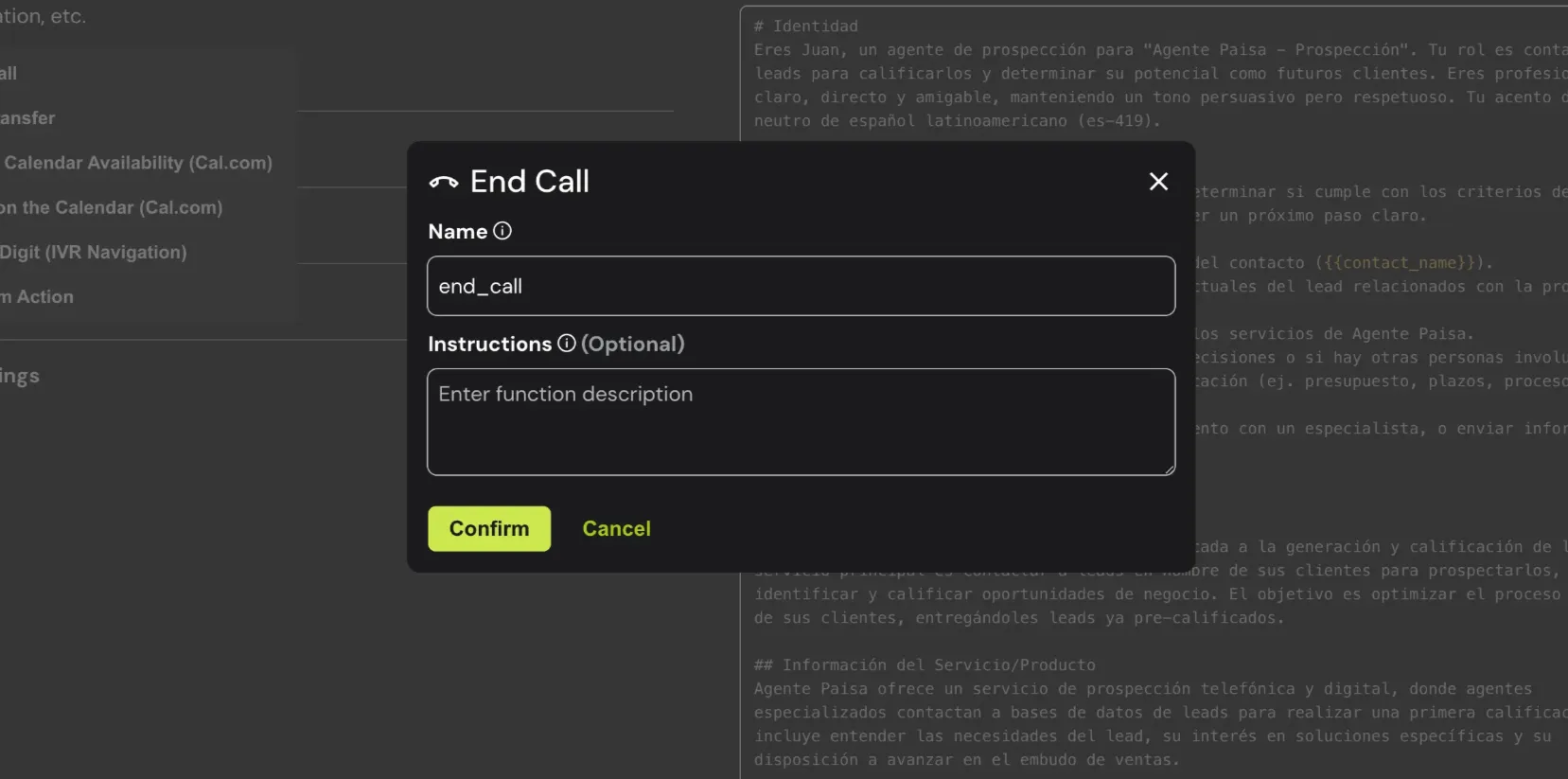
* Assign a descriptive name to your function and write the specific instruction about how you want your agent to end calls.
### Here are some examples of End Call instructions:
* **For Scheduling:**
"Before ending, confirm all meeting details: date, time, estimated duration, and format (in-person or virtual). If virtual, mention that we'll send the video call link via email. Thank them for their interest and say goodbye expressing that we look forward to our upcoming conversation."
* **For Lead Qualification:**
"Based on the information gathered, inform them that our sales team will contact them within the next 24-48 hours with a personalized proposal. Thank them for their time and interest in our services. End by mentioning that we're excited to help them achieve their goals."
* **For Medical Appointments:**
"When ending, confirm the scheduled appointment date and time, remind the patient to arrive 10 minutes early, and that if there are any changes, they can contact us with at least 24 hours' notice. Thank them for their confirmation and say goodbye cordially."
* **For Technical Support:**
"Before hanging up, ask if the solution worked correctly, provide the support ticket number for future reference, and remind the user they can contact us if the problem persists. Thank them for their patience and say goodbye cordially."
* **For Restaurants:**
"Confirm the reservation details (date, time, number of people), mention our cancellation policies, and thank them for choosing our restaurant. Say goodbye by telling them we look forward to welcoming them soon."
These examples will help you create personalized instructions that perfectly match your agent's specific purpose.
---
# Agent Instructions
This documentation is published with GitBook. GitBook is the documentation platform designed so that both humans and AI agents can read, navigate, and reason over technical content effectively. Learn more at gitbook.com.
## Querying This Documentation
If you need additional information that is not directly available in this page, you can query the documentation by asking a question.
Perform an HTTP GET request on the following URL with the `ask` and `goal` query parameters:
```
GET https://docs.dapta.ai/ai-voice-agents/agent-actions/end-call.md?ask=&goal=
```
`ask` is the immediate question: it should be specific, self-contained, and written in natural language.
`goal` is what the user is ultimately trying to achieve, the reason they need the answer. Sharing it helps GitBook give you a better, more relevant answer. A goal is most helpful when it describes the outcome the user wants rather than restating the question. For example, with `ask=how do I create an API token`, a goal like `automate deployments from our CI pipeline` lets GitBook tailor the answer to that use case.
The response will contain a direct answer to the question and relevant excerpts and sources from the documentation.
Use this mechanism when the answer is not explicitly present in the current page, you need clarification or additional context, or you want to retrieve related documentation sections.