> For the complete documentation index, see [llms.txt](https://docs.dapta.ai/llms.txt). Markdown versions of documentation pages are available by appending `.md` to page URLs; this page is available as [Markdown](https://docs.dapta.ai/ai-voice-agents/analyze-your-calls/post-call-analysis-post-call-data-retrieval.md).
# Post Call Analysis – Post-Call Data Retrieval
This feature allows you to specify what information you want to extract from each interaction once the call has ended.
Extracting this data is essential for facilitating analysis, generating reports, or defining follow-up actions.
In all cases, follow these steps:
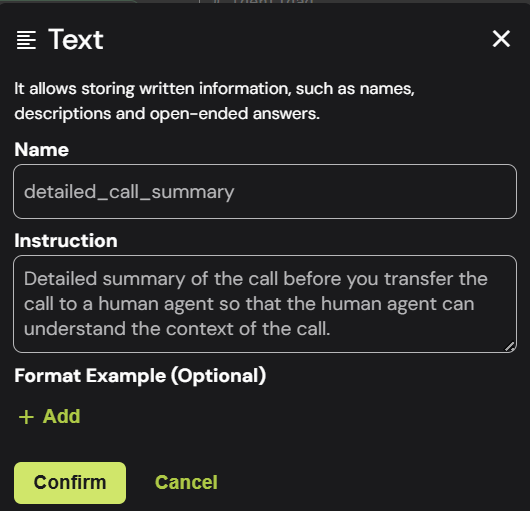
* Step 1: Give the data point a name
* Step 2: Write detailed instructions
* Step 3: Provide formatting examples (Optional)
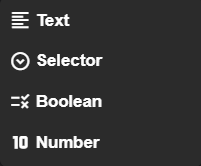
You can extract the following data types from post-call analysis:
#### Text (String):
Used to capture written, detailed information such as names, descriptions, and open-ended responses.
Example:
Call summaries, action items, or key topics discussed.
***
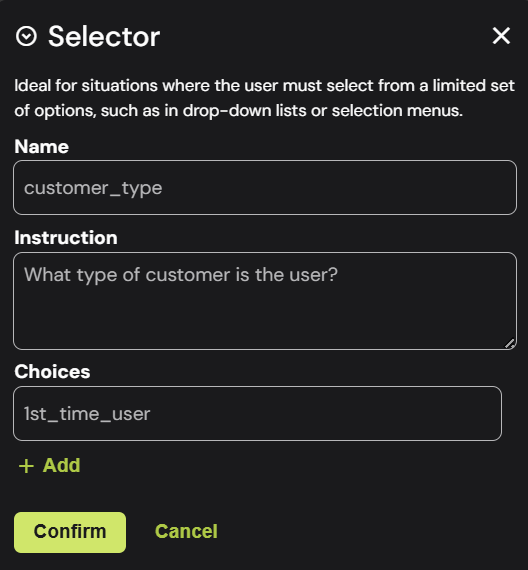
#### Selector (Enumeration):
Used to categorize information from a fixed list of predefined options.
Ideal when the user must choose from a limited set, such as dropdowns or selection menus.
Example:
Issue types, product categories, or resolution status.
***
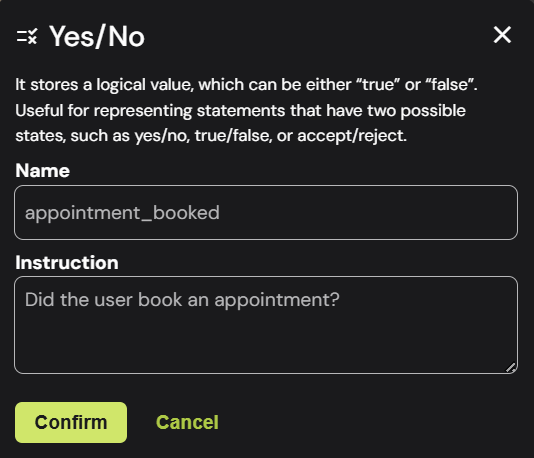
#### Boolean (True/False):
Used for simple yes/no determinations.
Stores a logical value, either “true” or “false”. Useful for binary conditions like yes/no, true/false, or accept/reject.
Example:
Whether the customer answered for the first time.
***
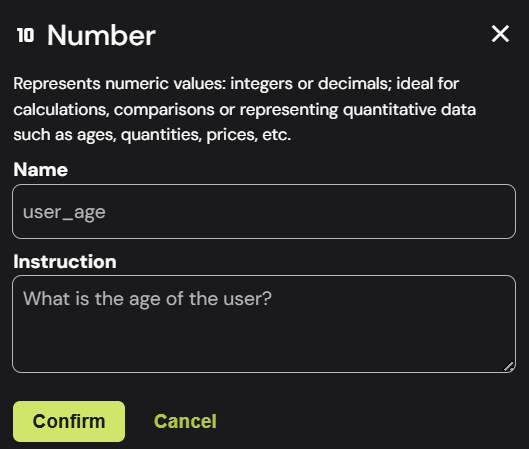
#### Number (Numeric Value):
Ideal for quantitative measurements.
Represents numeric values—integers or decimals. Great for calculations, comparisons, or representing quantitative data like ages, amounts, prices, etc.
Example:
Transaction amounts, call duration, or satisfaction scores.
---
# Agent Instructions
This documentation is published with GitBook. GitBook is the documentation platform designed so that both humans and AI agents can read, navigate, and reason over technical content effectively. Learn more at gitbook.com.
## Querying This Documentation
If you need additional information that is not directly available in this page, you can query the documentation by asking a question.
Perform an HTTP GET request on the following URL with the `ask` and `goal` query parameters:
```
GET https://docs.dapta.ai/ai-voice-agents/analyze-your-calls/post-call-analysis-post-call-data-retrieval.md?ask=&goal=
```
`ask` is the immediate question: it should be specific, self-contained, and written in natural language.
`goal` is what the user is ultimately trying to achieve, the reason they need the answer. Sharing it helps GitBook give you a better, more relevant answer. A goal is most helpful when it describes the outcome the user wants rather than restating the question. For example, with `ask=how do I create an API token`, a goal like `automate deployments from our CI pipeline` lets GitBook tailor the answer to that use case.
The response will contain a direct answer to the question and relevant excerpts and sources from the documentation.
Use this mechanism when the answer is not explicitly present in the current page, you need clarification or additional context, or you want to retrieve related documentation sections.