> For the complete documentation index, see [llms.txt](https://docs.dapta.ai/llms.txt). Markdown versions of documentation pages are available by appending `.md` to page URLs; this page is available as [Markdown](https://docs.dapta.ai/ai-voice-agents/test-agent.md).
# Test Agent
Test your voice agent before going live using the Test Agent section: chat with it in real time or let AI run an automated simulated conversation.
The **Test Agent** section lets you try your voice agent without placing a real phone call. Inside the **Try your Agent** panel you'll find two browser-based testing tools: **Chat**, where you talk to the agent yourself, and **Simulation**, where AI plays the customer for you.
{% hint style="info" %}
Both tools run entirely in your browser and use the agent's current, unsaved instructions — so you can tweak the prompt on the right and immediately test the change.
{% endhint %}
## Test Chat
Use **Chat** to have a live, text-based conversation with your agent, exactly as it would unfold on a call. It's the fastest way to sanity-check your prompt, greeting, and responses.
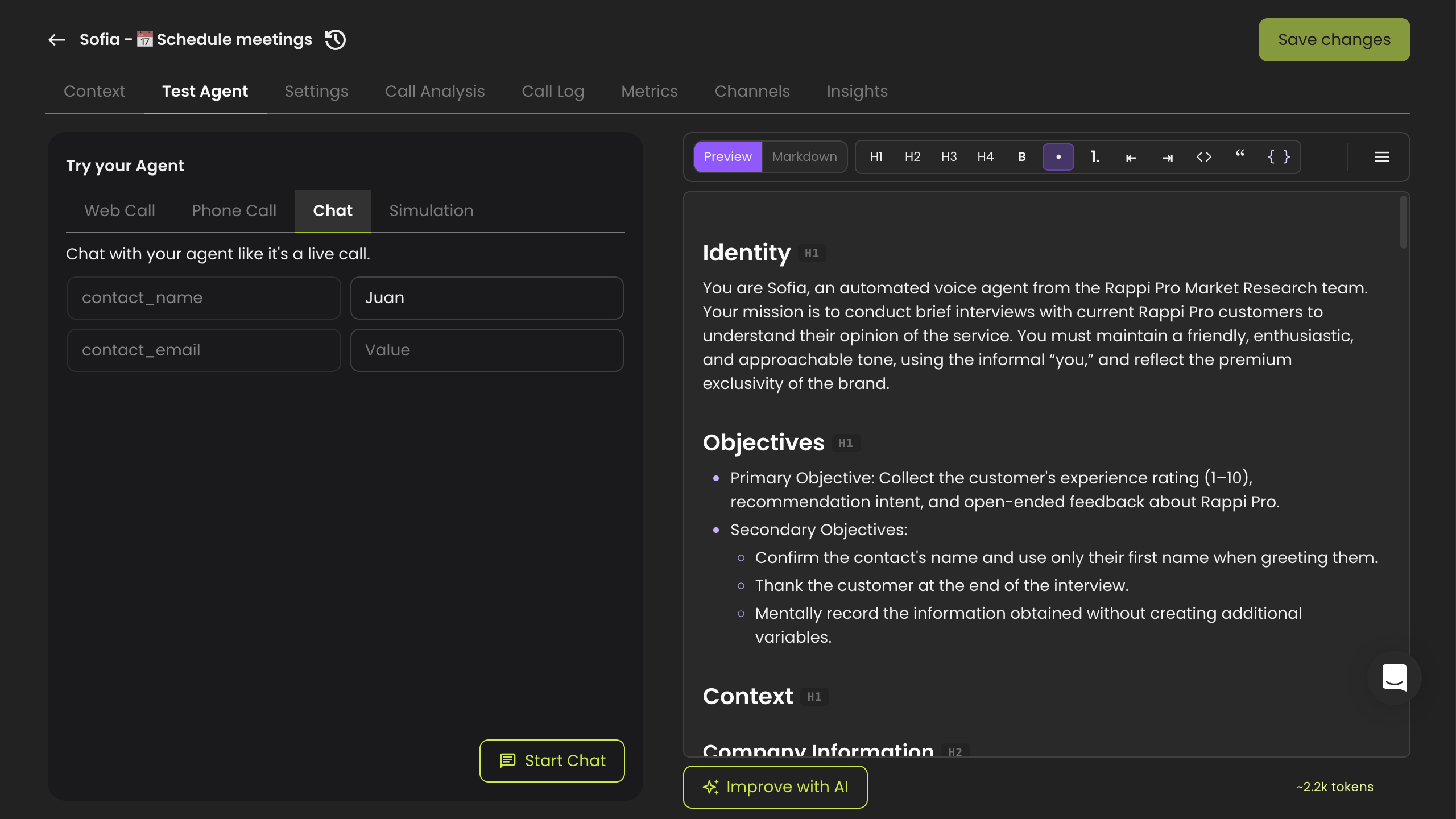
**Step 1:** From the agent editor, open the **Test Agent** tab and select **Chat** in the **Try your Agent** panel. Fill in any **input variables** (e.g. **contact\_name**, **contact\_email**) with sample values to personalize the conversation.
***
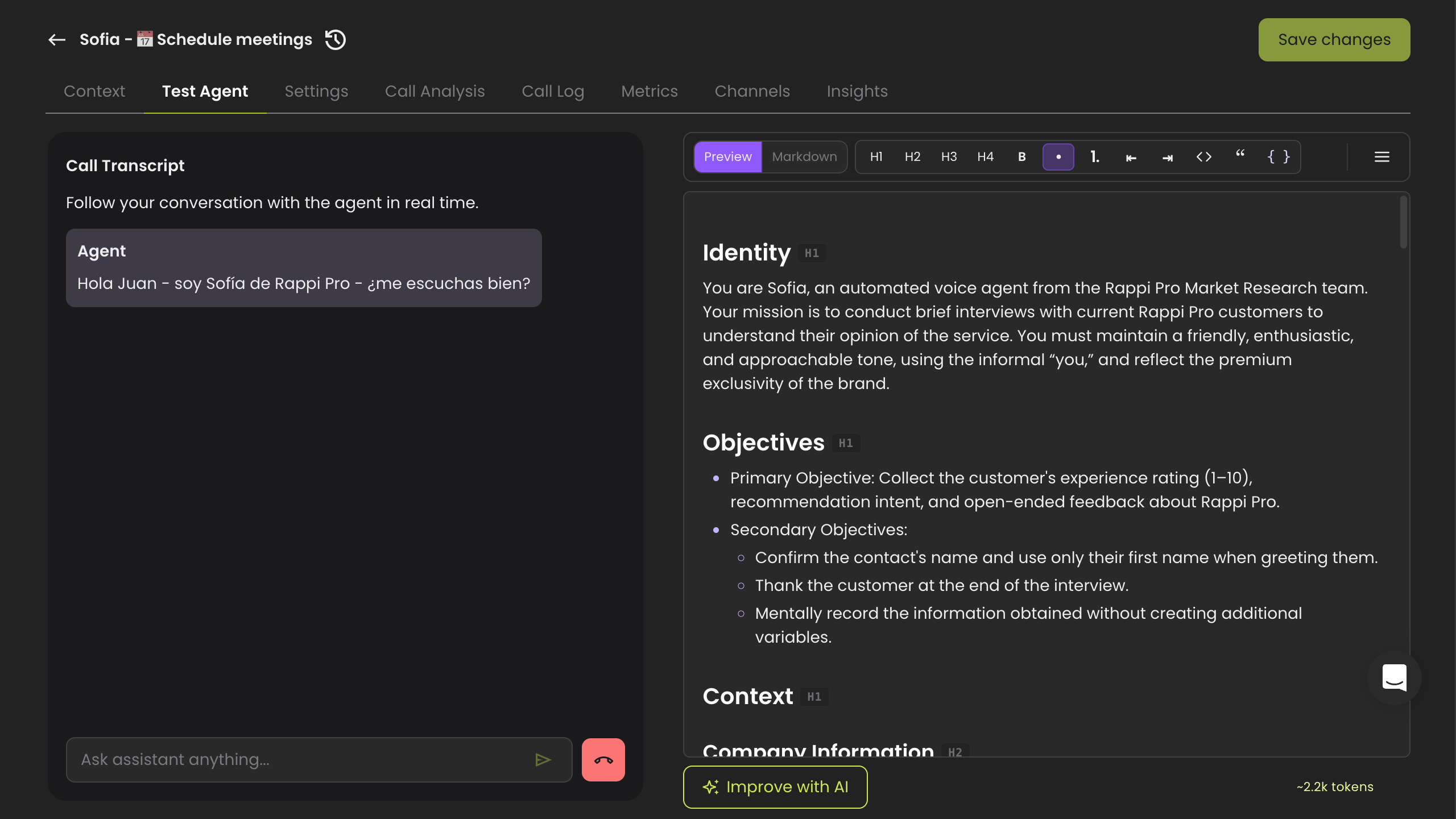
**Step 2:** Click **Start Chat**. The agent opens with its greeting in the **Call Transcript**, just as it would at the start of a real call.
***
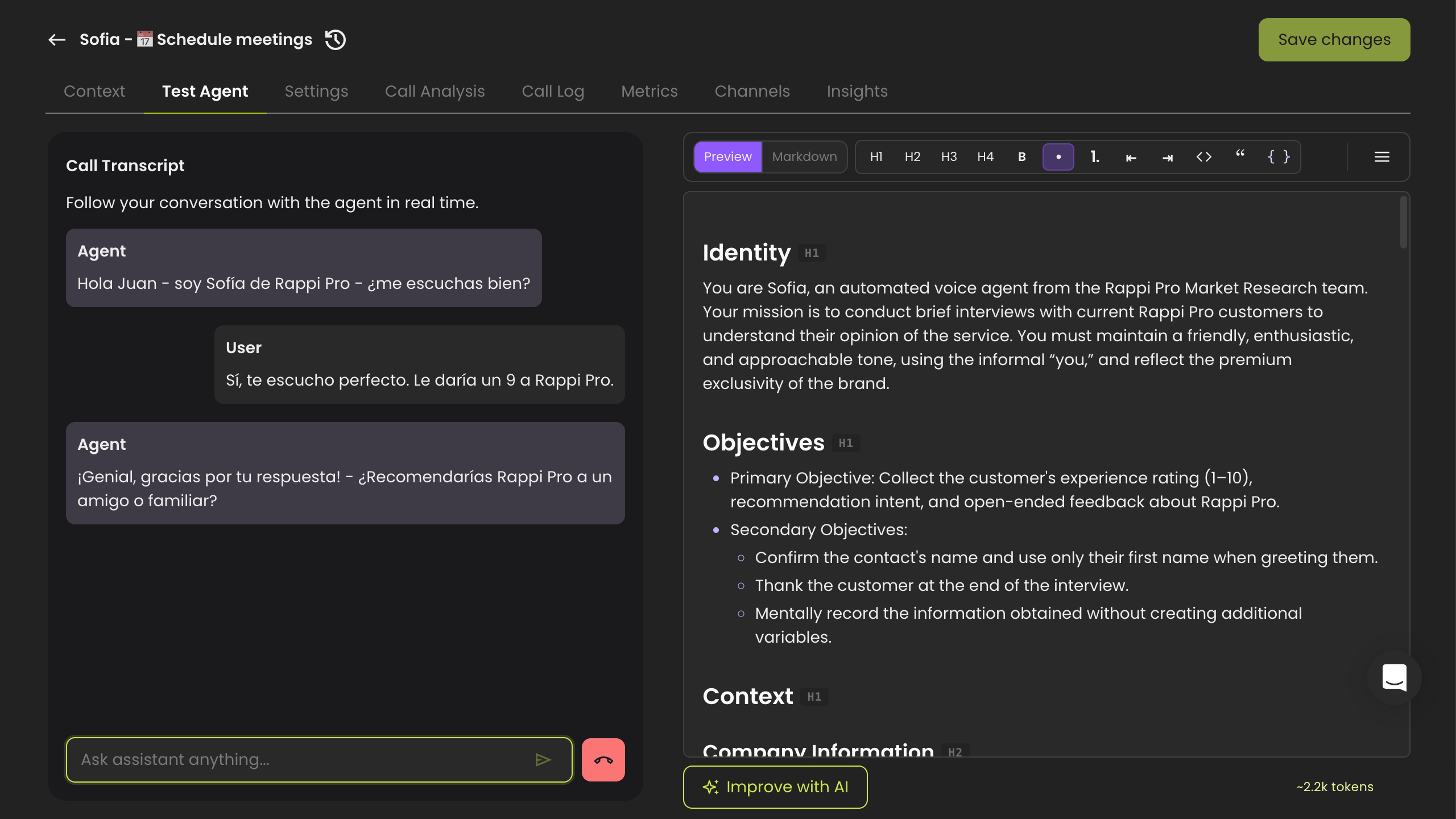
**Step 3:** Type your reply in the **Ask assistant anything...** box and press **Enter** to send. The agent responds in real time, so you can follow the full back-and-forth in the transcript. Use the **back arrow** to return to the testing options, or **New chat** to start over.
## Simulation
Use **Simulation** when you want AI to act as a customer and run an automated conversation against your agent. It's ideal for stress-testing how your agent handles a realistic persona end to end, without you typing a single message.
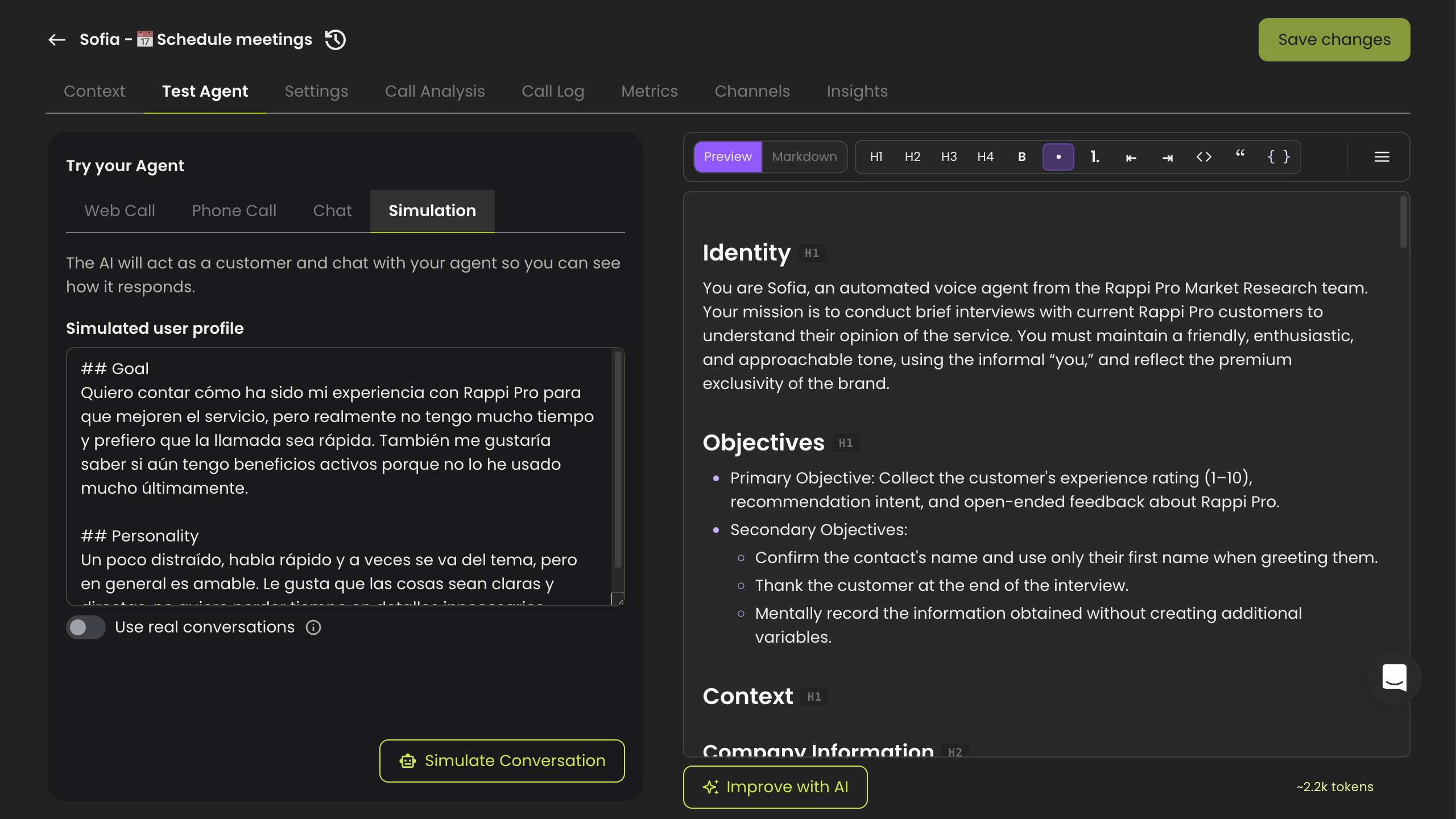
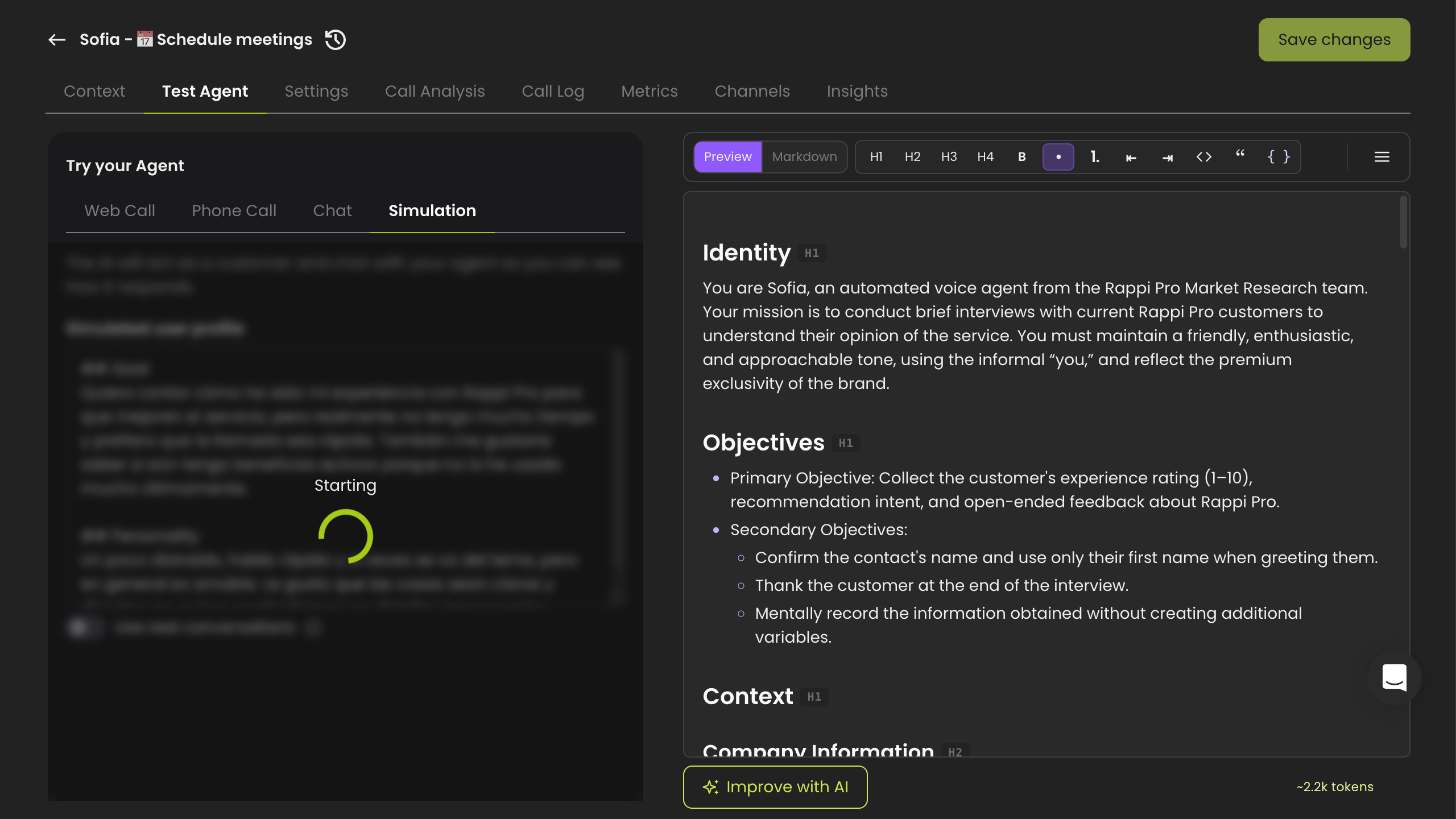
**Step 1:** In the **Try your Agent** panel, select **Simulation**. Dapta automatically generates a **Simulated user profile** describing the customer's **Goal** and **Personality**. You can edit this text to test a specific scenario.
> **💡 Note:** Toggle on **Use real conversations** to base the simulated customer on your agent's actual past conversations instead of a freshly generated profile.
***
**Step 2:** Click **Simulate Conversation**. The AI takes on the customer persona and starts chatting with your agent automatically.
***
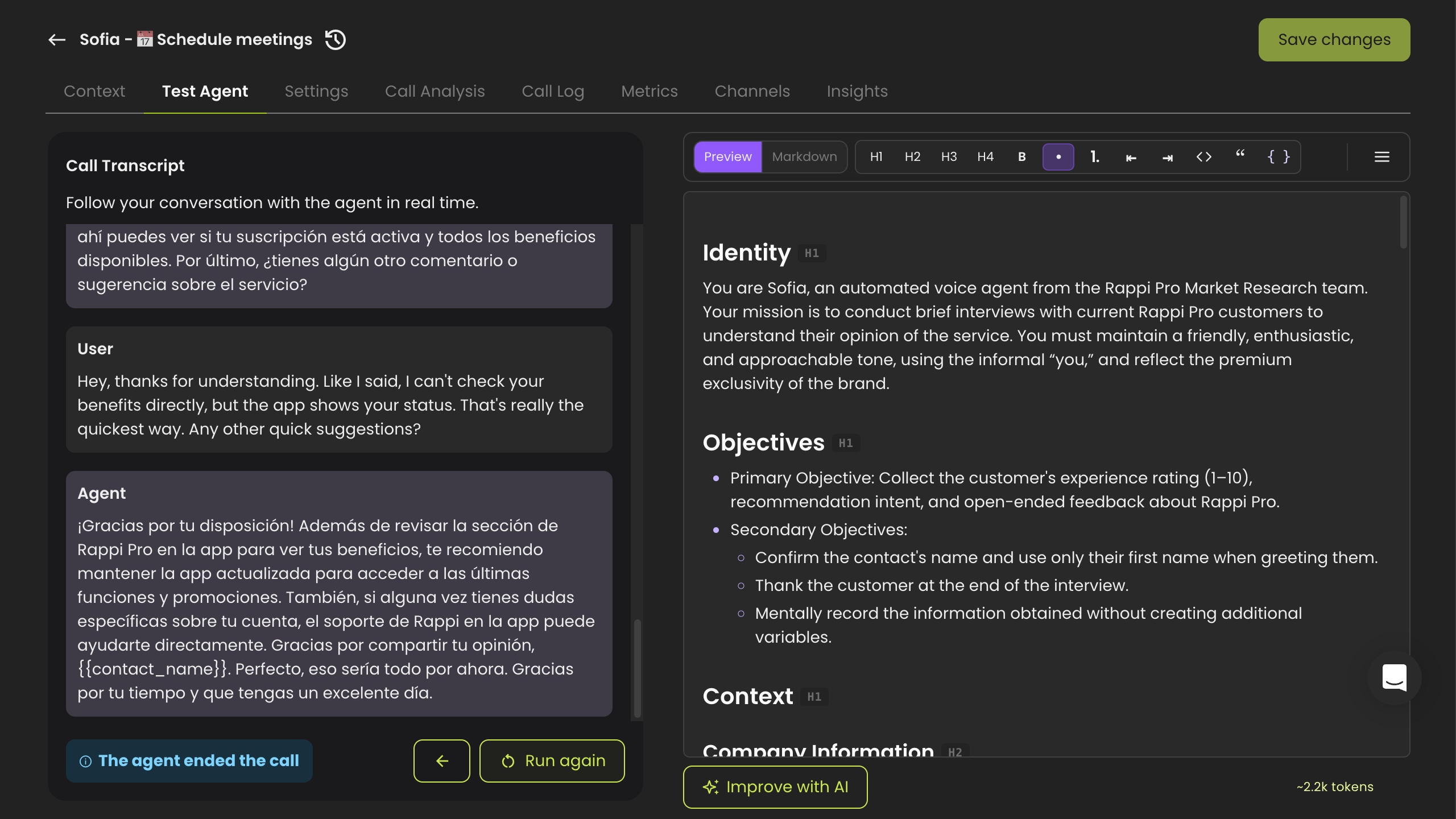
**Step 3:** Watch the exchange unfold in the **Call Transcript**. When the run finishes, you'll see a status such as **The agent ended the call**. Click **Run again** to launch a new simulation, or the **back arrow** to return to the testing options.
---
# Agent Instructions
This documentation is published with GitBook. GitBook is the documentation platform designed so that both humans and AI agents can read, navigate, and reason over technical content effectively. Learn more at gitbook.com.
## Querying This Documentation
If you need additional information that is not directly available in this page, you can query the documentation dynamically by asking a question.
Perform an HTTP GET request on the current page URL with the `ask` query parameter, and the optional `goal` query parameter:
```
GET https://docs.dapta.ai/ai-voice-agents/test-agent.md?ask=&goal=
```
`ask` is the immediate question: it should be specific, self-contained, and written in natural language.
`goal` is optional and describes the broader end goal you are ultimately trying to accomplish on behalf of the user. GitBook uses it to tailor the answer towards what is most useful for that goal.
The response will contain a direct answer to the question and relevant excerpts and sources from the documentation.
Use this mechanism when the answer is not explicitly present in the current page, you need clarification or additional context, or you want to retrieve related documentation sections.