> For the complete documentation index, see [llms.txt](https://docs.dapta.ai/llms.txt). Markdown versions of documentation pages are available by appending `.md` to page URLs; this page is available as [Markdown](https://docs.dapta.ai/dforms/builder/dynamic-questions.md).
# Dynamic questions (variants)
Ask a different question title depending on an earlier answer with Dynamic question variants in dForms: Vary the question by a field, Based on field, When answer is, Ask instead, Fallback and the Slid
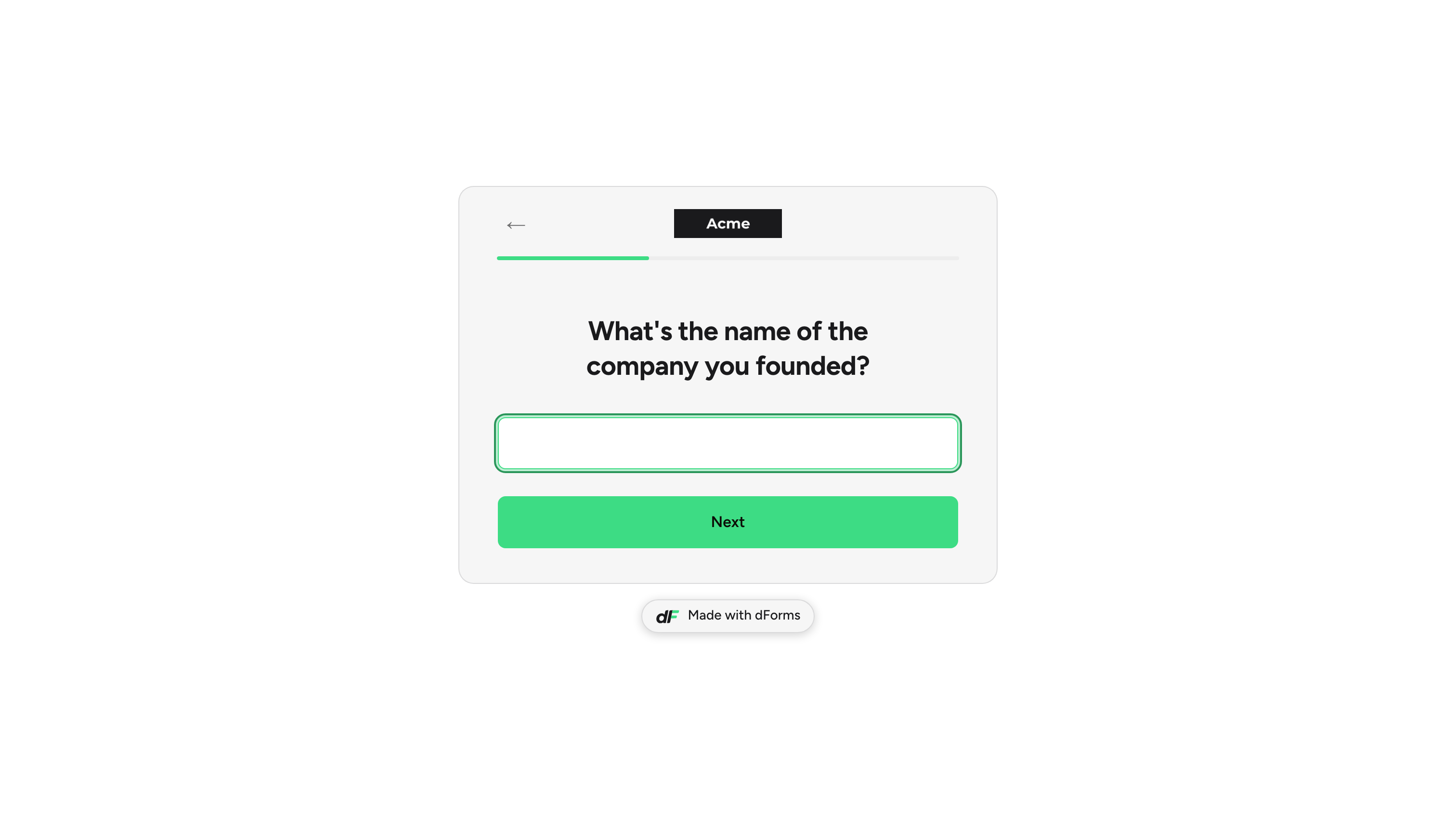
A dynamic question changes its title depending on how the respondent answered an earlier question. Ask "What best describes you?" first, then let the next question read "What's the name of the company you founded?" for founders and "Which company do you work for?" for everyone else. The question itself stays the same: one field key, one answer, one place in the form. Only the words change.
This is different from logic. Variants swap the **title**; they never change the options and never send people to a different question. For that, use [Show & hide conditions](/dforms/logic/conditions.md) and [Branching & jumps](/dforms/logic/branching.md).
***
**Step 1:** Select the question whose title should change. In **Question settings**, expand **Advanced settings** and find the **Dynamic question** section. Turn on **Vary the question by a field**. Then open **Based on field** and pick the earlier question the variants should react to. Only questions that come before this one are listed (the answer has to exist already); on the first question of the form the switch is disabled.
***
**Step 2:** The editor adds a first variant row. Each row has two parts:
* **When answer is**: the answer that triggers this version. For a choice or dropdown question you pick one of its options from a list; an option already used by another row is greyed out. For a text, email or website question you type the exact value to match (placeholder **e.g. founder**). For a multiple-choice question you tick every option this version answers to.
* **Ask instead**: the title respondents see when that answer was given. Type `@` (or `[field]`) to insert an earlier answer into the question.
Click **Add variant** for each extra answer you want to handle, and the **Remove variant** icon to drop one. Fill in **Fallback (any other answer)** with the title to use when no row matches. Leave it empty and the question keeps the title you typed on the canvas.
The section reminds you of the scope: **This only changes the question's title. Not its options. To send people to a different question, use Logic.**
> **💡 Tip:** The **Advanced settings** header shows a **Dynamic** badge once a question has variants, even while the section is collapsed, so you can find them later.
***
**Step 3:** Check the result. Click **Preview** in the editor topbar, or open the published form, answer the driving question and move on: the next question shows the matching title. Go **Back**, change the answer, and the title follows.
The respondent picked Founder, so the next question uses the Founder variant.
***
## Slider unit label
On a **Slider** question, every variant row (and only the variant rows) carries an extra field: **Slider unit label**. The text is printed next to the value in the pill above the slider, for example `leads / month` or `employees`. Because it lives inside the variants, the unit can change with the earlier answer, or stay the same on every row if you simply want a unit.
> **⚠️ Note:** The fallback title has no unit label. If you want a unit for every respondent, add a variant for each possible answer of the driving question.
***
## Reference
| Control | What it does |
| ------------------------------------ | -------------------------------------------------------------------------------------------------------------------------------------------------- |
| **Vary the question by a field** | Master switch for the section. Off keeps the plain title. Disabled on the first question (there is no earlier answer to vary by). |
| **Based on field** | The earlier question whose answer drives the variants. Every step placed before this one is listed; pick one that collects an answer. |
| **When answer is** | The answer a row reacts to. Options list for choice questions, free text for text questions, tick boxes for multiple choice. |
| **Ask instead** | The title used when the row matches. Accepts `@` / `[field]` recall tokens. Up to 500 characters. An empty row is ignored, as if it did not exist. |
| **Slider unit label** | Slider questions only. The unit printed next to the value for that row. Up to 80 characters. |
| **Fallback (any other answer)** | The title when no row matches. Empty keeps the canvas title. |
| **Add variant** / **Remove variant** | Add or drop rows. |
Rules worth knowing:
* Matching is exact. A text-driven variant for `founder` does not match `Founder` typed by the respondent; choice questions avoid this because you pick the stored option value, not the label.
* For multiple-choice drivers, a row fires only when the respondent picks exactly the ticked options, no more, no fewer (**Fires only when the respondent picks exactly these options. No more, no fewer.**). The editor warns about empty rows (**Pick at least one option. An empty row never matches.**), duplicate combinations and options the driving question no longer offers.
* Variants follow a renamed field key automatically, and so do rows that point at a choice option whose stored value changes with its label. The `[field]` tokens inside **Ask instead** are checked too: a token for a question asked later shows **is asked after this step. It will be empty here.**
* Hidden and prefilled answers count. If the driving question is hidden and filled from the URL, the variants still react to it.
* Variants work in both layouts. On a **One page** form, or when the driving question sits on the same Slides screen, the title updates live as the respondent changes the driving answer.
***
## What's next
* [Recall answers with @](/dforms/builder/recall-answers.md): insert an earlier answer into any title, including variants.
* [Show & hide conditions](/dforms/logic/conditions.md) and [Branching & jumps](/dforms/logic/branching.md): change which questions appear, not just their words.
* [Text & scale fields](/dforms/builder/question-types/text-and-slider-fields.md): slider settings and the unit label in context.
* [Question settings](/dforms/builder/question-settings.md): the rest of the **Advanced settings** section.
---
# Agent Instructions
This documentation is published with GitBook. GitBook is the documentation platform designed so that both humans and AI agents can read, navigate, and reason over technical content effectively. Learn more at gitbook.com.
## Querying This Documentation
If you need additional information that is not directly available in this page, you can query the documentation by asking a question.
Perform an HTTP GET request on the following URL with the `ask` and `goal` query parameters:
```
GET https://docs.dapta.ai/dforms/builder/dynamic-questions.md?ask=&goal=
```
`ask` is the immediate question: it should be specific, self-contained, and written in natural language.
`goal` is what the user is ultimately trying to achieve, the reason they need the answer. Sharing it helps GitBook give you a better, more relevant answer. A goal is most helpful when it describes the outcome the user wants rather than restating the question. For example, with `ask=how do I create an API token`, a goal like `automate deployments from our CI pipeline` lets GitBook tailor the answer to that use case.
The response will contain a direct answer to the question and relevant excerpts and sources from the documentation.
Use this mechanism when the answer is not explicitly present in the current page, you need clarification or additional context, or you want to retrieve related documentation sections.