> For the complete documentation index, see [llms.txt](https://docs.dapta.ai/llms.txt). Markdown versions of documentation pages are available by appending `.md` to page URLs; this page is available as [Markdown](https://docs.dapta.ai/dapta-forms/builder/hidden-fields-and-url-prefill.md).

# Hidden fields & URL prefill

Prefill any Dapta Forms question from the link with ?key=value, hide a question so it is filled only from the URL, copy the ready-made example from the Prefill from URL block, and understand precedenc

Every question in a form can be filled from the link that opens it. Add `?key=value` to the public URL and the answer arrives already typed in. Turn on **Hidden question** and the respondent never sees the question at all: the value from the link is stored with their submission, which is the easy way to pass a promo code, a campaign name or a lead source from your ads, emails or CRM into the form.

***

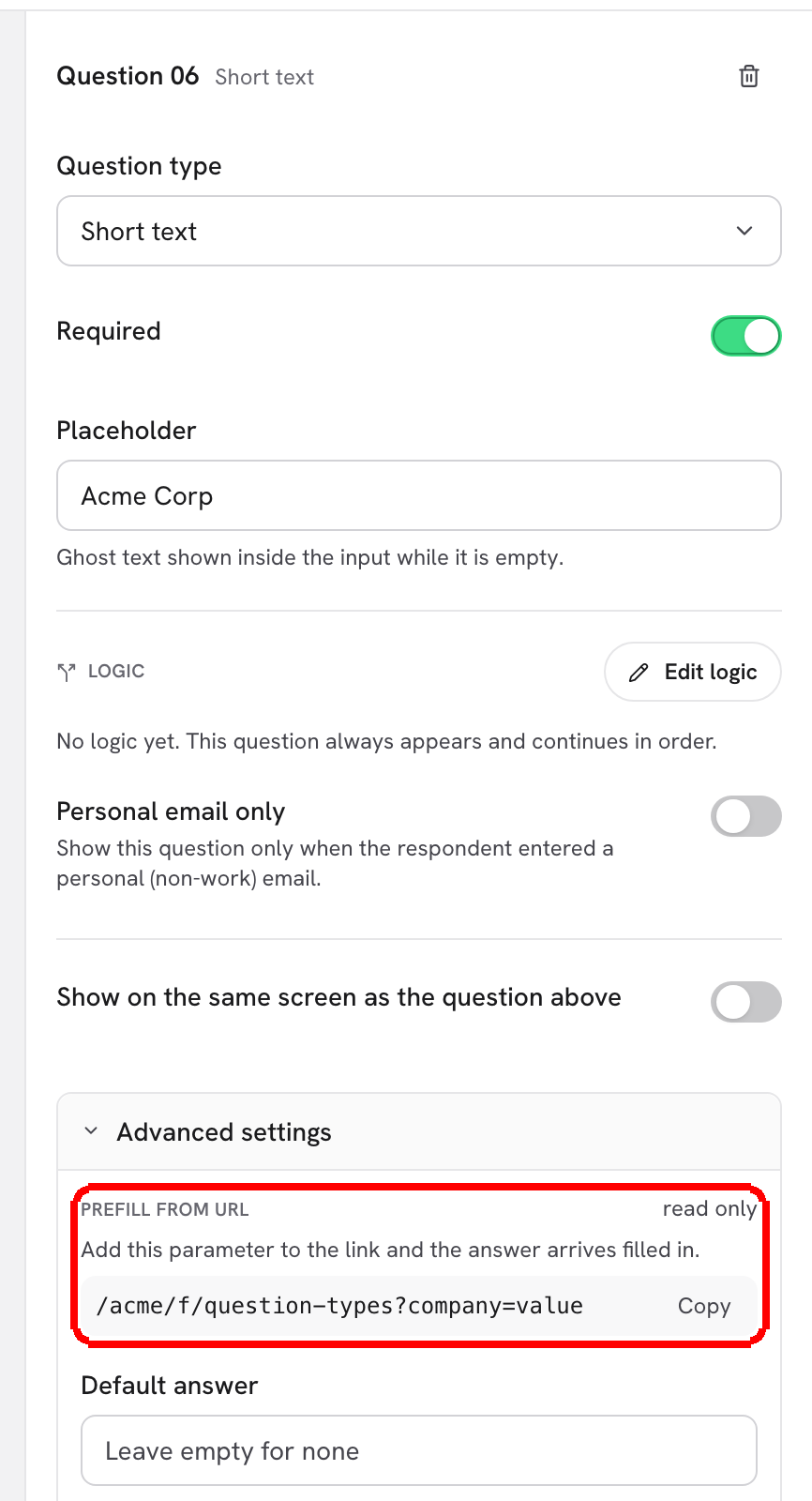
**Step 1:** In the editor, select a question and open **Advanced settings** in the **Question settings** pane. The first block is **Prefill from URL**. It is read only and shows your real public link with a sample value for this question, for example `/k7m2xq/alex/lead-qualification-quiz?company=value`. Click **Copy** to copy it.

<figure><img src="https://3835013762-files.gitbook.io/~/files/v0/b/gitbook-x-prod.appspot.com/o/spaces%2FCy5rSNtQmtqYCGzJlNEB%2Fuploads%2Fgit-blob-330d4c75c885e81fb52acf2659ad4f4b45237d54%2Fforms-hidden-fields-and-url-prefill-01-prefill-block.png?alt=media" alt="The Prefill from URL block under Advanced settings showing the public link with ?company=value and a Copy button"><figcaption><p>Every question shows its own prefill link. The parameter name is the question's <strong>Field key</strong>.</p></figcaption></figure>

The parameter name is the question's **Field key** (editable further down in the same section). The sample value changes with the question type: an email question shows `ana%40acme.com`, a phone question `%2B15555550123`, a slider a number, a choice question the value of its first option. A Name question lists both parameters (`firstname` and `lastname` by default).

> **💡 Tip:** Values in a URL must be URL-encoded: `@` becomes `%40`, `+` becomes `%2B`, spaces become `%20`. Most tools that build links do this for you.

***

**Step 2:** To pass data the respondent should not see, turn on **Hidden question** under **Behavior**. The hint reads **Not shown to respondents. Its answer is filled from a matching URL parameter (?key=value).** The card in the question list gets a **Hidden** badge.

<figure><img src="https://3835013762-files.gitbook.io/~/files/v0/b/gitbook-x-prod.appspot.com/o/spaces%2FCy5rSNtQmtqYCGzJlNEB%2Fuploads%2Fgit-blob-96e148b4b98ea99ea6362c46b2d07f53703a8303%2Fforms-hidden-fields-and-url-prefill-02-hidden-toggle.png?alt=media" alt="The editor with a Promo code question selected, the Hidden question switch turned on and the Hidden badge on the question card in the list"><figcaption><p>A hidden <strong>Promo code</strong> question with the key <code>promo</code>. Respondents never see it; the link fills it.</p></figcaption></figure>

A few details about hidden questions:

* **Hidden** is available for every type except Message, Reveal screen and Scheduler (those have nothing to store).
* A hidden question is skipped in the progress bar and the step count, and it never blocks the respondent, even if it is marked **Required**.
* Its value is still submitted, so you can map it to a HubSpot property, send it in a webhook, export it to CSV and recall it later with `[promo]`. Hidden questions never add to the score.
* If the link carries no value, the question's **Default answer** is used. If that is empty too, the answer is simply empty.

***

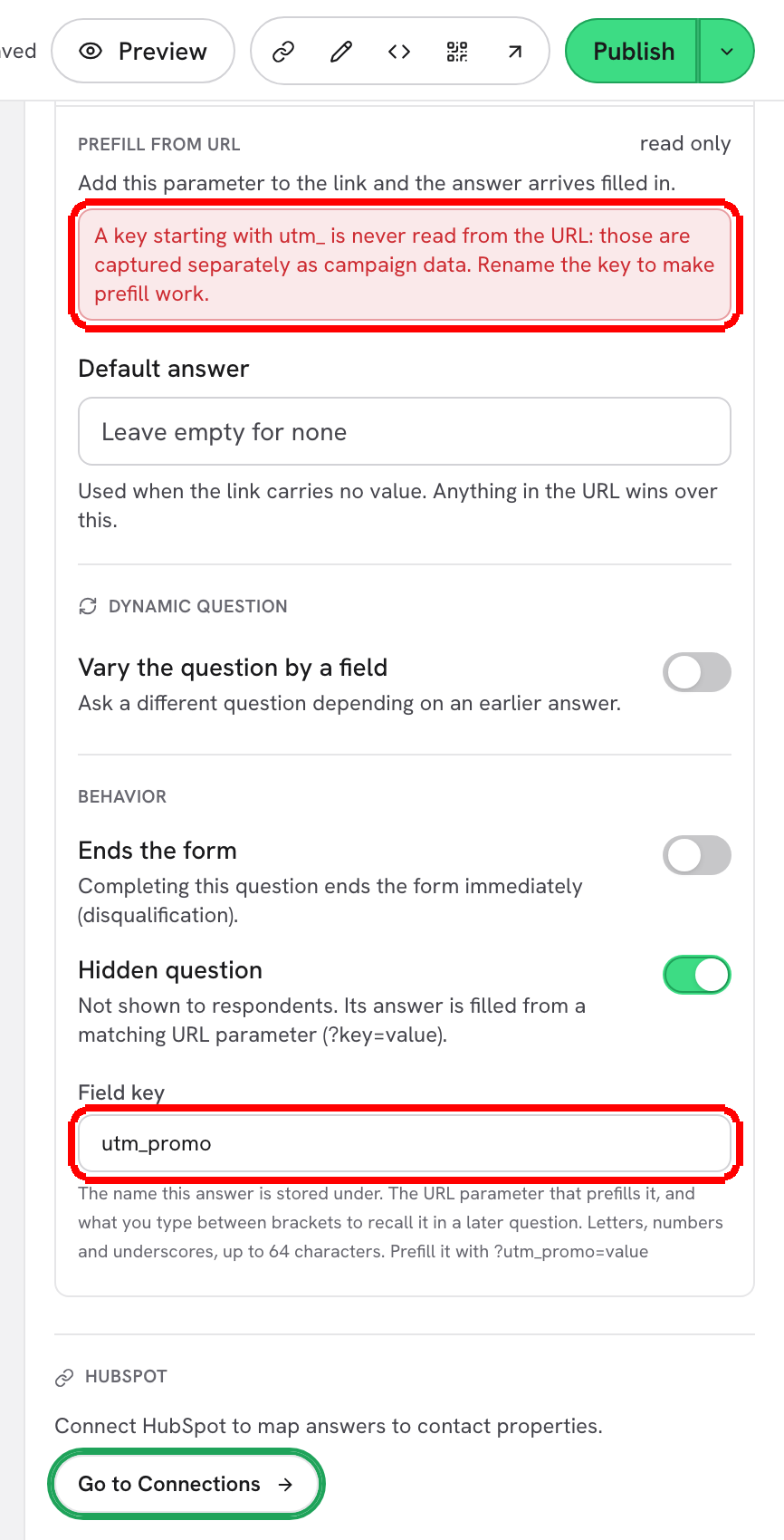
**Step 3:** Keep field keys away from `utm_`. Keys that start with `utm_` are never read from the URL: the editor shows **A key starting with utm\_ is never read from the URL: those are captured separately as campaign data. Rename the key to make prefill work.**

<figure><img src="https://3835013762-files.gitbook.io/~/files/v0/b/gitbook-x-prod.appspot.com/o/spaces%2FCy5rSNtQmtqYCGzJlNEB%2Fuploads%2Fgit-blob-0e79f5c71973cf042cb7164d356409ad8f26ec0d%2Fforms-hidden-fields-and-url-prefill-03-utm-warning.png?alt=media" alt="Advanced settings with the field key utm_promo and the red warning that a key starting with utm_ is never read from the URL"><figcaption><p>Rename the key (for example to <code>promo</code>) and prefill works again.</p></figcaption></figure>

You do not need a hidden question to track campaigns. `utm_source`, `utm_medium`, `utm_campaign`, `utm_term` and `utm_content` in the link are captured automatically with every submission and can be sent to HubSpot as form elements. Use hidden questions for anything that is not a UTM parameter: promo codes, lead source IDs, plan names, account IDs.

***

**Step 4:** Build the link and test it. Copy the example from the **Prefill from URL** block, replace `value`, and add more parameters with `&`:

```
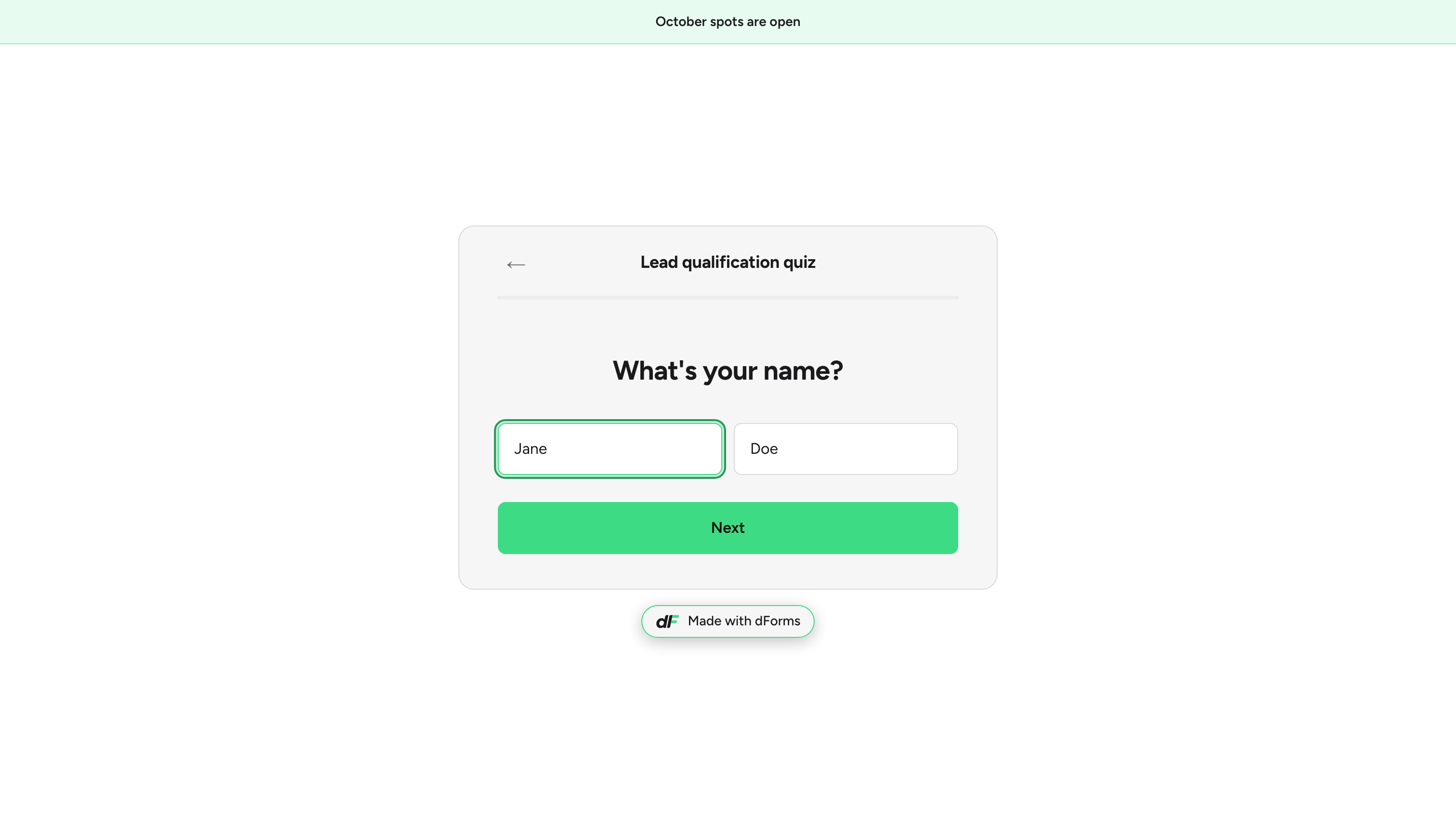
https://forms.dapta.ai/k7m2xq/alex/lead-qualification-quiz?firstname=Ada&lastname=Lovelace&promo=SPRING25
```

<figure><img src="https://3835013762-files.gitbook.io/~/files/v0/b/gitbook-x-prod.appspot.com/o/spaces%2FCy5rSNtQmtqYCGzJlNEB%2Fuploads%2Fgit-blob-e99e7524ed6712a70b5a807ad0804cd972db2951%2Fforms-hidden-fields-and-url-prefill-04-public-prefilled.png?alt=media" alt="The published form opened from a link with firstname and lastname parameters: the name step shows Ada and Lovelace already filled in"><figcaption><p>Opened from the link above: the name step is already filled. The hidden <code>promo</code> value is stored silently.</p></figcaption></figure>

The respondent can still change a visible prefilled answer before moving on.

## How values are resolved

When a question has several possible sources, this is the order, from weakest to strongest:

| Priority    | Source                                 | Notes                                                                               |
| ----------- | -------------------------------------- | ----------------------------------------------------------------------------------- |
| 1 (lowest)  | **Default answer** (Advanced settings) | "Used when the link carries no value. Anything in the URL wins over this."          |
| 2           | **URL parameter** `?key=value`         | Applies to visible and hidden questions. Values longer than 512 characters are cut. |
| 3 (highest) | **What the respondent types**          | Only for visible questions.                                                         |

Other rules worth knowing:

* Prefill works for every question that stores a value: contact fields, choices (use the option **Value**, not the label), dropdowns, text, website, slider (a number inside min and max). Message, Reveal and Scheduler steps ignore it.
* A prefilled visible question still has to pass validation when the respondent continues (a bad email is not accepted just because it came from the link).
* Prefill also works inside an embedded form: add the parameters to the `src` of the iframe.
* Only parameters that match a field key of the form are read. Anything else in the URL is ignored.

## What's next

* [Question settings](/dapta-forms/builder/question-settings.md): field keys, default answers and what renaming a key changes.
* [Recall answers with @](/dapta-forms/builder/recall-answers.md): show a prefilled value in a later question.
* [Form elements: UTMs, score, outcome, submitted date](/dapta-forms/connect/hubspot/form-elements.md): send campaign data to HubSpot.
* [Your public link](/dapta-forms/share/public-link.md): where the public URL comes from.


---

# Agent Instructions
This documentation is published with GitBook. GitBook is the documentation platform designed so that both humans and AI agents can read, navigate, and reason over technical content effectively. Learn more at gitbook.com.

## Querying This Documentation
If you need additional information that is not directly available in this page, you can query the documentation dynamically by asking a question.

Perform an HTTP GET request on the current page URL with the `ask` query parameter, and the optional `goal` query parameter:

```
GET https://docs.dapta.ai/dapta-forms/builder/hidden-fields-and-url-prefill.md?ask=<question>&goal=<endgoal>
```

`ask` is the immediate question: it should be specific, self-contained, and written in natural language.
`goal` is optional and describes the broader end goal you are ultimately trying to accomplish on behalf of the user. GitBook uses it to tailor the answer towards what is most useful for that goal.

The response will contain a direct answer to the question and relevant excerpts and sources from the documentation.

Use this mechanism when the answer is not explicitly present in the current page, you need clarification or additional context, or you want to retrieve related documentation sections.