πValue maps & static properties
Translate the answers a Dapta Form collects into the exact values your HubSpot picklists expect, and stamp fixed values such as an opt-in flag or a lifecycle stage on every completed submission.
Two sections of the HubSpot card deal with values rather than fields. Value maps rewrite an answer on its way to a picklist property. Static properties stamp a value you choose on every completed submission, whatever the respondent answered.
Both live in the Connect tab of your form, inside the HubSpot card.
Value maps
A HubSpot dropdown property does not store the label your team reads: it stores an internal value. Your form stores the answer as sales, your CRM expects SALES_TEAM. A value map is the translation table between the two.
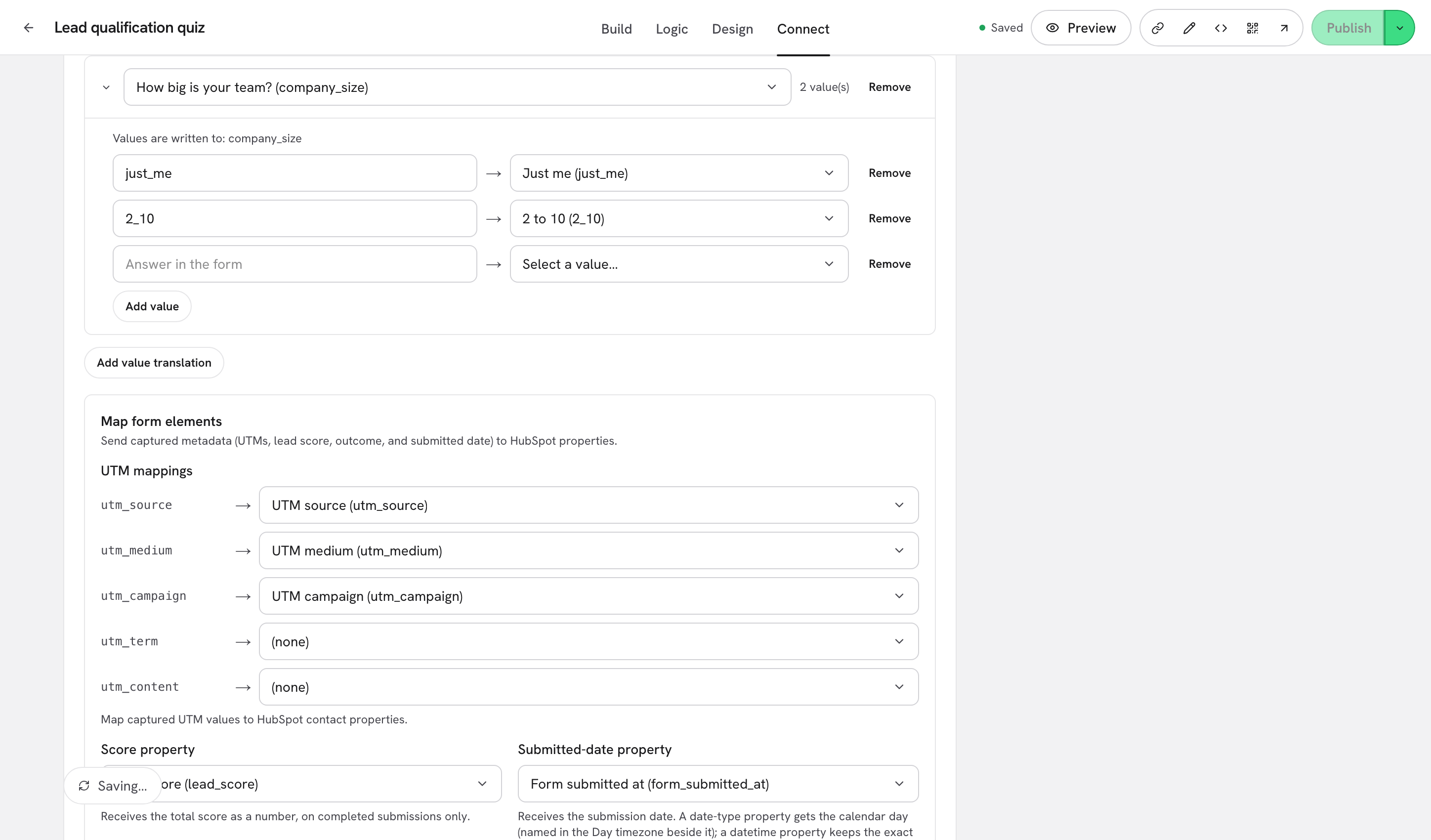
Step 1: Scroll to Value maps: translate form answers to CRM values and click Add value translation. Pick the question in the group picker, then click the chevron to Expand it.

Inside the group you get:
Values are written to: {properties}
Reminds you which property this question already feeds. When the question is not mapped yet it reads Map this question to a property above to pick from its values.
Answer in the form
The answer exactly as the form stores it. For a choice question that is the option's Value, not its label.
Value in HubSpot
What HubSpot receives instead.
Add value
Adds another row to this group.
Remove
Deletes a row, or the whole group when clicked on the group header.
β οΈ Note: The left side must match the stored answer, not the text on screen. If your option is labelled Sales team with the value
sales, typesales. You can check an option's Value in the question settings on the Build tab.
Step 2: Set the right side. When the question is mapped to an enumeration property, the picker lists the real picklist entries from your portal, in HubSpot's own order.

Choose Custom value⦠to type a value that is not in the list, and Back to list to return to the picker. The empty state of the section reads No value translations yet.
Answers you do not translate are sent unchanged, so you only need rows for the ones that differ.
Static properties
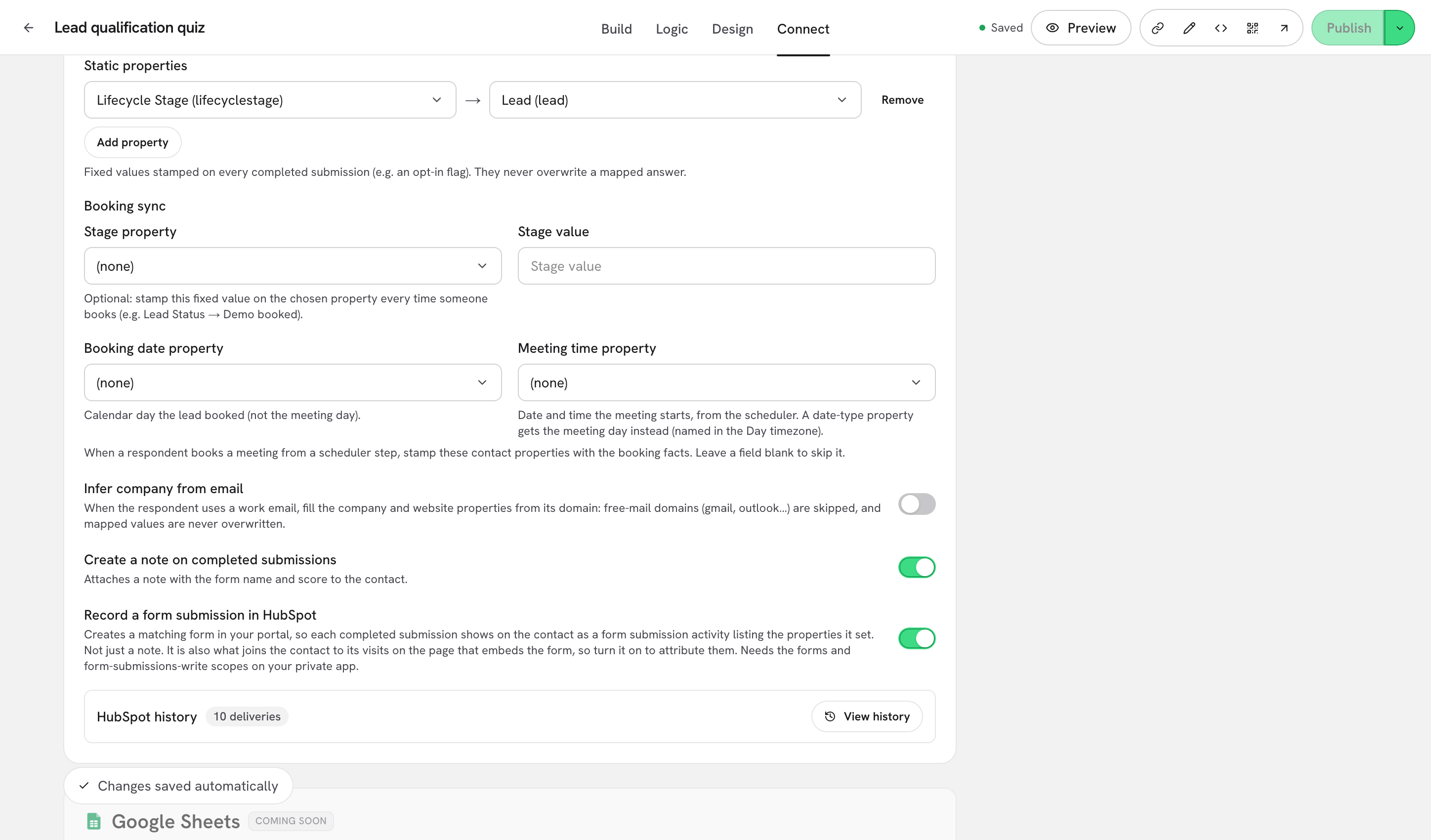
Static properties are values that do not depend on the answers at all: a lifecycle stage, a source label, an opt-in flag, a campaign tag.
Step 3: Scroll to Static properties, click Add property, pick the HubSpot property on the left and set its value on the right. Enumeration properties give you the same picklist as a value map; everything else is a plain text field.

Two rules govern how they are applied:
They are written on completed submissions only. A partial submission never carries them.
They never overwrite a mapped answer. If the same property is also fed by a question, the respondent's answer wins.
Which one should you use?
Send the answer, but under a different code
A value map on that question
Send the same value for everyone who finishes the form
A static property
Send the answer to a second property as well
A row under Custom field mappings
Send the score or the outcome
The Score property or Outcome property under Map form elements
What's next
Map questions to contact properties: the mapping these translations build on.
Form elements: UTMs, score, outcome, submitted date: the metadata Dapta Forms captures on its own.
How the sync works & troubleshooting: what arrives on a partial submission, and what only arrives at the end.
Last updated