> For the complete documentation index, see [llms.txt](https://docs.dapta.ai/llms.txt). Markdown versions of documentation pages are available by appending `.md` to page URLs; this page is available as [Markdown](https://docs.dapta.ai/dapta-forms/results/submissions.md).

# Submissions

Read every response to a Dapta Form in one table: the Submitted, Status and Score columns plus one column per question, the All, Completed and Partial filters, pagination, deleting a row and exactly w

**Submissions** is the response table for a single form. It shows one row per person, newest first, with the answers spread across the columns. This page explains how to read it, how to narrow it down and what Dapta Forms keeps with each response.

***

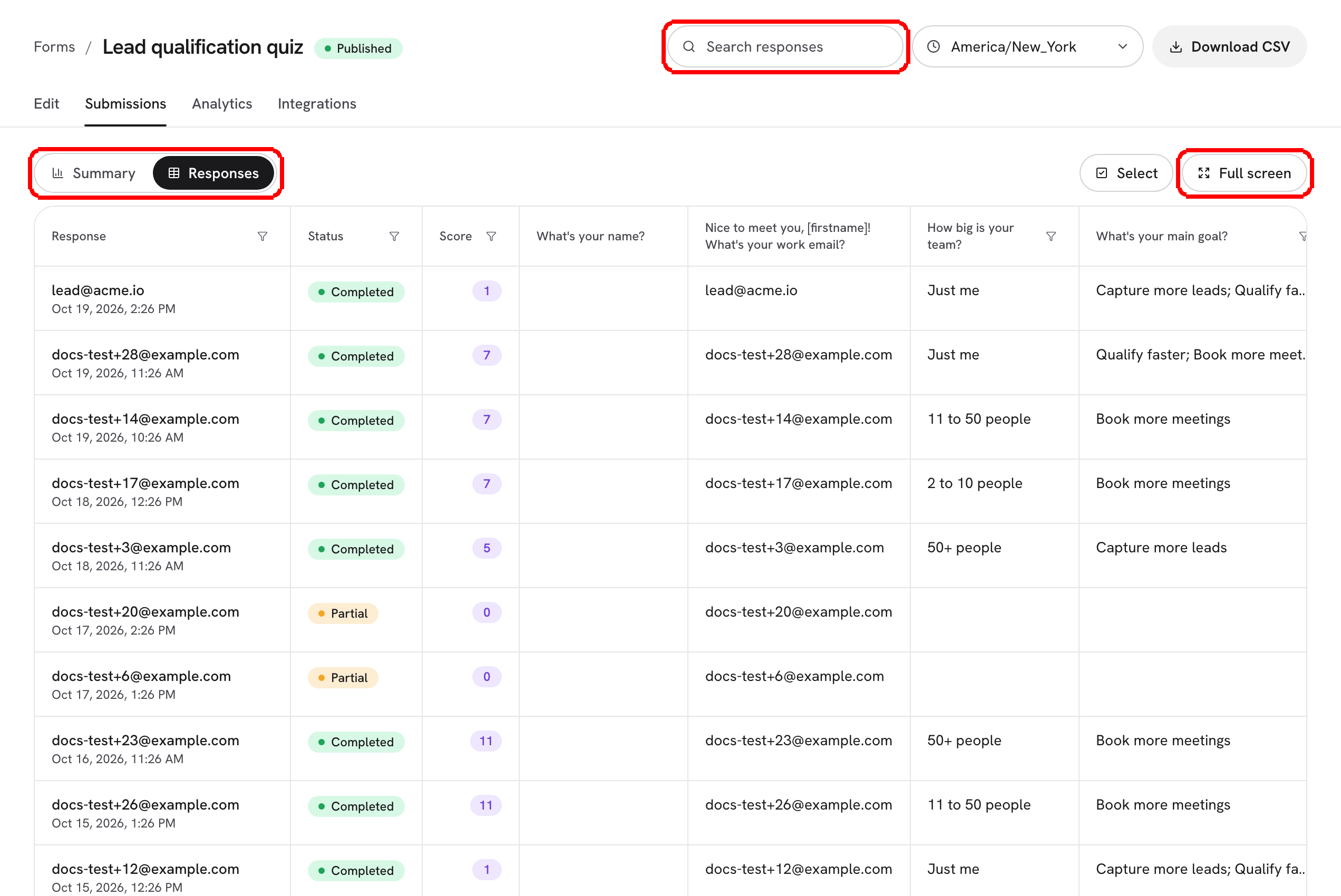
**Step 1:** Open the form and click the **Submissions** tab (or pick the form from **Submissions** in the left menu). The header reads **Submissions** / **Every response to this form.**

<figure><img src="https://3835013762-files.gitbook.io/~/files/v0/b/gitbook-x-prod.appspot.com/o/spaces%2FCy5rSNtQmtqYCGzJlNEB%2Fuploads%2Fgit-blob-84ef57e944ed75438950a889c40e3e8e179acedf%2Fforms-submissions-01-table.png?alt=media" alt="The Submissions table with the Submitted, Status and Score columns followed by one column per question"><figcaption><p>Three fixed columns, then one column per question, in the order the questions appear in your form.</p></figcaption></figure>

| Column           | What it holds                                                                                                                                                                 |
| ---------------- | ----------------------------------------------------------------------------------------------------------------------------------------------------------------------------- |
| **Submitted**    | The date and time of the response, shown in your own timezone. For a completed response it is the moment it was finished; for a partial one it is the moment it was captured. |
| **Status**       | **Completed** (the person reached the end) or **Partial** (the answers were saved before the end).                                                                            |
| **Score**        | The total points collected from the answers. It is `0` when the form has no scoring. See [Scoring](/dapta-forms/logic/scoring.md).                                            |
| One per question | The header is the question text itself. An answer with several picks is joined with commas, and a question the person never reached is left blank.                            |

A **File upload** answer is the exception: instead of text, the cell shows a paperclip and the file's name, and clicking it opens or downloads the file. See [Uploaded files](/dapta-forms/results/uploaded-files.md).

Choice answers show the option **Value**, not the label on screen. If you want the table to read the way the question does, set matching labels and values in **Question settings**.

> **💡 Tip:** A form with many questions makes a wide table. The table scrolls sideways inside its own frame, so drag it left and right to reach the last columns. The page itself never scrolls sideways.

***

**Step 2:** Narrow the list with the filter chips above the table: **All**, **Completed** or **Partial**.

<figure><img src="https://3835013762-files.gitbook.io/~/files/v0/b/gitbook-x-prod.appspot.com/o/spaces%2FCy5rSNtQmtqYCGzJlNEB%2Fuploads%2Fgit-blob-2347f6031e389d6d97df2258b8ea20f541132138%2Fforms-submissions-02-partial-filter.png?alt=media" alt="The Submissions table filtered to Partial, showing rows with an email but no later answers"><figcaption><p><strong>Partial</strong> shows the people who shared their details but never reached the end.</p></figcaption></figure>

A **Partial** row appears when your form has a **Partial submit point** and someone passed it without finishing. The row holds everything they had answered up to that moment, and the later columns stay empty. If that same person comes back in the same browser tab and finishes, the row is not duplicated: it is upgraded in place and its status flips to **Completed**. Read [Partial submissions](/dapta-forms/builder/partial-submissions.md) to set the capture point.

***

**Step 3:** Move through the pages. The table shows 25 responses per page. The counter under the table tells you which rows you are looking at and how many match the current filter, and **Previous** / **Next** step between pages. The filter stays applied while you page.

<figure><img src="https://3835013762-files.gitbook.io/~/files/v0/b/gitbook-x-prod.appspot.com/o/spaces%2FCy5rSNtQmtqYCGzJlNEB%2Fuploads%2Fgit-blob-d3f52cf9ddef6c37a7644e88f13227033e98c343%2Fforms-submissions-03-pagination.png?alt=media" alt="The pagination row under the table with the row counter on the left and the Previous and Next buttons on the right"><figcaption><p>25 rows per page. The counter always reflects the filter you have on.</p></figcaption></figure>

***

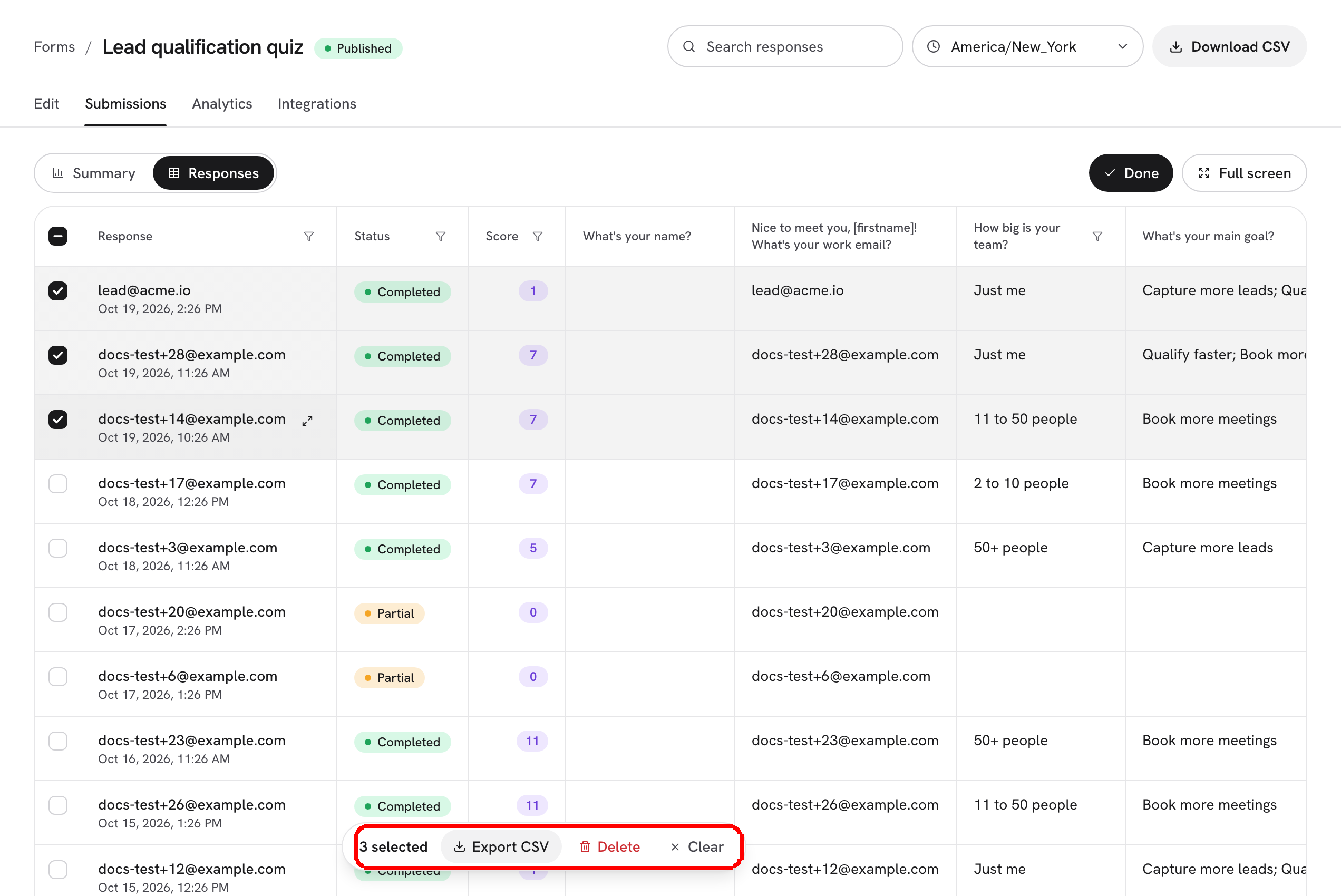
**Step 4:** To remove a response, click **Delete** at the end of its row and confirm in the **Delete submission** dialog.

<figure><img src="https://3835013762-files.gitbook.io/~/files/v0/b/gitbook-x-prod.appspot.com/o/spaces%2FCy5rSNtQmtqYCGzJlNEB%2Fuploads%2Fgit-blob-922469626373f4afeaa46b84f46daf9ae51ea202%2Fforms-submissions-04-delete-confirm.png?alt=media" alt="The Delete submission dialog asking Delete this submission? This cannot be undone, with Cancel and Delete buttons"><figcaption><p>Deleting one response is permanent. Click <strong>Cancel</strong> if you are not sure.</p></figcaption></figure>

> **⚠️ Note:** Deleting a row removes it from the table, from the CSV export and from the counts on **Analytics**. It does not remove anything that was already sent to HubSpot or to a webhook.

***

## What is stored with a response

Each row keeps only what it needs to be useful:

* Every answer the person gave, under the field key of its question. A **File upload** answer stores the file's name, size and type plus where the file itself is kept.
* The **Score**, if the form has scoring.
* The moment the person started and the moment they completed, plus the moment of the partial capture when there is one.
* The `utm_*` values that were in the link they arrived from. These travel inside the stored answers, so they reach HubSpot and your webhooks, but they are not columns in the table or in the export.

Dapta Forms does **not** record the respondent's IP address, browser or device, country or referring website. If you want to know where a response came from, put that information in the link with UTM parameters or with [hidden fields and URL prefill](/dapta-forms/builder/hidden-fields-and-url-prefill.md).

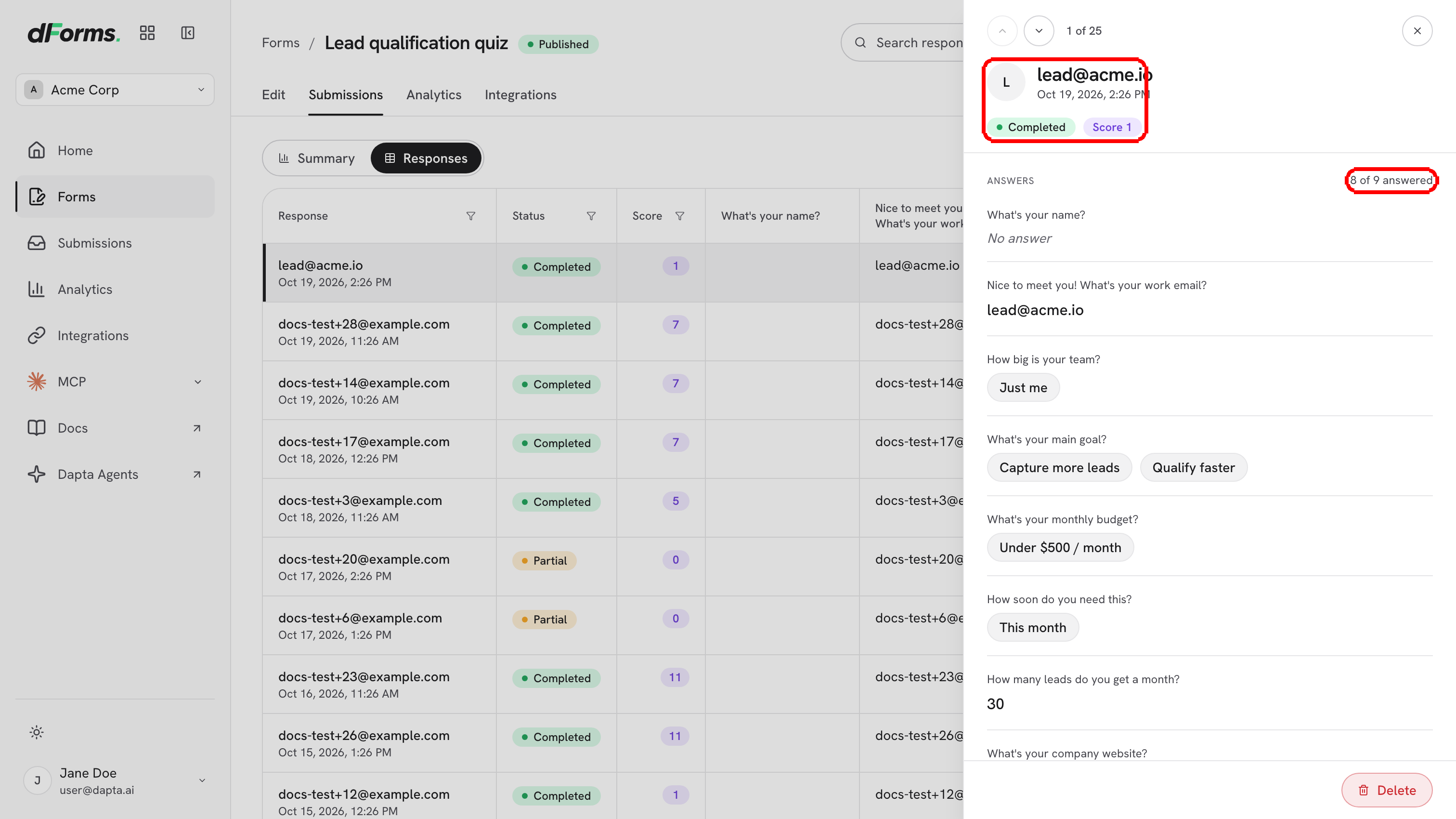
There is no detail view for a single response: long answers are truncated in their cell, so hover the cell to read the whole thing in a tooltip, or [export to CSV](/dapta-forms/results/export-csv.md).

***

## When there is nothing yet

A form nobody has answered shows **No submissions yet** / **Responses will show up here as people complete the form.** Publish the form, share its link, and the first row appears as soon as someone gets through it.

## What's next

* [Uploaded files](/dapta-forms/results/uploaded-files.md): open, preview and download what people attached.
* [Export to CSV](/dapta-forms/results/export-csv.md): the same rows as a spreadsheet file.
* [Analytics](/dapta-forms/results/analytics.md): how many people opened the form and where they stopped.
* [Security & Privacy](/dapta-forms/security-and-privacy.md): what Dapta Forms stores and who can see it.


---

# Agent Instructions
This documentation is published with GitBook. GitBook is the documentation platform designed so that both humans and AI agents can read, navigate, and reason over technical content effectively. Learn more at gitbook.com.

## Querying This Documentation
If you need additional information that is not directly available in this page, you can query the documentation dynamically by asking a question.

Perform an HTTP GET request on the current page URL with the `ask` query parameter, and the optional `goal` query parameter:

```
GET https://docs.dapta.ai/dapta-forms/results/submissions.md?ask=<question>&goal=<endgoal>
```

`ask` is the immediate question: it should be specific, self-contained, and written in natural language.
`goal` is optional and describes the broader end goal you are ultimately trying to accomplish on behalf of the user. GitBook uses it to tailor the answer towards what is most useful for that goal.

The response will contain a direct answer to the question and relevant excerpts and sources from the documentation.

Use this mechanism when the answer is not explicitly present in the current page, you need clarification or additional context, or you want to retrieve related documentation sections.