> For the complete documentation index, see [llms.txt](https://docs.dapta.ai/llms.txt). Markdown versions of documentation pages are available by appending `.md` to page URLs; this page is available as [Markdown](https://docs.dapta.ai/dapta-forms/share/embed.md).

# Embed on your website

Put a Dapta Form inside your own website. Copy the snippet from the Embed dialog, paste it into WordPress, Webflow or plain HTML, and let the form resize itself so there is never an inner scrollbar.

Instead of sending people away to a Dapta link, you can run the form inside one of your own pages. The embed shows the same published form, collects the same submissions and triggers the same integrations.

***

**Step 1:** Open the form in the editor and click the **Embed** icon (the angle brackets) in the topbar, between **Copy link** and **Open form**.

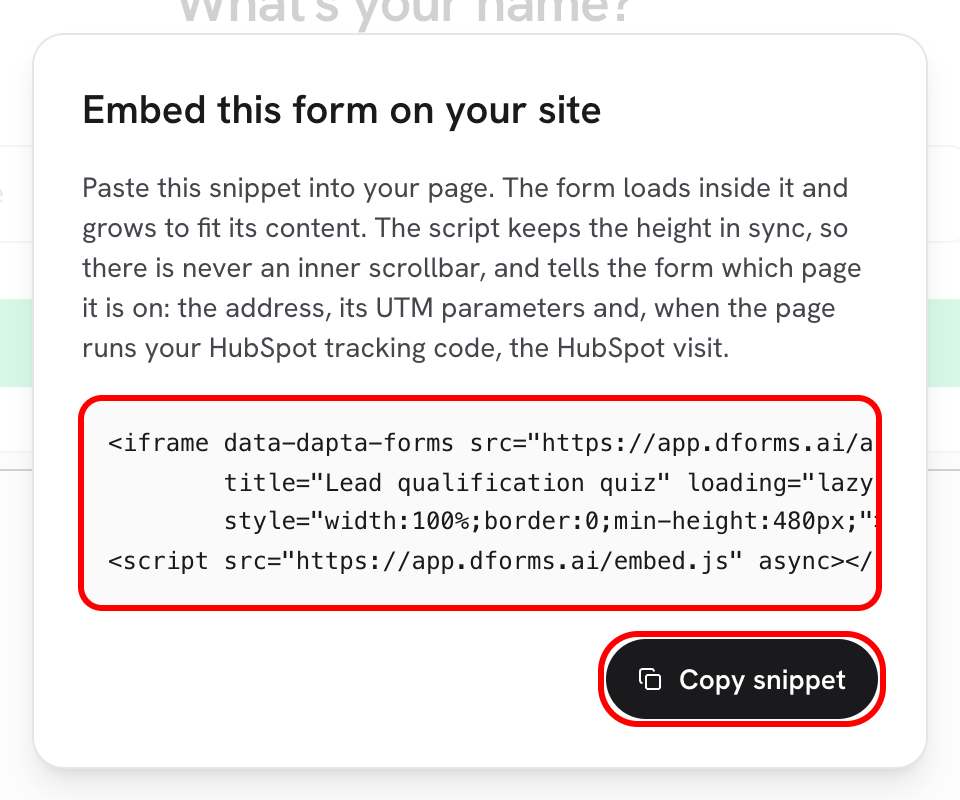
**Step 2:** The dialog **Embed this form on your site** appears with a ready made snippet. Click **Copy snippet**. The button turns into **Copied**.

<figure><img src="https://3835013762-files.gitbook.io/~/files/v0/b/gitbook-x-prod.appspot.com/o/spaces%2FCy5rSNtQmtqYCGzJlNEB%2Fuploads%2Fgit-blob-36957283aa8848b8a2968ab81ca6dbf9c6eaca93%2Fforms-embed-01-dialog.png?alt=media" alt="The Embed this form on your site dialog showing the iframe snippet and the Copy snippet button"><figcaption><p>The snippet is generated for this specific form. Copy it as it is, nothing to fill in.</p></figcaption></figure>

The snippet is two lines: an `iframe` that loads your form, and a small script that keeps its height correct.

```html
<iframe data-dapta-forms src="https://forms.dapta.ai/k7m2xq/alex/lead-qualification-quiz?embed=1"
        title="Lead qualification quiz" loading="lazy"
        style="width:100%;border:0;min-height:480px;"></iframe>
<script src="https://forms.dapta.ai/embed.js" async></script>
```

| Part               | Why it is there                                                                                                                |
| ------------------ | ------------------------------------------------------------------------------------------------------------------------------ |
| `?embed=1`         | Tells the form it is running inside a page, so it renders at the height of its content instead of filling a whole screen.      |
| `data-dapta-forms` | The mark the script looks for. Keep it, or the height will not adjust.                                                         |
| `title`            | The form name, read out by screen readers. Change it if you want different wording.                                            |
| `width:100%`       | The form takes the width of whatever you put it in, so it stays responsive.                                                    |
| `min-height:480px` | The height it starts at, before the script takes over.                                                                         |
| `embed.js`         | Listens for the height the form reports and resizes the frame to match. One copy of the script handles every form on the page. |

***

**Step 3:** Paste the snippet into your page, wherever the form should appear.

* **WordPress:** edit the page, add a **Custom HTML** block and paste the snippet inside it. In the classic editor, switch from **Visual** to **Text** first.
* **Webflow:** drag an **Embed** element onto the canvas, paste the snippet into the code editor and publish the site.
* **Plain HTML, or any other builder:** paste it into the body of your page, inside the container that should hold the form.

If your builder splits code into "head" and "body" boxes, both lines can go in the body box, one after the other.

***

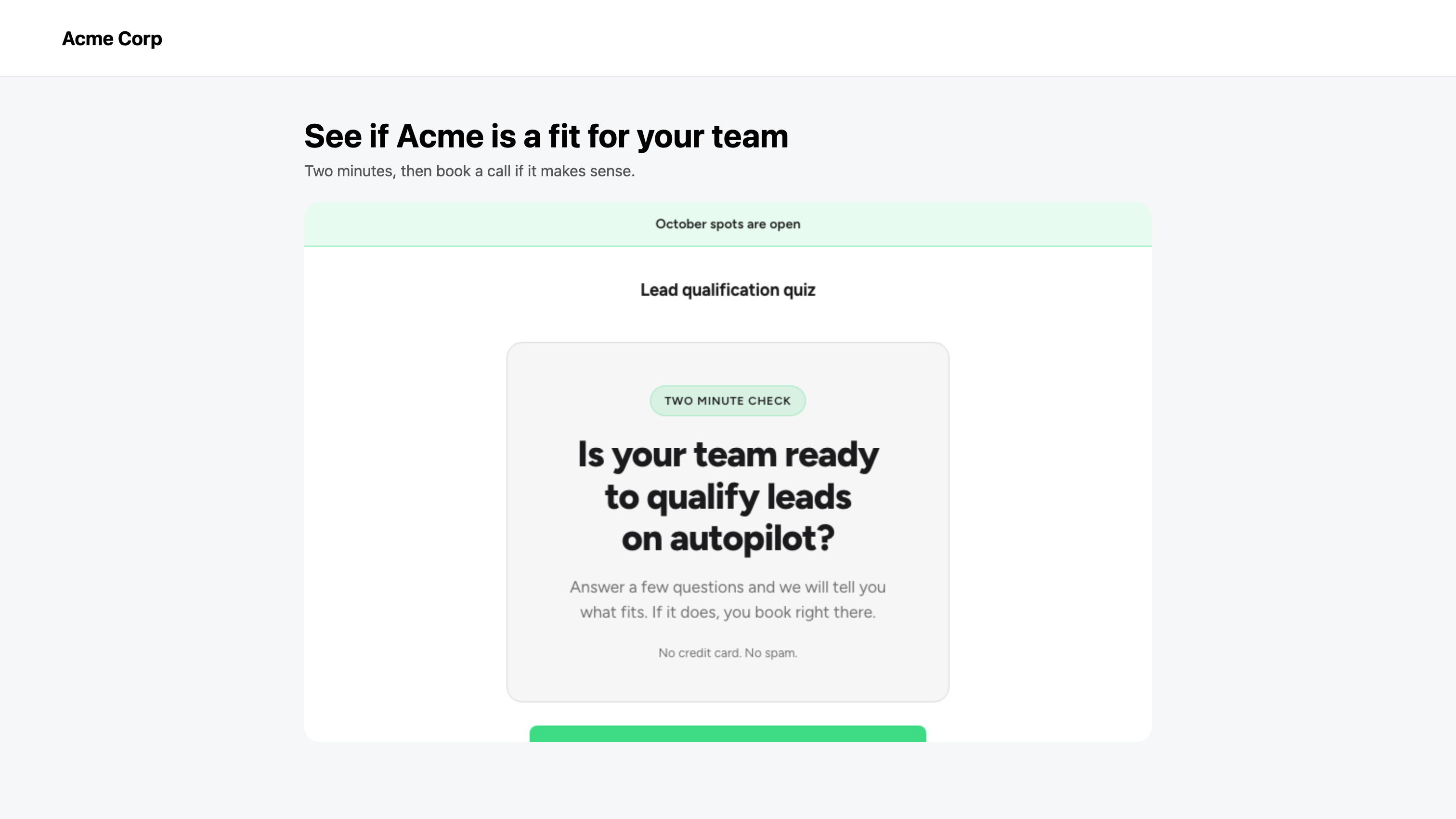
**Step 4:** Load the page and answer the first question to check it. The form should sit flush inside your layout with no scrollbar of its own.

<figure><img src="https://3835013762-files.gitbook.io/~/files/v0/b/gitbook-x-prod.appspot.com/o/spaces%2FCy5rSNtQmtqYCGzJlNEB%2Fuploads%2Fgit-blob-311e447dc6674bcd0fa1c53b47a594b1340f633b%2Fforms-embed-02-live-page.png?alt=media" alt="A simple website page with the Dapta Form running inside it below the page heading"><figcaption><p>The same published form, running inside a normal web page.</p></figcaption></figure>

***

## The height takes care of itself

Questions are not all the same size: a four option question is taller than a single email field. Every time the content changes, the form reports its new height and `embed.js` resizes the frame, so the page grows and shrinks with it and the visitor never scrolls inside a box.

Only that number crosses between your page and the form. Answers stay inside the form and go straight to Dapta.

The frame is fluid, so a narrow column gets a narrow form:

<figure><img src="https://3835013762-files.gitbook.io/~/files/v0/b/gitbook-x-prod.appspot.com/o/spaces%2FCy5rSNtQmtqYCGzJlNEB%2Fuploads%2Fgit-blob-ffd4a8d732650bb8937ded7325c53e9beed6644c%2Fforms-embed-03-mobile.png?alt=media" alt="The same page and embedded form on a phone sized screen" width="375"><figcaption><p>The embed on a phone. The form adapts to the space your layout gives it.</p></figcaption></figure>

> **💡 Tip:** You can embed several forms on one page. Add the `iframe` line for each of them and keep a single `embed.js` line: each frame is resized on its own.

***

## Good to know

* The embed always shows the **published** version. Edits you have not published yet stay in your draft.
* Submissions from an embed are ordinary submissions: same **Submissions** table, same **Analytics**, same integrations and emails.
* If you turn a cover screen on, it shows inside the embed too. For a form that has to feel like part of the page, leave the cover off and start on the first question.
* A redirect set on the ending screen navigates the frame, not the page around it.

***

## What's next

* [Your public link](/dapta-forms/share/public-link.md): the plain link, for emails, chats and buttons.
* [Cover screen & banner](/dapta-forms/design/cover-screen-and-banner.md): decide what the first screen shows.
* [Tracking & pixels](/dapta-forms/connect/tracking-and-pixels.md): measure the embedded form alongside the rest of your site.
* [Analytics](/dapta-forms/results/analytics.md): views, starts and drop-off, wherever the form is running.


---

# Agent Instructions
This documentation is published with GitBook. GitBook is the documentation platform designed so that both humans and AI agents can read, navigate, and reason over technical content effectively. Learn more at gitbook.com.

## Querying This Documentation
If you need additional information that is not directly available in this page, you can query the documentation dynamically by asking a question.

Perform an HTTP GET request on the current page URL with the `ask` query parameter, and the optional `goal` query parameter:

```
GET https://docs.dapta.ai/dapta-forms/share/embed.md?ask=<question>&goal=<endgoal>
```

`ask` is the immediate question: it should be specific, self-contained, and written in natural language.
`goal` is optional and describes the broader end goal you are ultimately trying to accomplish on behalf of the user. GitBook uses it to tailor the answer towards what is most useful for that goal.

The response will contain a direct answer to the question and relevant excerpts and sources from the documentation.

Use this mechanism when the answer is not explicitly present in the current page, you need clarification or additional context, or you want to retrieve related documentation sections.