> For the complete documentation index, see [llms.txt](https://docs.dapta.ai/llms.txt). Markdown versions of documentation pages are available by appending `.md` to page URLs; this page is available as [Markdown](https://docs.dapta.ai/dapta-mcp/setup/connect-claude-code.md).
# Connect Claude Code
Register the Dapta MCP in Claude Code with a single terminal command. Copy the ready-to-run command straight from Dapta, key included.
Claude Code connects from the terminal. One command registers the `dapta-ai` connection for your user, and Dapta gives you the exact command with your key already inside. There is nothing else to install.
{% hint style="info" %}
You will need the API key from the previous step. If you do not have one yet, see [Mint your API key](/dapta-mcp/setup/mint-your-api-key.md).
{% endhint %}
***
**Step 1:** Create your API key. It appears once in a dialog titled **Save your new MCP key**. Copy the key from that dialog and keep it somewhere safe, because it cannot be shown again later.
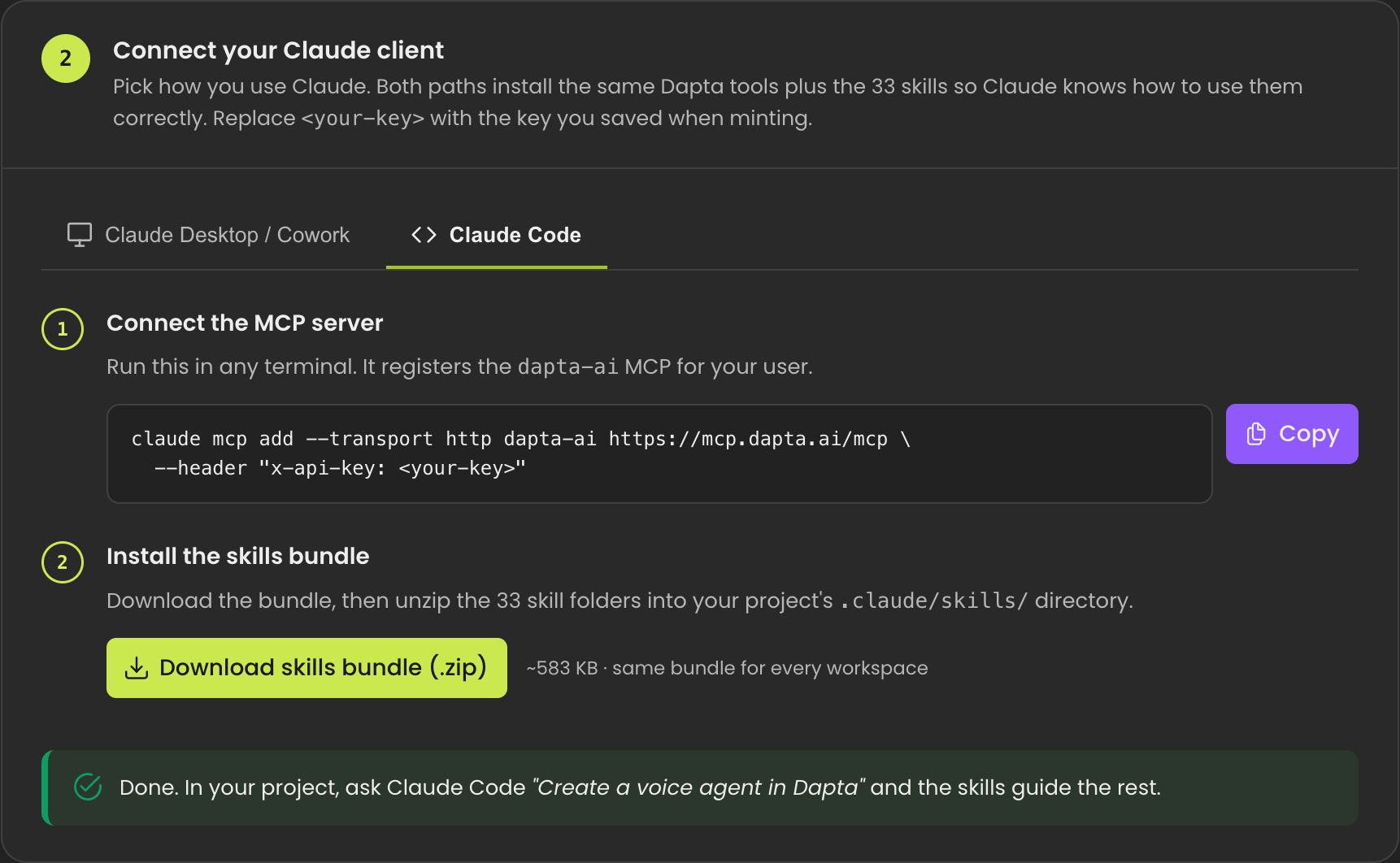
The Claude Code tab on the MCP Access page. Copy the full command, key included.
***
**Step 2:** Paste and run the command in any terminal. Replace `` with the key you copied. It will look like this:
{% code title="terminal" overflow="wrap" %}
```bash
claude mcp add --transport http dapta-ai https://mcp.dapta.ai/mcp \
--header "x-api-key: "
```
{% endcode %}
This registers the `dapta-ai` connection for your user.
***
**Step 3:** Start a session and ask Claude Code to do something in Dapta, for example: "Create a voice agent in Dapta". Claude receives Dapta's workflow guidance automatically over the connection, so there is no skills bundle to download or unzip and no extra install step.
***
## What you can ask Claude to do
Once connected, you can ask Claude to help across your Dapta workspace:
* **Voice agents:** create, configure, and calibrate voice agents, then review their call performance.
* **Text and WhatsApp agents:** build text agents and connect them to WhatsApp.
* **FlowStudio automations:** design and validate automation flows that wire your agents together.
* **Call and lead analytics:** pull call statistics, connection rates, recent calls, and lead intelligence.
* **Sales-meeting insights:** analyze recorded sales meetings for summaries and next steps.
* **Identity and billing:** check accounts, usage, balance, and subscription details.
* **Research and docs:** research a company from its website and search Dapta's documentation.
{% hint style="success" %}
**Your data stays safe.** Your key is scoped to one workspace, so Claude only ever sees that workspace and cannot reach any other. When Claude changes something (an agent, a prompt, a flow, or a ticket), it shows you a preview first and waits for your confirmation before applying. Reading information never needs confirmation.
{% endhint %}
---
# Agent Instructions
This documentation is published with GitBook. GitBook is the documentation platform designed so that both humans and AI agents can read, navigate, and reason over technical content effectively. Learn more at gitbook.com.
## Querying This Documentation
If you need additional information that is not directly available in this page, you can query the documentation dynamically by asking a question.
Perform an HTTP GET request on the current page URL with the `ask` query parameter, and the optional `goal` query parameter:
```
GET https://docs.dapta.ai/dapta-mcp/setup/connect-claude-code.md?ask=&goal=
```
`ask` is the immediate question: it should be specific, self-contained, and written in natural language.
`goal` is optional and describes the broader end goal you are ultimately trying to accomplish on behalf of the user. GitBook uses it to tailor the answer towards what is most useful for that goal.
The response will contain a direct answer to the question and relevant excerpts and sources from the documentation.
Use this mechanism when the answer is not explicitly present in the current page, you need clarification or additional context, or you want to retrieve related documentation sections.