> For the complete documentation index, see [llms.txt](https://docs.dapta.ai/llms.txt). Markdown versions of documentation pages are available by appending `.md` to page URLs; this page is available as [Markdown](https://docs.dapta.ai/dapti/capabilities/flow-studio.md).

# Flow Studio

Dapti can build and edit Flow Studio automations end to end: it designs the flow, checks for missing integrations, generates the JSON, validates it, deploys it to your workspace, and wires it up to a voice agent. You stay in the chat the whole time.

{% hint style="info" %}
Dapti checks dependencies before it builds. If a flow needs Google, Gmail, or another integration you have not connected yet, Dapti tells you up front and provides a one-click action to connect it.
{% endhint %}

***

## Build a New Flow

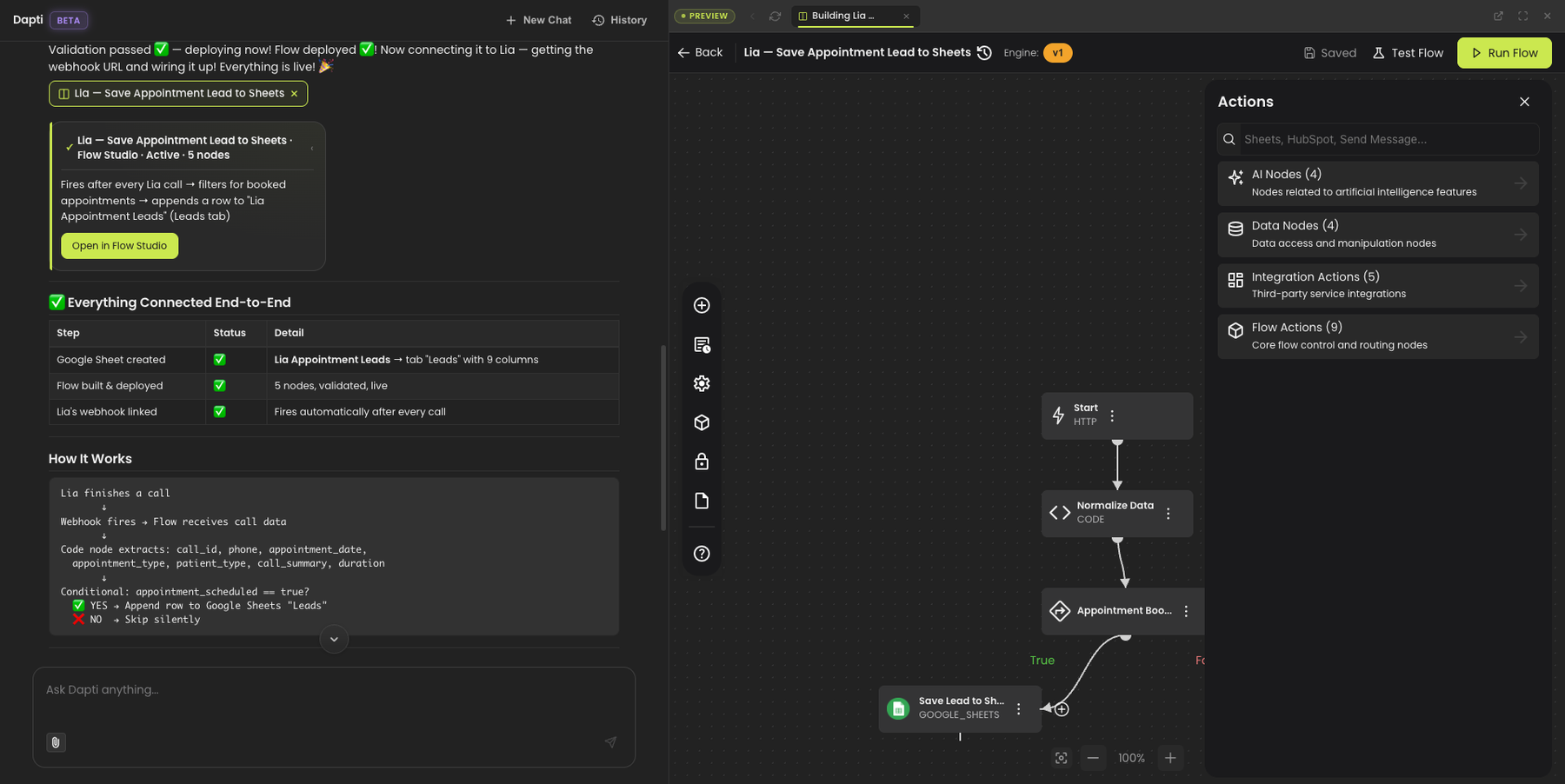
Describe what you want the automation to do and Dapti handles the rest: it picks the right nodes, fills in the configuration, validates the JSON, deploys the flow, and connects it to the right voice agent if needed.

**Try this prompt:**

> *Build a flow that saves Lia's appointment leads to a Google Sheet after every successful call.*

Dapti recognizes the agent, verifies your integrations, creates the spreadsheet, builds the flow (Trigger → Filter → Save to Sheets), validates it, deploys it, and wires the webhook to Lia. The Flow Studio canvas opens on the right so you can see the visual flow that Dapti just generated.

<figure><img src="/files/HfSWwYSeREviT13DMlAu" alt="Dapti building a flow that saves Lia&#x27;s appointment leads to a Google Sheet, with the Flow Studio visual canvas opened on the right showing the generated nodes and a status table confirming the spreadsheet was created and the flow was deployed"><figcaption><p>Dapti generates, deploys, and wires up the flow. The visual canvas opens on the right so you can see what was built.</p></figcaption></figure>

Other build prompts you can use:

* *"Create a flow that emails me a daily call summary at 8 a.m."*
* *"Build an outbound calling flow that calls all leads in my Google Sheet"*
* *"Create a flow that posts new lead info to my Slack channel"*
* *"Set up a flow that adds qualified leads to HubSpot after every call"*

{% hint style="success" %}
Dapti generates the full JSON. There is no need to drag nodes around or wire connections manually unless you want to.
{% endhint %}

***

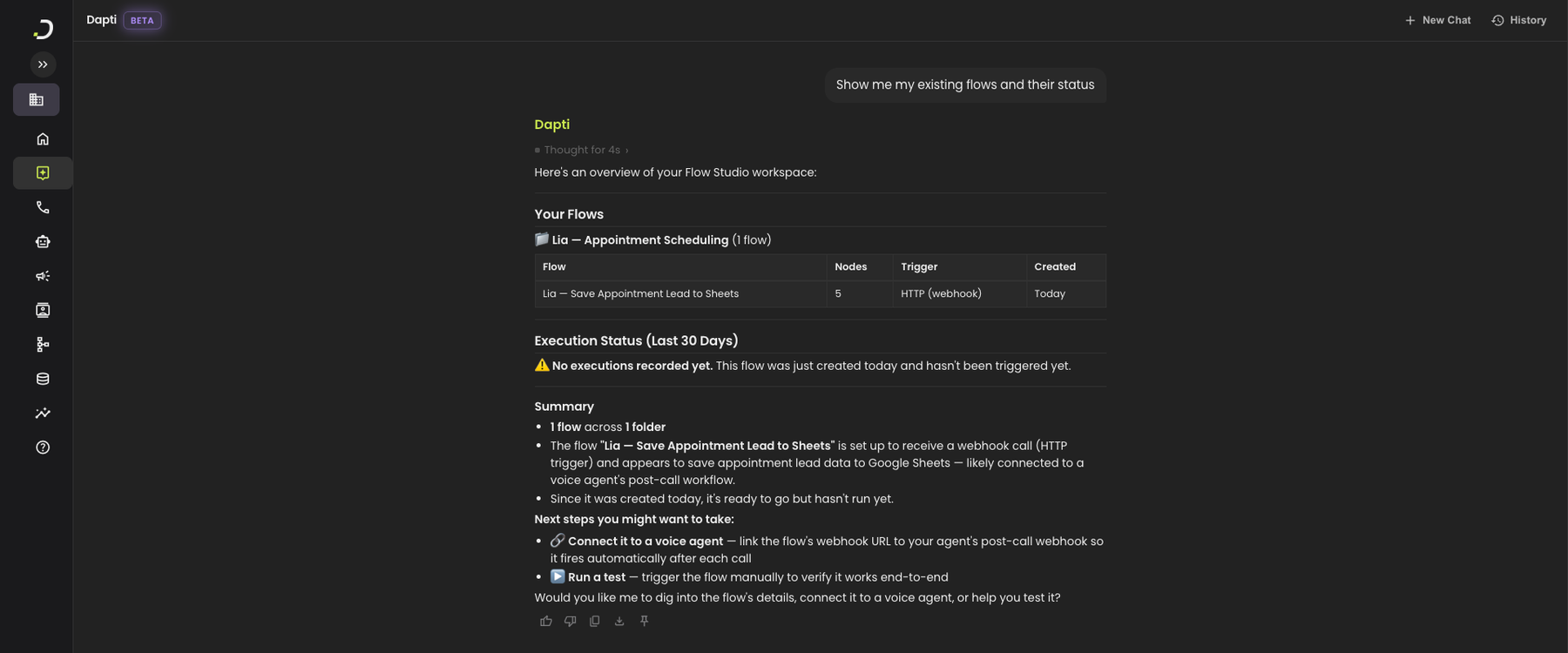
## List and Review Your Flows

Ask Dapti for a read on what is already running in your workspace. Dapti groups flows by folder, lists their triggers and node counts, and reports execution status.

**Try this prompt:**

> *Show me my existing flows and their status.*

<figure><img src="/files/2gikt720klMgiyCm5gaE" alt="Dapti listing the flows in the workspace grouped by folder, with a table showing flow name, node count, trigger type, and creation date, plus an execution status section and a summary with suggested next steps"><figcaption><p>Dapti groups flows by folder and tells you which ones have run, which have not, and what to try next.</p></figcaption></figure>

Other review prompts you can use:

* *"How many times has my Lia flow run this week?"*
* *"Which of my flows are failing?"*
* *"Show me the version history of my Sheets flow"*
* *"What does my outbound campaign flow do?"*

***

## Modify an Existing Flow

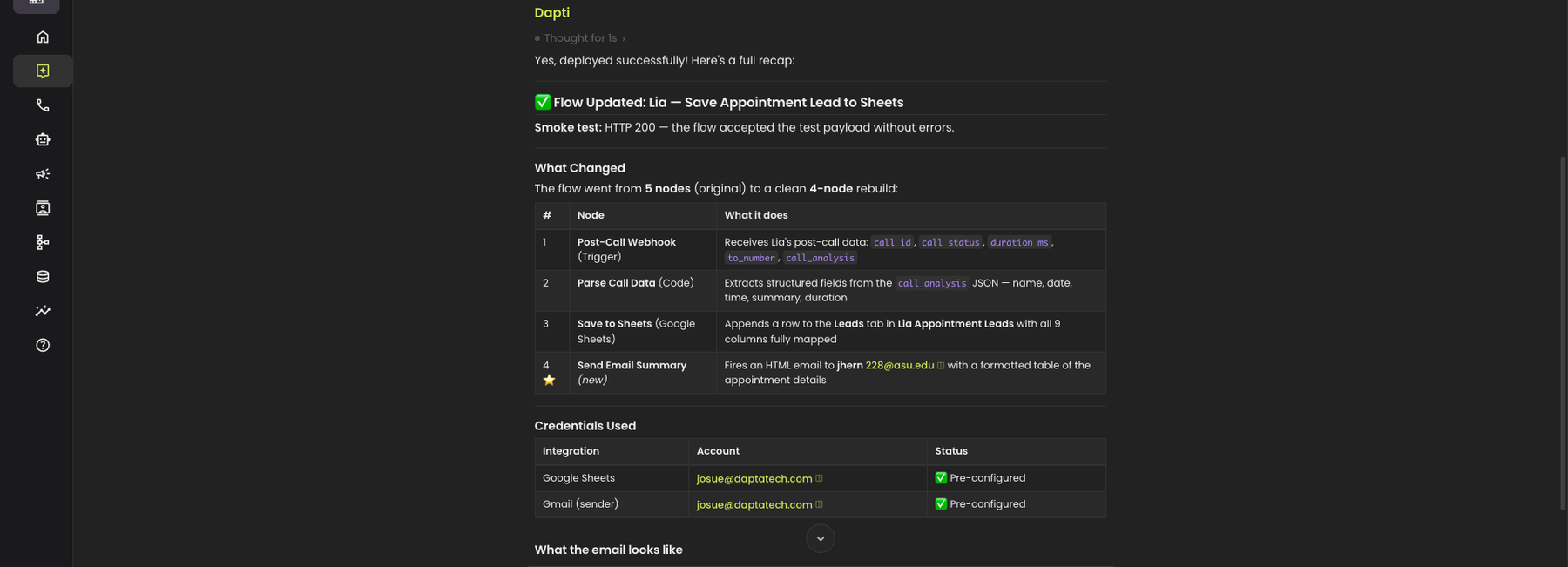
Once a flow is live, you can ask Dapti to extend it. Dapti reads the current flow, pulls the relevant credentials and templates, generates the updated JSON with the new step in place, validates it, and redeploys.

**Try this prompt:**

> *Modify my Lia Sheets flow so it also sends me an email summary whenever a new appointment is saved.*

<figure><img src="/files/XswU3ccJCNwP5qIXwcDa" alt="Dapti confirming the flow update with a status card, a smoke-test result of HTTP 200, a table showing the 4 nodes of the rebuilt flow including the new Send Email Summary node, and a credentials table confirming both Google Sheets and Gmail are pre-configured"><figcaption><p>Dapti rebuilds the flow with the new step, runs a smoke test, and reports exactly what changed.</p></figcaption></figure>

Other modify prompts you can use:

* *"Add a Slack notification step to my Lia flow"*
* *"Filter the flow so it only fires for new patients"*
* *"Change the spreadsheet that my flow writes to"*
* *"Remove the email step from my Lia flow"*

{% hint style="info" %}
Every modification is validated and smoke-tested before it goes live. If something fails, Dapti reports the error instead of silently breaking your automation.
{% endhint %}

***

## Next Steps

{% content-ref url="/pages/Dgtsw9D6WGPWhpK6Eoyq" %}
[Scheduled Tasks](/dapti/capabilities/scheduled-tasks.md)
{% endcontent-ref %}

{% content-ref url="/pages/O5M0qkWH3Xt43SlXnHnk" %}
[Voice Agents](/dapti/capabilities/voice-agents.md)
{% endcontent-ref %}

{% content-ref url="/pages/ITt1P6qAQhK8f6FgbVFk" %}
[Call Analytics](/dapti/capabilities/call-analytics.md)
{% endcontent-ref %}


---

# Agent Instructions
This documentation is published with GitBook. GitBook is the documentation platform designed so that both humans and AI agents can read, navigate, and reason over technical content effectively. Learn more at gitbook.com.

## Querying This Documentation
If you need additional information that is not directly available in this page, you can query the documentation dynamically by asking a question.

Perform an HTTP GET request on the current page URL with the `ask` query parameter:

```
GET https://docs.dapta.ai/dapti/capabilities/flow-studio.md?ask=<question>
```

The question should be specific, self-contained, and written in natural language.
The response will contain a direct answer to the question and relevant excerpts and sources from the documentation.

Use this mechanism when the answer is not explicitly present in the current page, you need clarification or additional context, or you want to retrieve related documentation sections.