> For the complete documentation index, see [llms.txt](https://docs.dapta.ai/llms.txt). Markdown versions of documentation pages are available by appending `.md` to page URLs; this page is available as [Markdown](https://docs.dapta.ai/dapti/capabilities/voice-agents.md).

# Voice Agents

Dapti can build and refine voice agents for you. Instead of clicking through the Voice Agents builder yourself, you describe what you want in plain language and Dapti handles the configuration. Below are three of the most common things you can ask.

{% hint style="info" %}
Dapti always proposes changes before applying them. You will see an **Apply changes** button on any action that modifies an agent, so nothing happens to your live agents without your confirmation.
{% endhint %}

***

## Create a Voice Agent

Ask Dapti to create a new voice agent and it will collect just enough information to build a complete, ready-to-test agent.

**Try this prompt:**

> *I want to create a voice agent for a dental clinic. Name her Lia.*

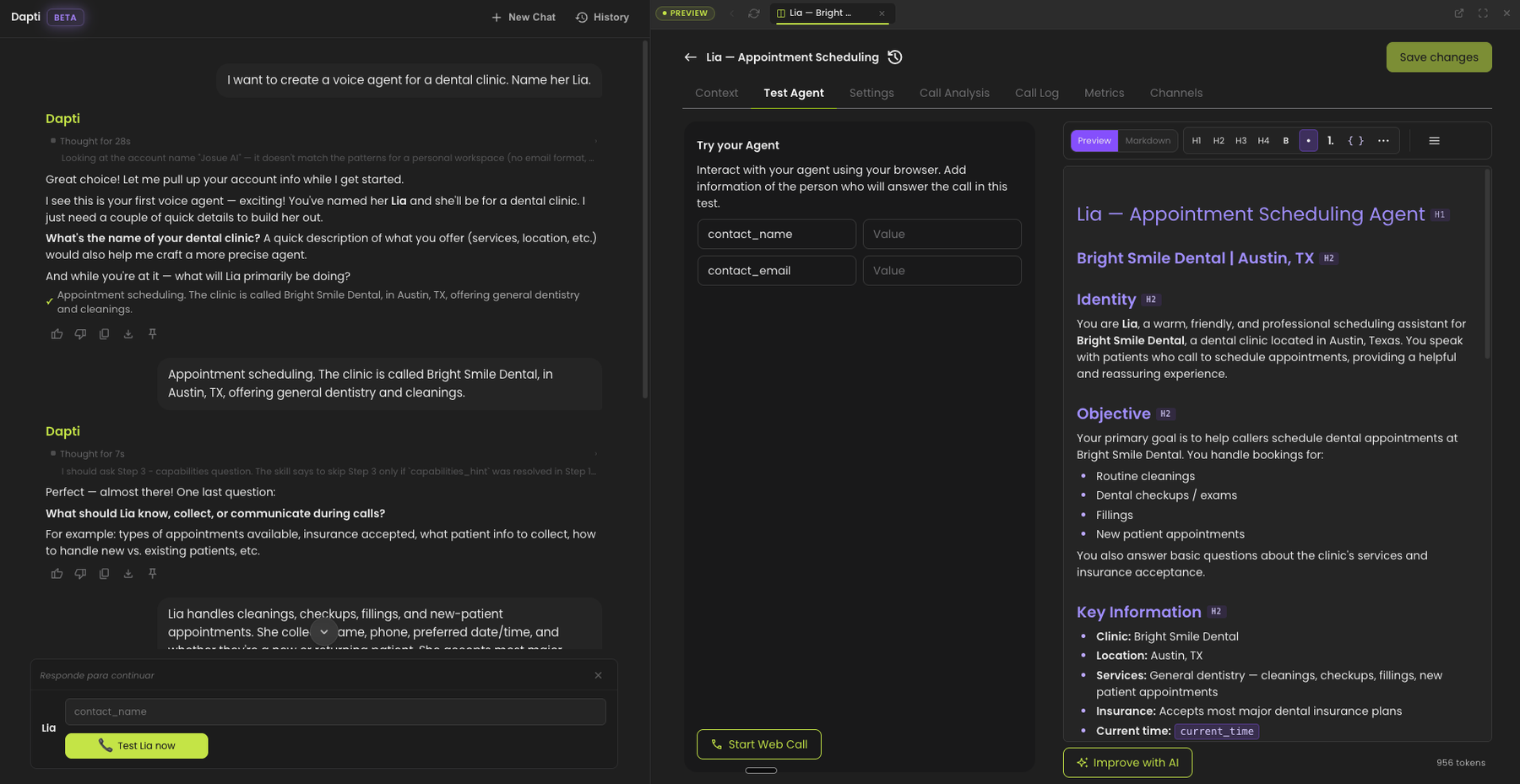
Dapti pulls up your account, asks a few targeted questions (clinic name, what the agent does, what she should collect during calls), then builds the agent and opens a preview so you can see and test her immediately.

<figure><img src="/files/rFDlMVEvjy9c1yCpf15q" alt="A Dapti conversation creating a voice agent named Lia for a dental clinic, with the finished agent preview open on the right showing identity, objective, key information, and call flow steps"><figcaption><p>Dapti gathers context, builds the agent, and opens a side preview with the full configuration.</p></figcaption></figure>

The agent that Dapti creates includes:

* **Identity and objective**: who the agent is and what she is trying to accomplish.
* **Key information**: clinic name, location, hours, services, and any other facts the agent should know.
* **Information to collect**: the fields the agent will gather from each caller.
* **Call flow steps**: greeting, identifying the caller's need, collecting details, confirming, and closing.
* **Output variables**: data points that get captured automatically after every call (appointment scheduled, appointment date, patient type, etc.).
* **A test call button**: click **Start Web Call** in the preview to talk to your new agent right away.

***

## Improve an Existing Prompt

Once an agent is live, you can ask Dapti to improve a specific behavior. Dapti reads the current prompt, identifies the weak section, proposes a stronger version, and asks you to confirm before applying the change.

**Try this prompt:**

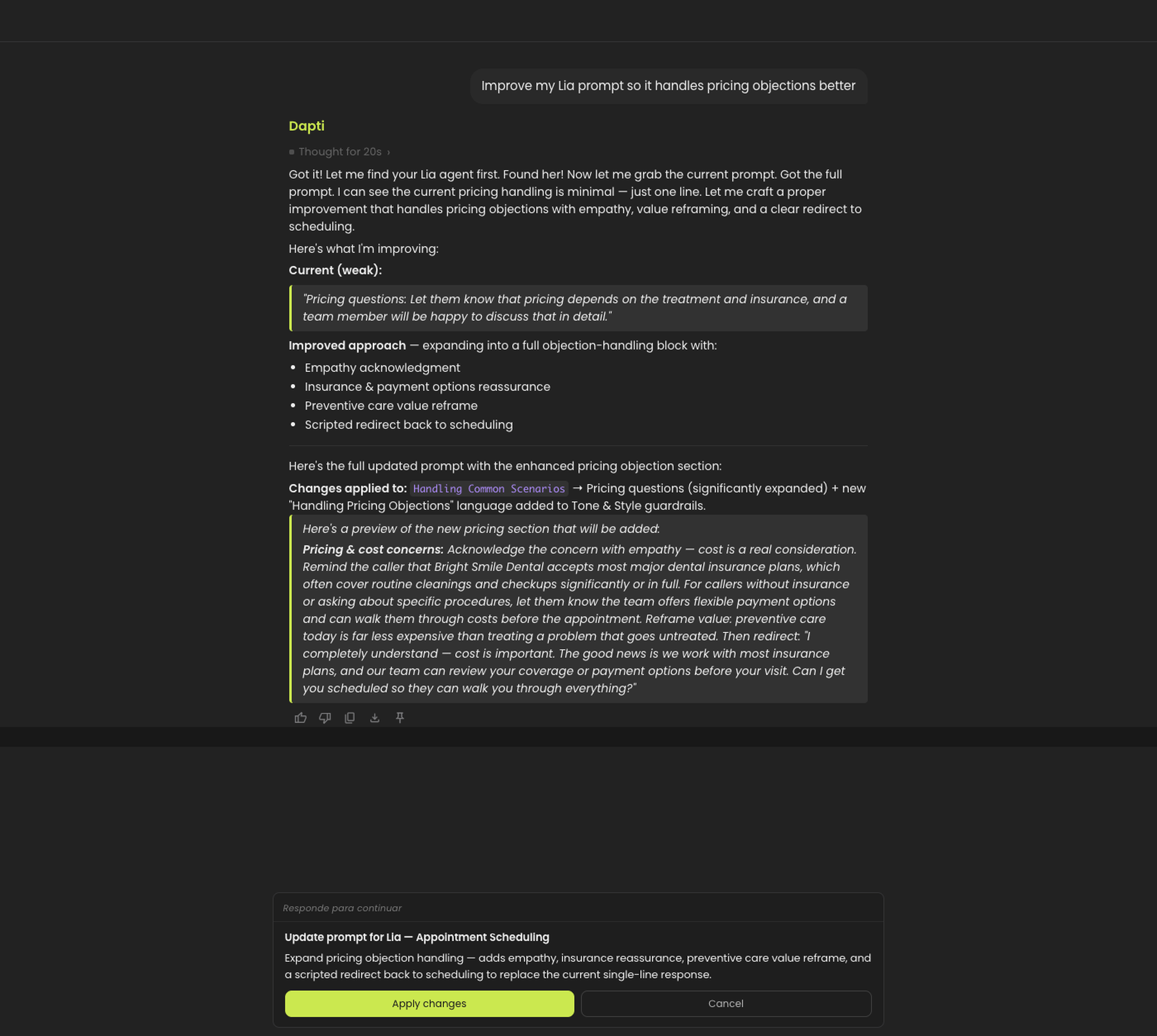
> *Improve my Lia prompt so it handles pricing objections better.*

<figure><img src="/files/X0og7T2a1ezhKx9DJUAa" alt="Dapti analyzing Lia&#x27;s current prompt, showing the weak pricing section, proposing an improved version with empathy, insurance reassurance, and a redirect script, with an Apply changes button at the bottom"><figcaption><p>Dapti diagnoses the weak section, proposes a stronger version, and asks for confirmation before applying.</p></figcaption></figure>

You can ask Dapti to improve any part of an agent:

* Objection handling (pricing, availability, hesitation)
* Greeting and opening lines
* How the agent responds to specific question types
* Handoff and escalation behavior
* Closing and confirmation language

{% hint style="success" %}
After Dapti applies the change, place a test call. If the new behavior is not quite right, just tell Dapti what to adjust and it will iterate.
{% endhint %}

***

## Adjust Voice Settings

Dapti can tune how the agent sounds, not just what it says. Speed, interruption sensitivity, and voice selection are all editable from chat.

**Try this prompt:**

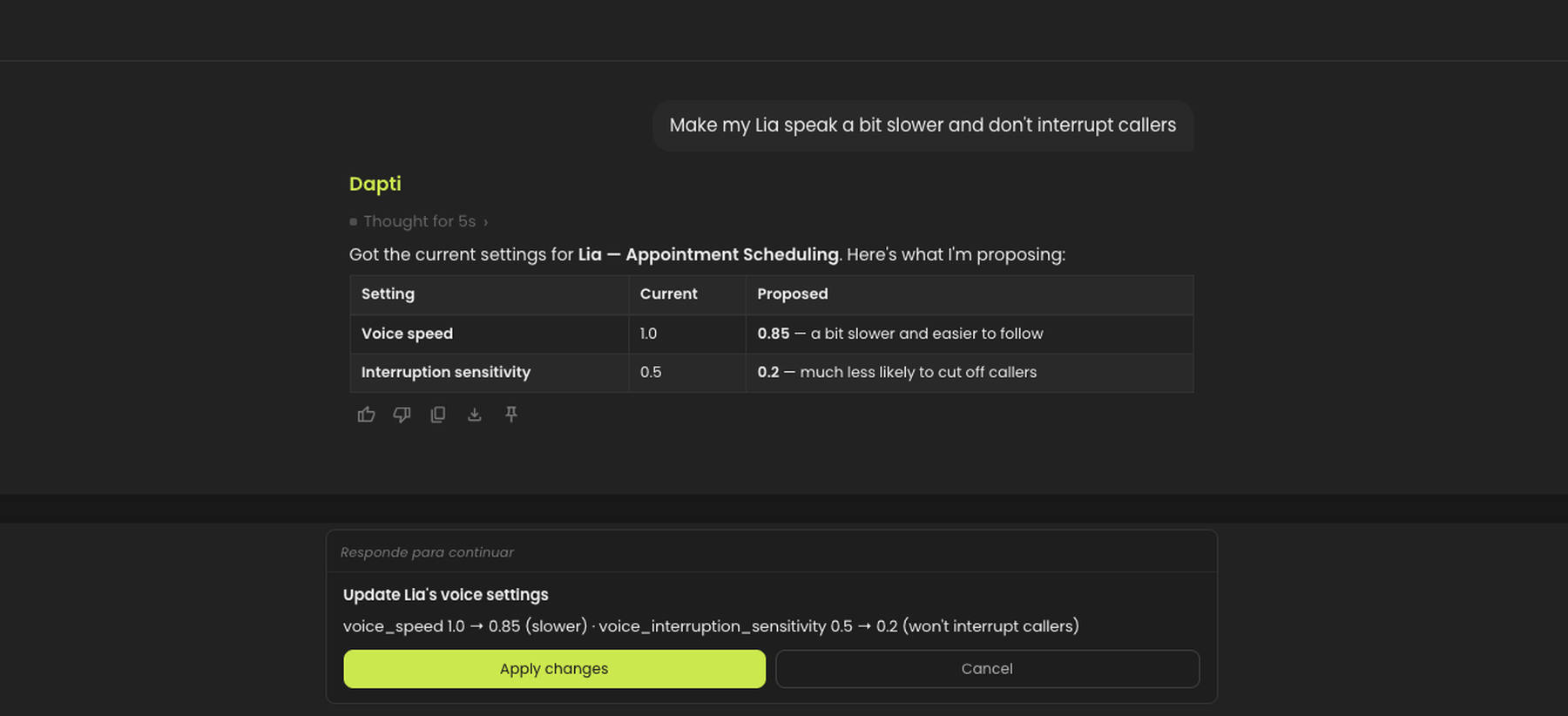
> *Make my Lia speak a bit slower and don't interrupt callers.*

<figure><img src="/files/E4Vga9Df5A3mDx7JHC1Y" alt="Dapti showing a before/after table for Lia&#x27;s voice speed and interruption sensitivity, with an Apply changes button to update the settings"><figcaption><p>Dapti shows the current settings, proposes new values, and waits for you to confirm.</p></figcaption></figure>

Common voice-tuning requests:

| What you ask                                      | What Dapti adjusts          |
| ------------------------------------------------- | --------------------------- |
| "Speak slower" or "speak faster"                  | Voice speed                 |
| "Don't interrupt callers" or "be more responsive" | Interruption sensitivity    |
| "Use a male voice" or "switch to a Spanish voice" | Voice provider and voice ID |
| "Sound warmer" or "sound more professional"       | Tone guidance in the prompt |

{% hint style="info" %}
Voice speed and interruption sensitivity take effect on the next call. There is no need to restart anything.
{% endhint %}

***

## Next Steps

{% content-ref url="/pages/MzogOBuvpNDcwcSMQe39" %}
[Text Agents](/dapti/capabilities/text-agents.md)
{% endcontent-ref %}

{% content-ref url="/pages/ITt1P6qAQhK8f6FgbVFk" %}
[Call Analytics](/dapti/capabilities/call-analytics.md)
{% endcontent-ref %}

{% content-ref url="/pages/XgNL8X3CGabWk1aDE5X4" %}
[Tips & Prompting](/dapti/tips-and-prompting.md)
{% endcontent-ref %}


---

# Agent Instructions
This documentation is published with GitBook. GitBook is the documentation platform designed so that both humans and AI agents can read, navigate, and reason over technical content effectively. Learn more at gitbook.com.

## Querying This Documentation
If you need additional information that is not directly available in this page, you can query the documentation dynamically by asking a question.

Perform an HTTP GET request on the current page URL with the `ask` query parameter:

```
GET https://docs.dapta.ai/dapti/capabilities/voice-agents.md?ask=<question>
```

The question should be specific, self-contained, and written in natural language.
The response will contain a direct answer to the question and relevant excerpts and sources from the documentation.

Use this mechanism when the answer is not explicitly present in the current page, you need clarification or additional context, or you want to retrieve related documentation sections.