> For the complete documentation index, see [llms.txt](https://docs.dapta.ai/llms.txt). Markdown versions of documentation pages are available by appending `.md` to page URLs; this page is available as [Markdown](https://docs.dapta.ai/dforms/logic/ending-screen.md).

# Ending screen

Set what every respondent sees after they submit a dForms form: the thank-you heading and message (with \[field] tokens), an optional redirect URL, how long to show the thank-you before redirecting, fo

The ending is the thank-you screen a respondent sees after they submit. You set it once for the whole form in the **Design** panel, under **When the form ends**. If you also use [Outcomes](https://docs.dapta.ai/dforms/logic/outcomes.md), the ending becomes the default that every score range falls back to.

***

## Step 1: Open When the form ends

**Step 1:** In the editor, open the **Design** tab. Scroll to the bottom of the left column to the **When the form ends** panel. Its subtitle reads **What every respondent sees after they submit.**

**Step 2:** Fill in the fields you need. The right column previews the form live; use **Next screen** to walk to the end.

<figure><img src="https://3835013762-files.gitbook.io/~/files/v0/b/gitbook-x-prod.appspot.com/o/spaces%2FCy5rSNtQmtqYCGzJlNEB%2Fuploads%2Fgit-blob-330d9c1727cd499ce7f3107c22f402c41c18f532%2Fforms-ending-screen-01-when-the-form-ends.png?alt=media" alt="The When the form ends panel in the Design view with Heading, Message, Redirect URL (optional) and Show the thank-you first for (ms) filled in, and a note about score ranges"><figcaption><p><strong>When the form ends</strong>: the default heading, message and redirect for everyone.</p></figcaption></figure>

| Field                                 | What it does                                                                                                                                                                                                                                                                                                                                                                                     |
| ------------------------------------- | ------------------------------------------------------------------------------------------------------------------------------------------------------------------------------------------------------------------------------------------------------------------------------------------------------------------------------------------------------------------------------------------------ |
| **Heading**                           | The big line on the thank-you screen. Leave it empty for the default **Thank you!**, or **¡Gracias!** when the form is shown in Spanish. Accepts `[field]` tokens.                                                                                                                                                                                                                               |
| **Message**                           | The body text under the heading. Type a `[field]` token to insert an earlier answer, for example `We will be in touch at [email] shortly.` The hint under the field reads **Use \[field] to insert an answer. Leave empty for the default text.** Leave it empty for the default **Your answers were recorded.**, or **Tus respuestas quedaron registradas.** when the form is shown in Spanish. |
| **Redirect URL (optional)**           | If set, respondents are sent to this address instead of staying on the thank-you screen. **Leave empty to show the thank-you screen. If set, everyone is sent here.** Only `http(s)` links are accepted.                                                                                                                                                                                         |
| **Forward UTM parameters**            | Appears once the form, or any score range, has a redirect URL. Adds the visitor's `utm_*` parameters to every redirect. See [Forward UTM parameters](#forward-utm-parameters).                                                                                                                                                                                                                   |
| **Show the thank-you first for (ms)** | Appears once a redirect URL is set. How long the thank-you screen stays up before the redirect happens. **0 redirects immediately.** Use something like `3000` to let people read the message first.                                                                                                                                                                                             |

Changes are saved automatically. **Publish** to make them live.

***

## Step 2: What the respondent sees

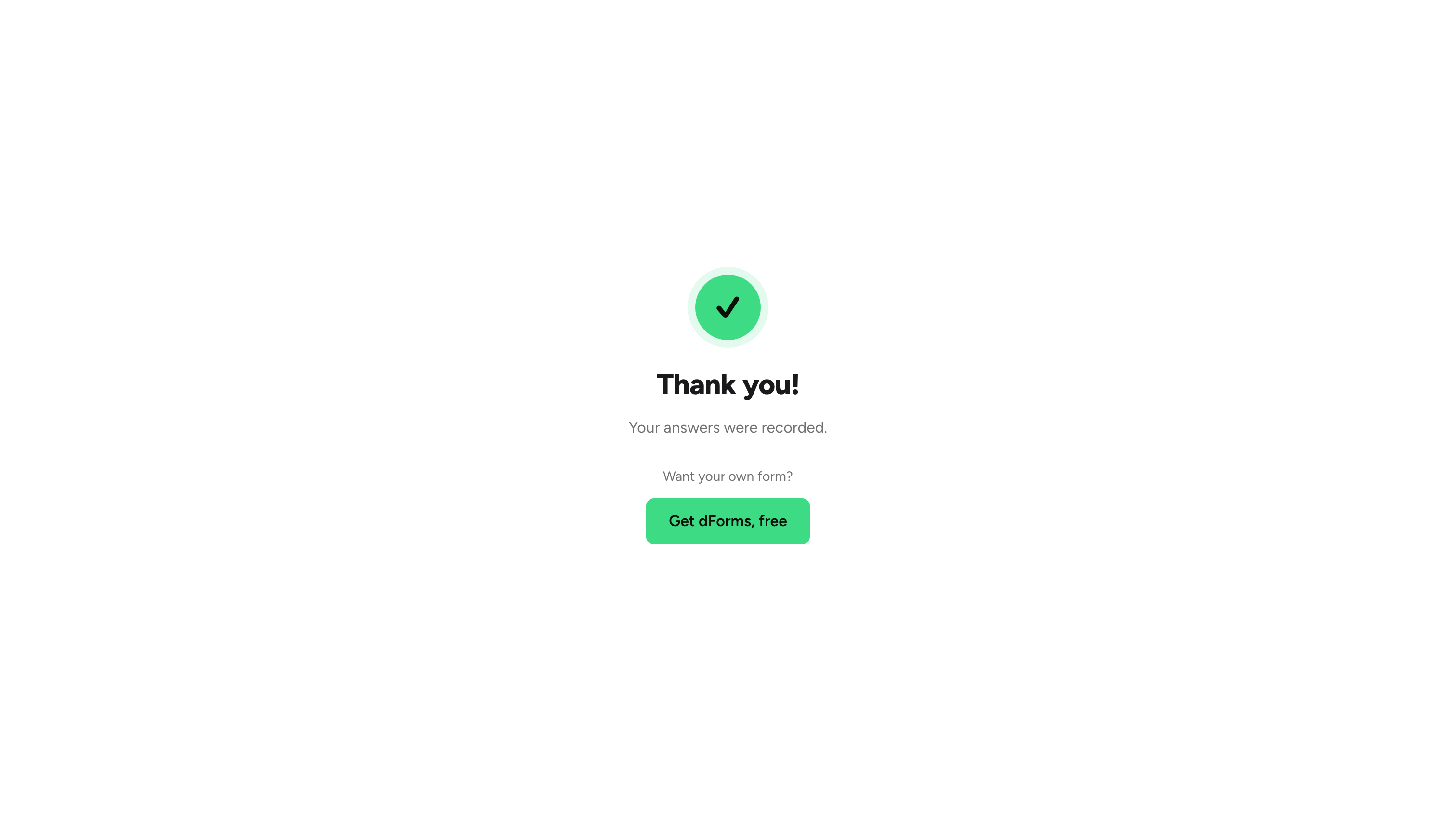
After the last question (or after a [Reveal screen](https://docs.dapta.ai/dforms/logic/reveal-screens.md) if you added one) the respondent lands on the thank-you screen: a check mark, your **Heading**, and your **Message** with every `[field]` replaced by their answer.

<figure><img src="https://3835013762-files.gitbook.io/~/files/v0/b/gitbook-x-prod.appspot.com/o/spaces%2FCy5rSNtQmtqYCGzJlNEB%2Fuploads%2Fgit-blob-4e363c957e271bbe3fdc01c01d469501dbc2f4c2%2Fforms-ending-screen-02-public-ending.png?alt=media" alt="The public thank-you screen with the heading Thanks, we got it and a message that repeats the address the respondent typed"><figcaption><p>The default ending on the live form, with the <code>[email]</code> token filled in.</p></figcaption></figure>

If a redirect is set, the screen is skipped (delay **0**) or shown for the delay you chose and then replaced by the destination page. Only `http(s)` links are followed: anything else is ignored and the thank-you screen is shown instead. A redirect URL can carry answers too: `https://acme.io/thanks?email=[email]` fills in the token, encoded so it is safe in a link, for the immediate, delayed and after-booking redirects alike.

On a form embedded in your site, the redirect opens the destination in the whole browser tab, replacing the page the form sits on. See [Embed on your website](https://docs.dapta.ai/dforms/share/embed.md#where-the-redirect-goes).

> **⚠️ Note:** An answer placed in the redirect URL, such as an email, ends up in the destination site's browser history and server logs. The hint under **Redirect URL (optional)** says so too. On an embedded form, answers are never added to the URL: those parameters are left out.

The default heading and message follow the language the form is shown in. Your own heading and message are shown as you wrote them. See [Language & button text](https://docs.dapta.ai/dforms/design/language-and-button-text.md).

***

## Forward UTM parameters

Turn on **Forward UTM parameters** when the page you redirect to should know which campaign the visitor came from. The switch sits under the delay, in **When the form ends**, and appears as soon as the form or any of its score ranges has a redirect URL.

<figure><img src="https://3835013762-files.gitbook.io/~/files/v0/b/gitbook-x-prod.appspot.com/o/spaces%2FCy5rSNtQmtqYCGzJlNEB%2Fuploads%2Fgit-blob-69a7048c24a7ab97b434c62e1de629f03888bd05%2Fforms-ending-screen-03-forward-utm.png?alt=media" alt="The When the form ends panel with Redirect URL https://acme.io/thanks and the Forward UTM parameters switch turned on"><figcaption><p><strong>Forward UTM parameters</strong>: the campaign the visitor arrived with travels on to the redirect.</p></figcaption></figure>

With the switch on:

* **Every redirect gets the UTMs**: the ending's **Redirect URL**, a score range's own redirect in [Outcomes](https://docs.dapta.ai/dforms/logic/outcomes.md), and the redirect after a booking, immediate or delayed.
* **Only `utm_*` parameters travel**, the same ones the response stored: those on the form's link, or, on a form embedded with the full snippet, those on your page's address. Other parameters of the visitor's link are not forwarded.
* **Only plain keys, and only a few.** A key is forwarded only when it is `utm_` followed by letters, digits or `_`, so a key such as `utm_source[]` is left out. At most 10 are added, counted after the keys you already wrote in the URL are dropped. A key longer than 64 characters, or a value longer than 200, is skipped, never cut.
* **Your own UTM wins.** A `utm_*` parameter you already wrote in the redirect URL is kept as written. For example, with `https://acme.io/thanks?utm_source=form` and a visitor arriving with `?utm_source=linkedin&utm_campaign=spring`, the visitor is sent to `https://acme.io/thanks?utm_source=form&utm_campaign=spring`.
* **Embedded forms forward them too.** UTMs are campaign data, not answers, so they are added even when answer tokens are left out of the URL.

With the switch off (the default, and how every existing form behaves), the redirect URL is used exactly as you wrote it. The switch lives only here: a score range has no switch of its own, and this one covers its redirects too.

***

## How outcomes override the ending

The panel ends with a note: **These are the defaults. A score range in Results that fills the same field wins for the people who land in it; a range that leaves it empty uses what you set here.** In practice each field is resolved on its own:

| Field                  | Respondent in a score range                                                                                                                   | Respondent in no range (or scoring off)                     |
| ---------------------- | --------------------------------------------------------------------------------------------------------------------------------------------- | ----------------------------------------------------------- |
| Heading                | The range's **Label**                                                                                                                         | The ending **Heading** (or **Thank you!**)                  |
| Message                | The range's **Message shown for this outcome**; if empty, the ending **Message**                                                              | The ending **Message** (or **Your answers were recorded.**) |
| Redirect URL           | The range's **Redirect URL**; if empty, the ending **Redirect URL**                                                                           | The ending **Redirect URL**                                 |
| Forward UTM parameters | The form's switch, always                                                                                                                     | The form's switch                                           |
| Delay                  | The range's **Show the thank-you first (ms)** when the range has its own URL; the ending delay only when the URL is inherited from the ending | The ending **Show the thank-you first for (ms)**            |

This gives you every common setup without a mode switch:

* **One thank-you for everyone**: fill only the ending.
* **A different thank-you per score**: fill the message on each range; leave the ending as the safety net.
* **Redirect everyone**: set the ending **Redirect URL** and leave the ranges' URLs empty.
* **Thank-you, then redirect**: ending **Redirect URL** plus a delay.
* **One special case**: set a URL or message on just that range.

> **⚠️ Note:** A range's **Label** always replaces the ending **Heading** for the people who land in it, because the label is the heading of that result. Give every range a label a respondent should read.

***

## What's next

* Split the thank-you by score in [Outcomes](https://docs.dapta.ai/dforms/logic/outcomes.md).
* Add a processing pause before the result with [Reveal screens](https://docs.dapta.ai/dforms/logic/reveal-screens.md).
* Check the respondent-side defaults and languages in [Respondent experience](https://docs.dapta.ai/dforms/respondent-experience.md).


---

# Agent Instructions
This documentation is published with GitBook. GitBook is the documentation platform designed so that both humans and AI agents can read, navigate, and reason over technical content effectively. Learn more at gitbook.com.

## Querying This Documentation
If you need additional information that is not directly available in this page, you can query the documentation by asking a question.

Perform an HTTP GET request on the following URL with the `ask` and `goal` query parameters:

```
GET https://docs.dapta.ai/dforms/logic/ending-screen.md?ask=<question>&goal=<user_goal>
```

`ask` is the immediate question: it should be specific, self-contained, and written in natural language.
`goal` is what the user is ultimately trying to achieve, the reason they need the answer. Sharing it helps GitBook give you a better, more relevant answer. A goal is most helpful when it describes the outcome the user wants rather than restating the question. For example, with `ask=how do I create an API token`, a goal like `automate deployments from our CI pipeline` lets GitBook tailor the answer to that use case.

The response will contain a direct answer to the question and relevant excerpts and sources from the documentation.

Use this mechanism when the answer is not explicitly present in the current page, you need clarification or additional context, or you want to retrieve related documentation sections.