> For the complete documentation index, see [llms.txt](https://docs.dapta.ai/llms.txt). Markdown versions of documentation pages are available by appending `.md` to page URLs; this page is available as [Markdown](https://docs.dapta.ai/product-updates/april.md).
# April
Get to know all the details of the latest features and improvements we have made to the platform.
TL;DR in this edition:
* 🚀 Create manual ideas and select publishing flows effortlessly to boost engagement.
* 🤖 Gemini Node for advanced AI capabilities.
* 📊 Enjoy improved data management with autocomplete and smart filtering.
* 🖥️ Work in parallel with Multiple Branches and debug with step-by-step execution.
## ✍🏼 AI Marketing
Now, manually generate ideas and select publishing flows with ease, empowering you to craft compelling content and drive engagement like never before.
## 🧩 Flow Studio
**New AI Nodes:** Empower your workflows with the latest addition to our AI Nodes family - the Gemini Node. Seamlessly integrate advanced AI capabilities into your processes and unlock new possibilities for automation and innovation.
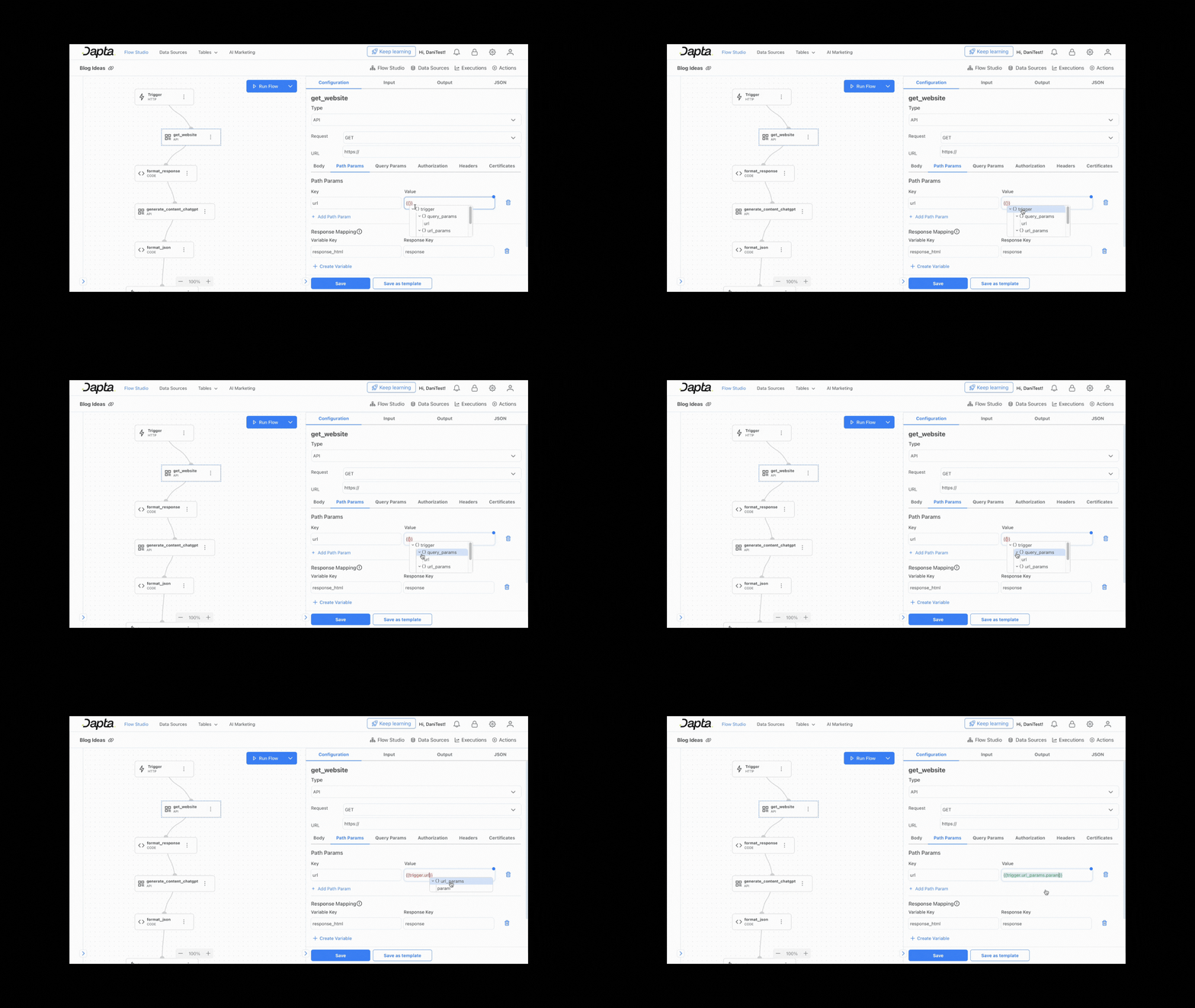
**New Variables Component:** Our new variables component offers a seamless experience for managing data in Dapta. Enjoy autocomplete functionality, intuitive options selection with collapsible tree views, and smart filtering for effortless data manipulation.
## 🔧 Fixed and Improved
* Work in parallel with ease using Multiple Branches in the Flow Studio, enabling efficient collaboration and task delegation.
* Enable step-by-step debugging for simplified troubleshooting and error resolution.
---
# Agent Instructions
This documentation is published with GitBook. GitBook is the documentation platform designed so that both humans and AI agents can read, navigate, and reason over technical content effectively. Learn more at gitbook.com.
## Querying This Documentation
If you need additional information that is not directly available in this page, you can query the documentation dynamically by asking a question.
Perform an HTTP GET request on the current page URL with the `ask` query parameter, and the optional `goal` query parameter:
```
GET https://docs.dapta.ai/product-updates/april.md?ask=&goal=
```
`ask` is the immediate question: it should be specific, self-contained, and written in natural language.
`goal` is optional and describes the broader end goal you are ultimately trying to accomplish on behalf of the user. GitBook uses it to tailor the answer towards what is most useful for that goal.
The response will contain a direct answer to the question and relevant excerpts and sources from the documentation.
Use this mechanism when the answer is not explicitly present in the current page, you need clarification or additional context, or you want to retrieve related documentation sections.