> For the complete documentation index, see [llms.txt](https://docs.dapta.ai/llms.txt). Markdown versions of documentation pages are available by appending `.md` to page URLs; this page is available as [Markdown](https://docs.dapta.ai/product-updates/august.md).
# August
Get to know all the details of the latest features and improvements we have made to the platform.
TL;DR In this edition:
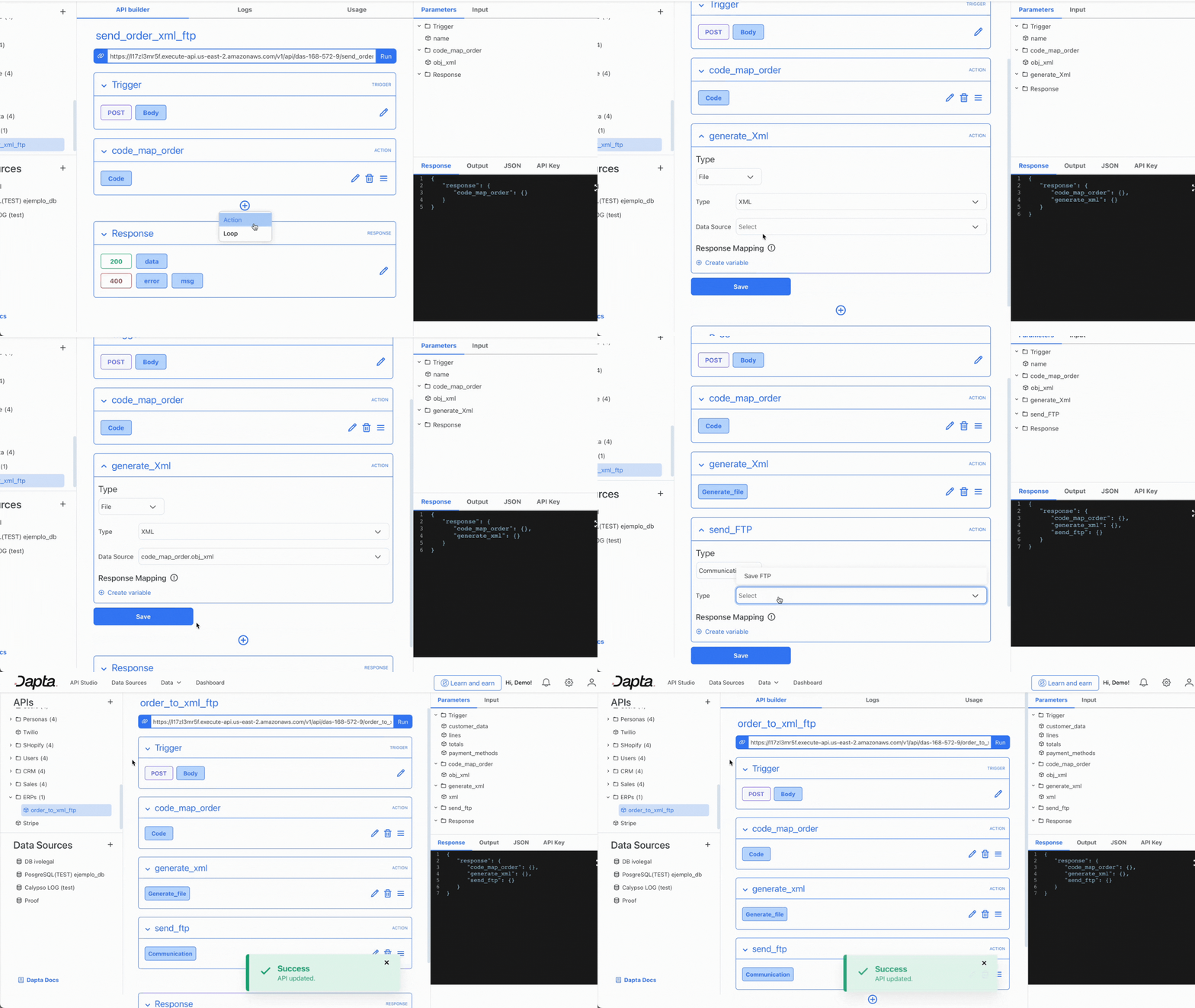
* 📇 Generate XML files and transfer via FTP: Easily organize billing records with our new feature. Send them automatically to desired online locations, simplifying internal system sharing.
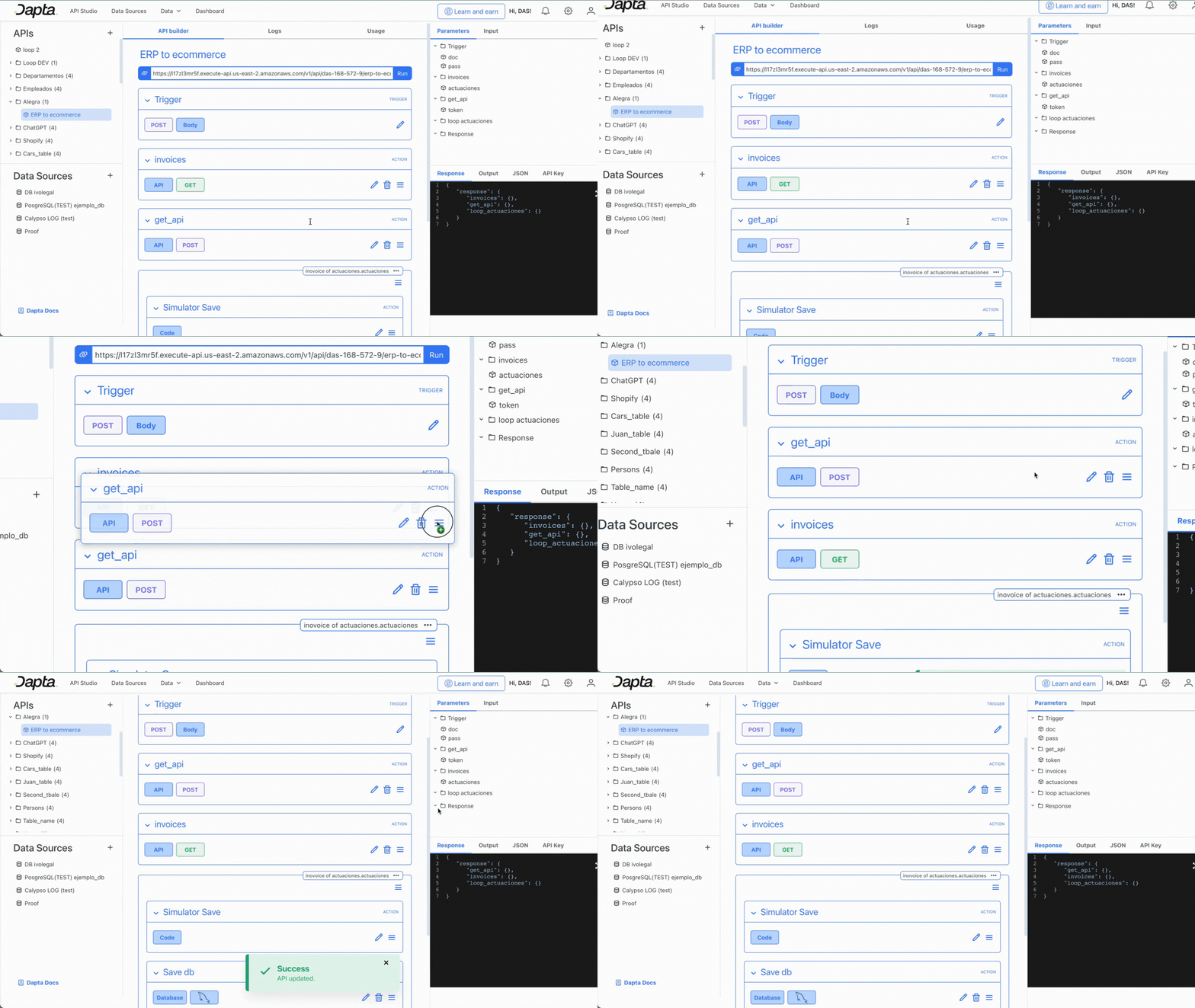
* ⛓️Sort workflow action nodes: Customize the execution order of API actions effortlessly.
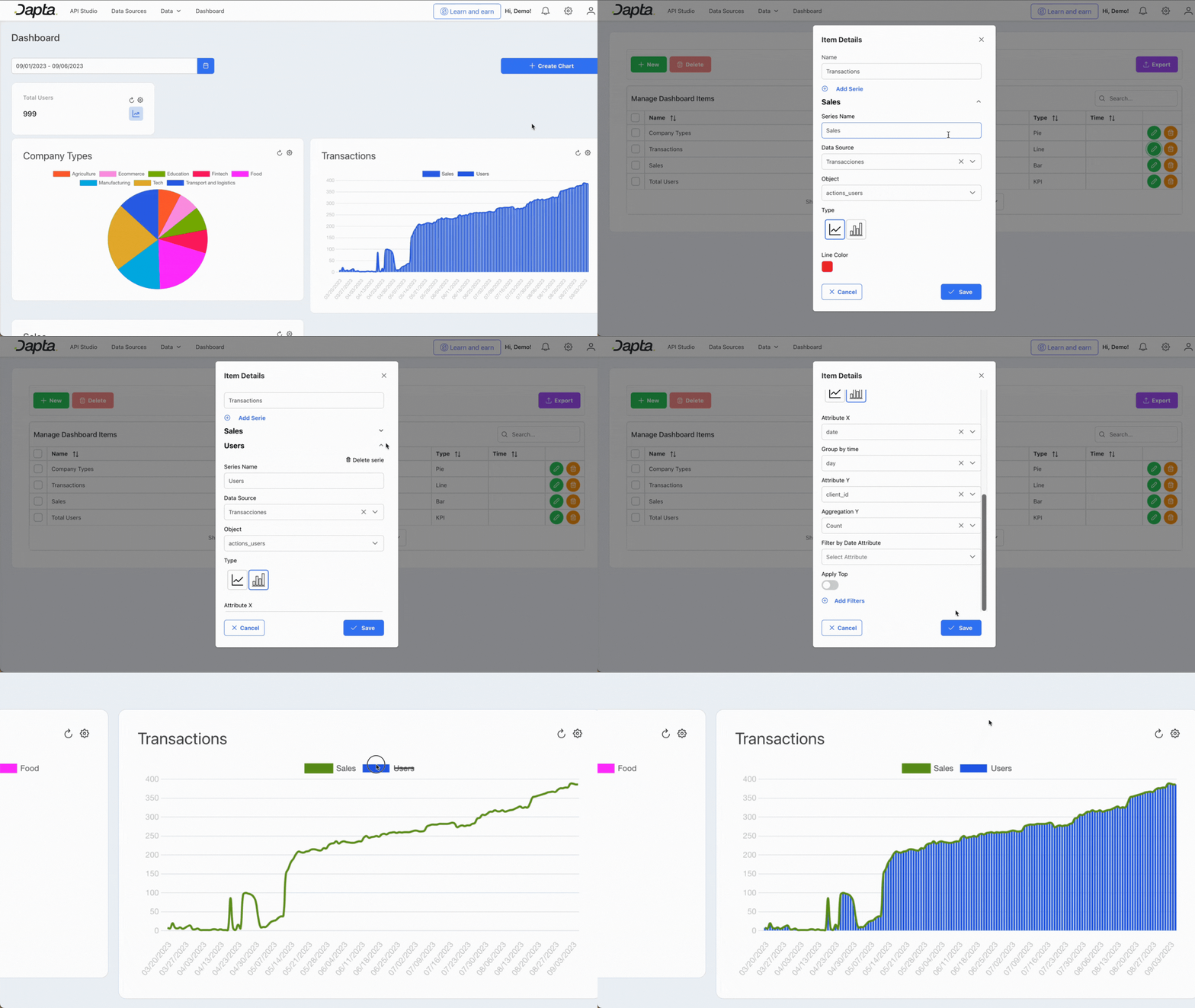
* 📈Combine chart types and add a secondary axis: Visualize diverse data for quick decision-making and enhanced insights in a single chart.
## New Features
### **🧩 API Studio**
* **Generate XML files and transfer it via FTP:** Our new feature allows you to create XML files to organize structured information such as billing records within a company. You can then use the FTP protocol to automatically send these files to specific locations on the Internet, such as sharing your billing records with your internal system automatically.
* **Sort the nodes of your workflow actions:** Now you can easily move the nodes of your API actions to customize the order in which you want them to be executed.
### :chart\_with\_upwards\_trend:Dashboard
* **Combine different chart types and add a secondary axis:** Now you can visualize two different types of data in the same chart, for easier comparison and more valuable insights for quicker decision making.
## 🔧 Fixed and improved
* Now you can find in the API Studio section a direct link to our documentation
* Create, update and edit a chart directly from the dashboard section
* Endpoints that are automatically created when you create a DaptaDB already have the name you assigned at the time of configuration
---
# Agent Instructions
This documentation is published with GitBook. GitBook is the documentation platform designed so that both humans and AI agents can read, navigate, and reason over technical content effectively. Learn more at gitbook.com.
## Querying This Documentation
If you need additional information that is not directly available in this page, you can query the documentation dynamically by asking a question.
Perform an HTTP GET request on the current page URL with the `ask` query parameter, and the optional `goal` query parameter:
```
GET https://docs.dapta.ai/product-updates/august.md?ask=&goal=
```
`ask` is the immediate question: it should be specific, self-contained, and written in natural language.
`goal` is optional and describes the broader end goal you are ultimately trying to accomplish on behalf of the user. GitBook uses it to tailor the answer towards what is most useful for that goal.
The response will contain a direct answer to the question and relevant excerpts and sources from the documentation.
Use this mechanism when the answer is not explicitly present in the current page, you need clarification or additional context, or you want to retrieve related documentation sections.