> For the complete documentation index, see [llms.txt](https://docs.dapta.ai/llms.txt). Markdown versions of documentation pages are available by appending `.md` to page URLs; this page is available as [Markdown](https://docs.dapta.ai/product-updates/may.md).
# May
Get to know all the details of the latest features and improvements we have made to the platform.
TL;DR in this edition:
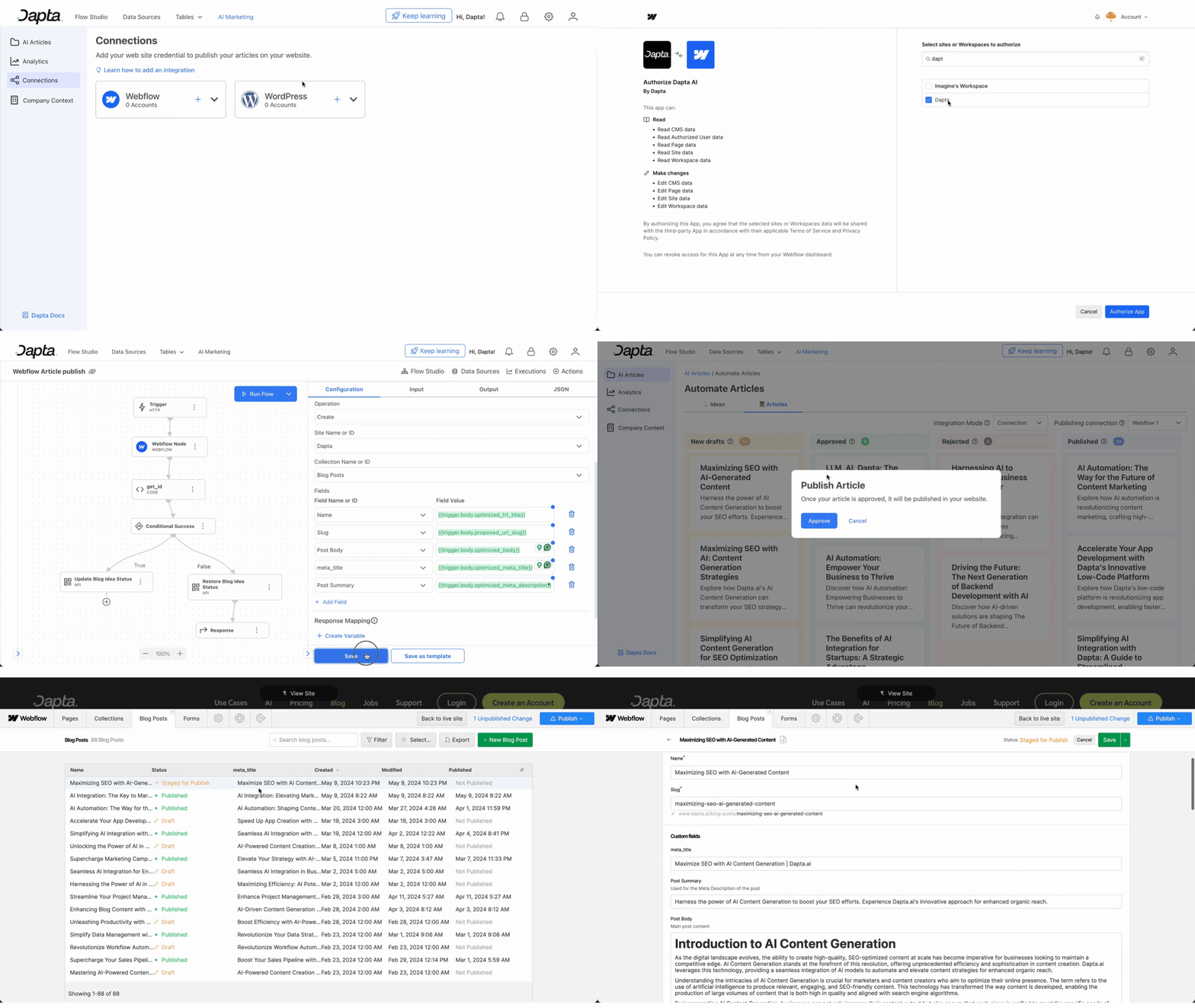
* **Webflow Integration (SSO):** Seamlessly connect to Webflow to automate the publishing of your articles
* **Long-Form Content:** Engage more users with longer articles
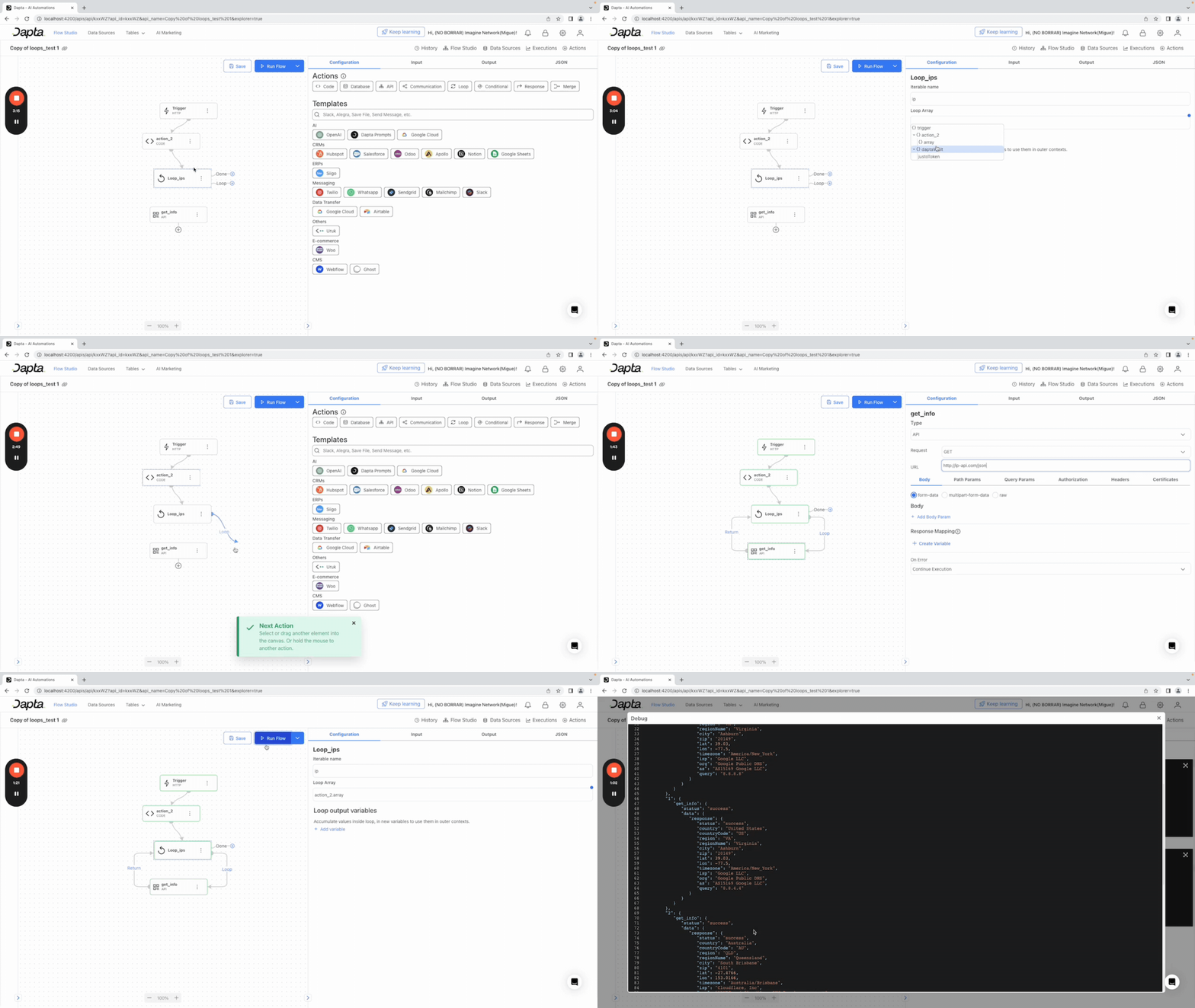
* **Loop Node:** Save time and streamline workflows by looping through data seamlessly.
> Find the ES version [here](https://docs.dapta.ai/v/dapta-docs-es/ultimas-actualizaciones/mayo)
## ✍🏼 AI Marketing
**Webflow Integration:** Forget about API keys and complex tokens.
Now you can seamlessly connect to Webflow using Single Sign-On (SSO).
Simply log in to Webflow with your existing credentials and instantly connect to your account without setting up additional integrations.
**Long-Form Content:** Dapta now supports long-form content creation with ease. Enjoy the benefits of creating comprehensive articles with over 3000 words, leveraging the potential for improved SEO ranking and user engagement. Dive deeper into topics, include more relevant keywords naturally, and increase the likelihood of appearing in featured snippets for enhanced visibility and traffic.
## 🧩 Flow Studio
**Loop Node:** The Loop Node simplifies processing large datasets or performing repetitive actions on your data. Need to send personalized messages to all your CRM contacts? Loop through your contacts and customize messages for each.
**Enhanced Looping Capabilities:** this change empowers you to navigate complex data structures. Think of it like nested loops (double for loops!). You can loop through elements within other elements, making it perfect for tasks like iterating through municipalities within cities.
---
# Agent Instructions
This documentation is published with GitBook. GitBook is the documentation platform designed so that both humans and AI agents can read, navigate, and reason over technical content effectively. Learn more at gitbook.com.
## Querying This Documentation
If you need additional information that is not directly available in this page, you can query the documentation dynamically by asking a question.
Perform an HTTP GET request on the current page URL with the `ask` query parameter, and the optional `goal` query parameter:
```
GET https://docs.dapta.ai/product-updates/may.md?ask=&goal=
```
`ask` is the immediate question: it should be specific, self-contained, and written in natural language.
`goal` is optional and describes the broader end goal you are ultimately trying to accomplish on behalf of the user. GitBook uses it to tailor the answer towards what is most useful for that goal.
The response will contain a direct answer to the question and relevant excerpts and sources from the documentation.
Use this mechanism when the answer is not explicitly present in the current page, you need clarification or additional context, or you want to retrieve related documentation sections.